A web UI/UX Design for a platform that supports Islamic boarding school students to enter university.
CLIENT
Santri Hub
ROLE
UI/UX Designer
SERVICE
Website Design
Project Details
Problem
Santri Hub wants to create a new product called Edukasi Hub which allows students to learn things about university, major, and scholarship information. They already have user flows and feature lists so we on the UI/UX team just need to design the product.
Goals
Design the Edukasi Hub product, which is a mobile-view website with all its features and information provided. The website is created with a mobile view, meaning that aside from the home page, other pages will only be designed in a mobile version, no matter what device users use. Why they wanted to create the website like this because they didn’t have many resources on the development side and they wanted the product to launch quickly, so, to make it easier to develop, they asked us to only design it as a mobile version except for the home page which needs to be on desktop and tablet version also.
Besides that, we also need to build a design system first, so our project here is creating a design system, creating wireframes, and designing the high-fidelity mockup.
Role & Responsibility
My role is as a UI/UX Designer along with 4 other members of the team. We worked together on the task and split the responsibility based on features. My part here is designing the Campus List feature, Campus Detail feature, Login & Register, and Profile feature with all its respective flows.
Constraints
Since this is my first time enrolling in an internship as a UI/UX Designer, there are lots of things that didn’t know at the time, like creating a button using auto-layout, creating an accordion component, and much more. Luckily, my teammate is kind enough to tell me about all those things so I improved a lot during this internship period.
Another constraint is that in the process of designing the hi-fi design, one of my teammates resigned from the internship so I had to cover his work up. Not a hard task, actually, but it felt a bit challenging at that time since each of us had our responsibility. Other than that, the work was fine, my team coordinator was nice and very helpful in guiding our step toward completing the project.
Design Process
I will only document all the designs that I personally made, not what my teammate made, and all the designs are created in Indonesian language but my documentation still will be in English.
Creating Design System
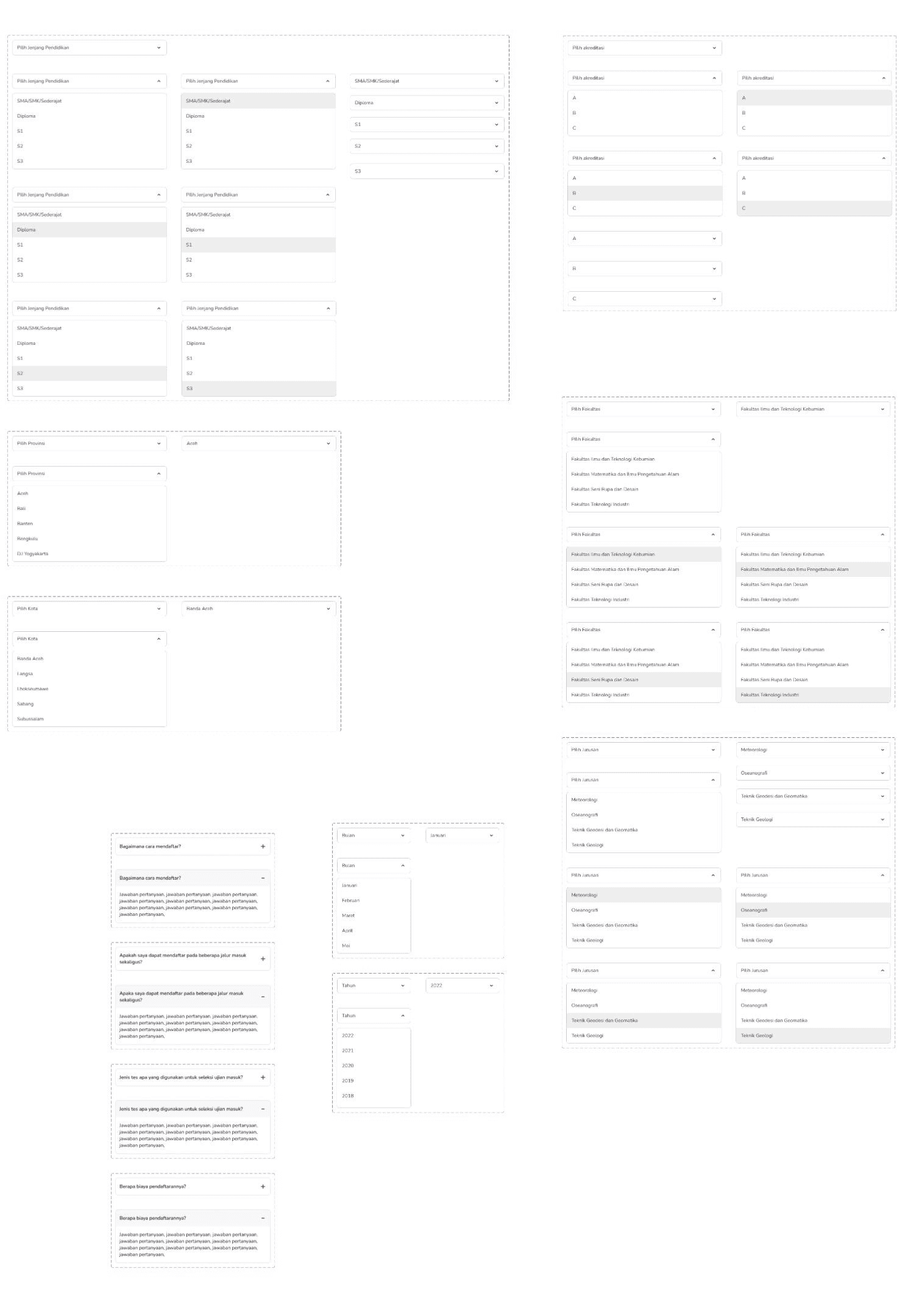
We need to create a design system before starting designing because we need all the design styles and components to be set up first so our design process can be easier. Our team split up the task and I was assigned to create some of these components such as a navigation bar, tabs, card for events, chips, filter button, pagination, radio, checkbox, toggle, and some accordions and dropdown for the feature that I worked on.
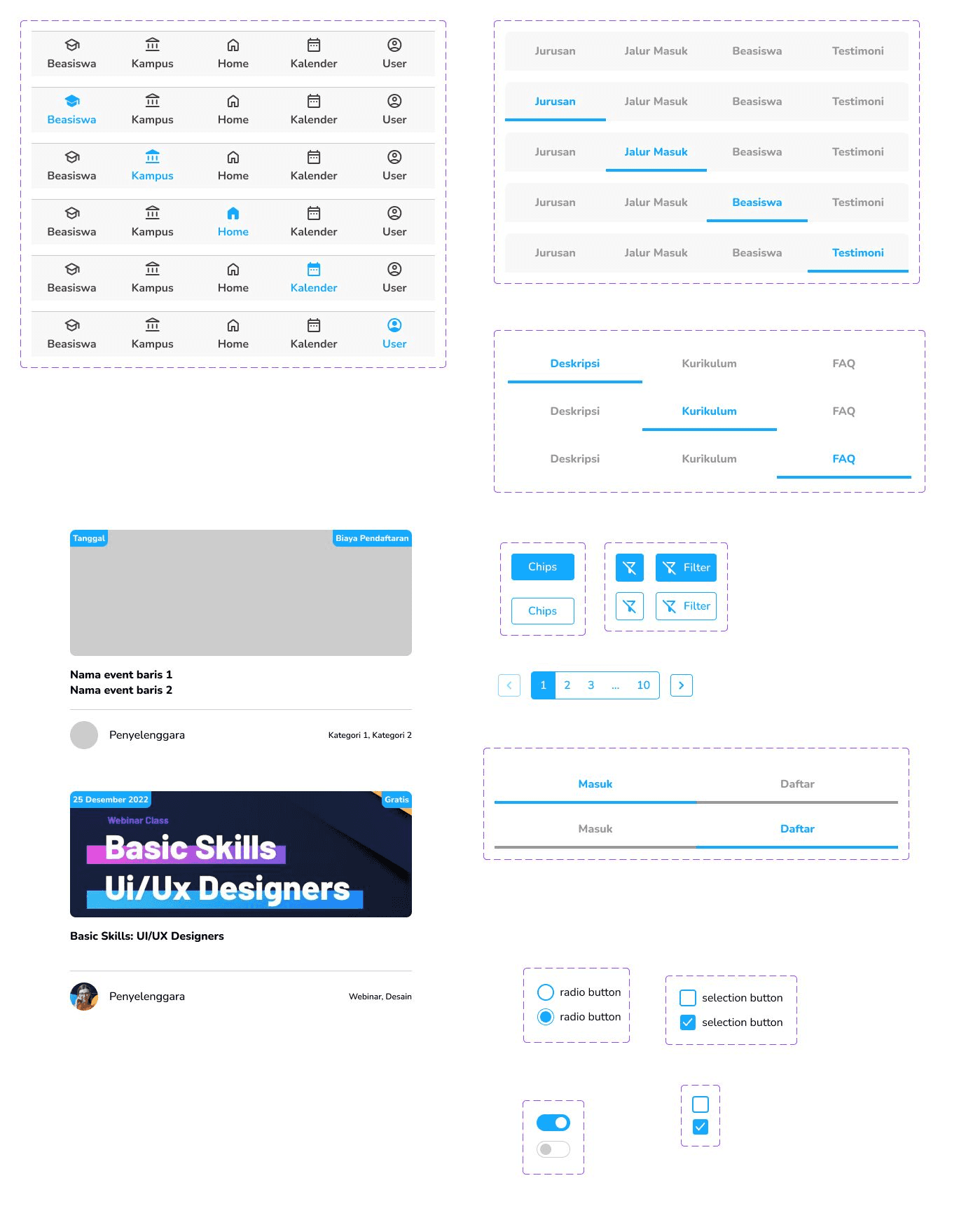
Even though I was experienced in creating components before, this is my first time designing components with interactive states like dropdowns and accordions. I learned a lot from my teammate and I created various versions of those components to provide my design needs.
Designing Low-Fidelity/Wireframe
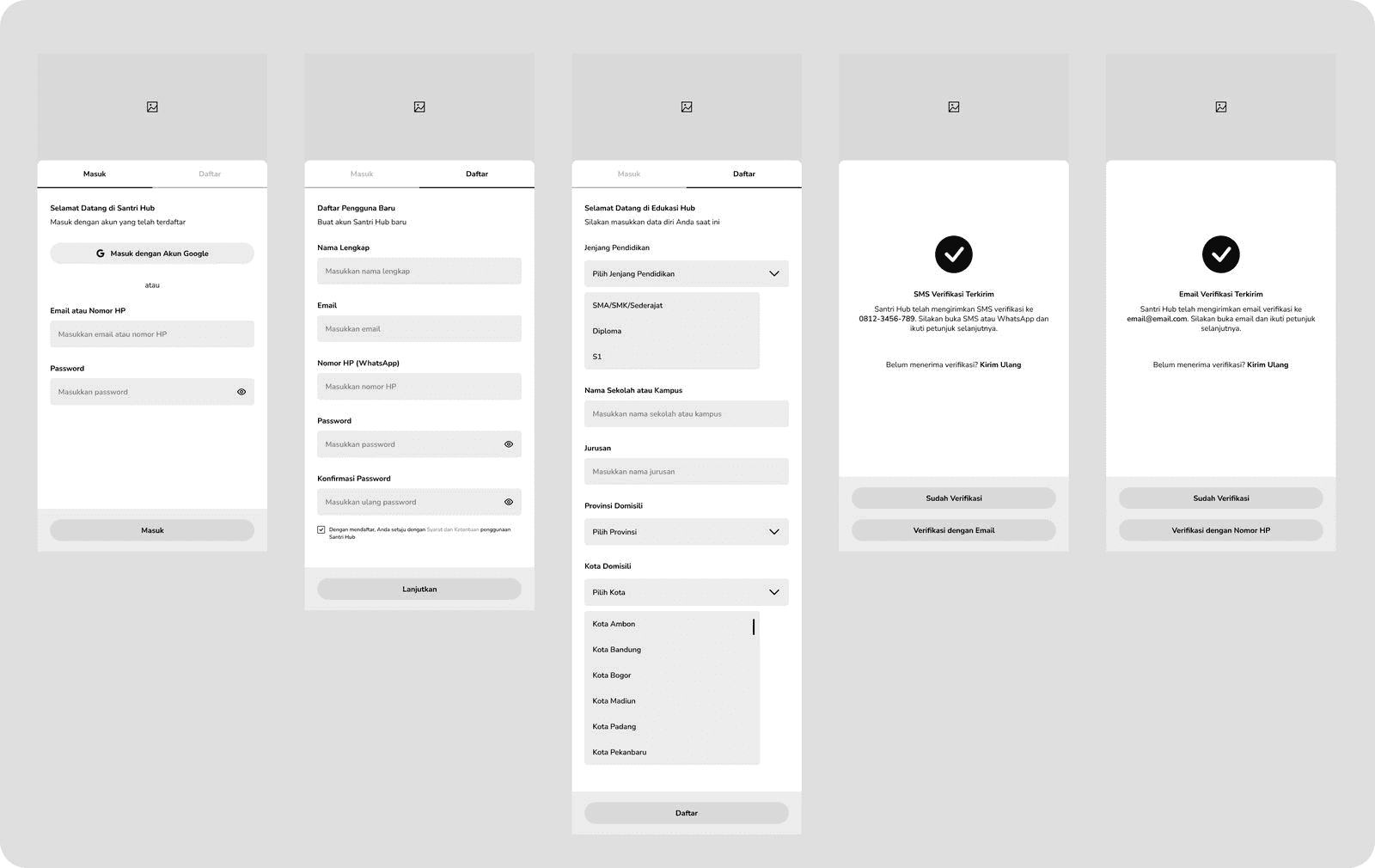
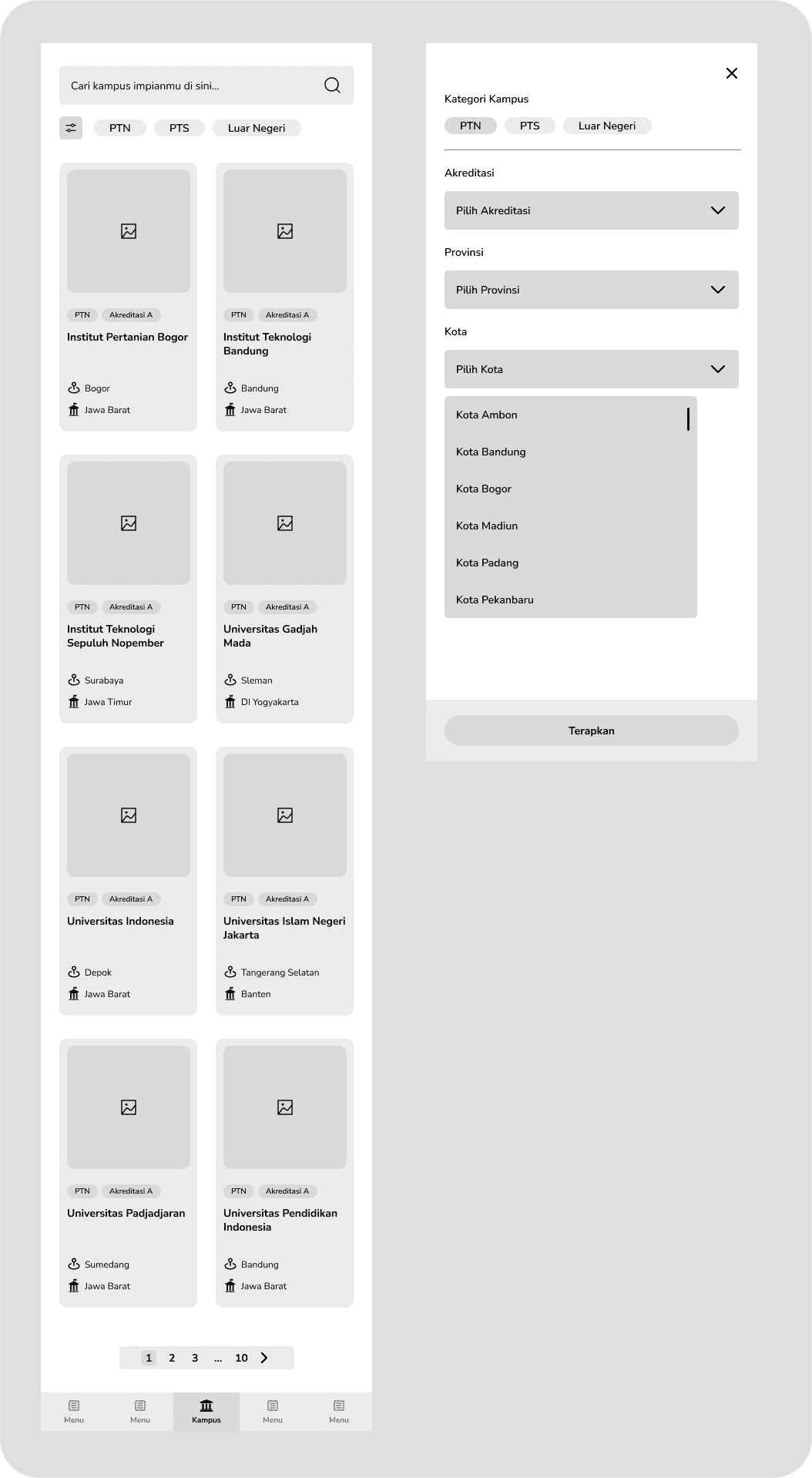
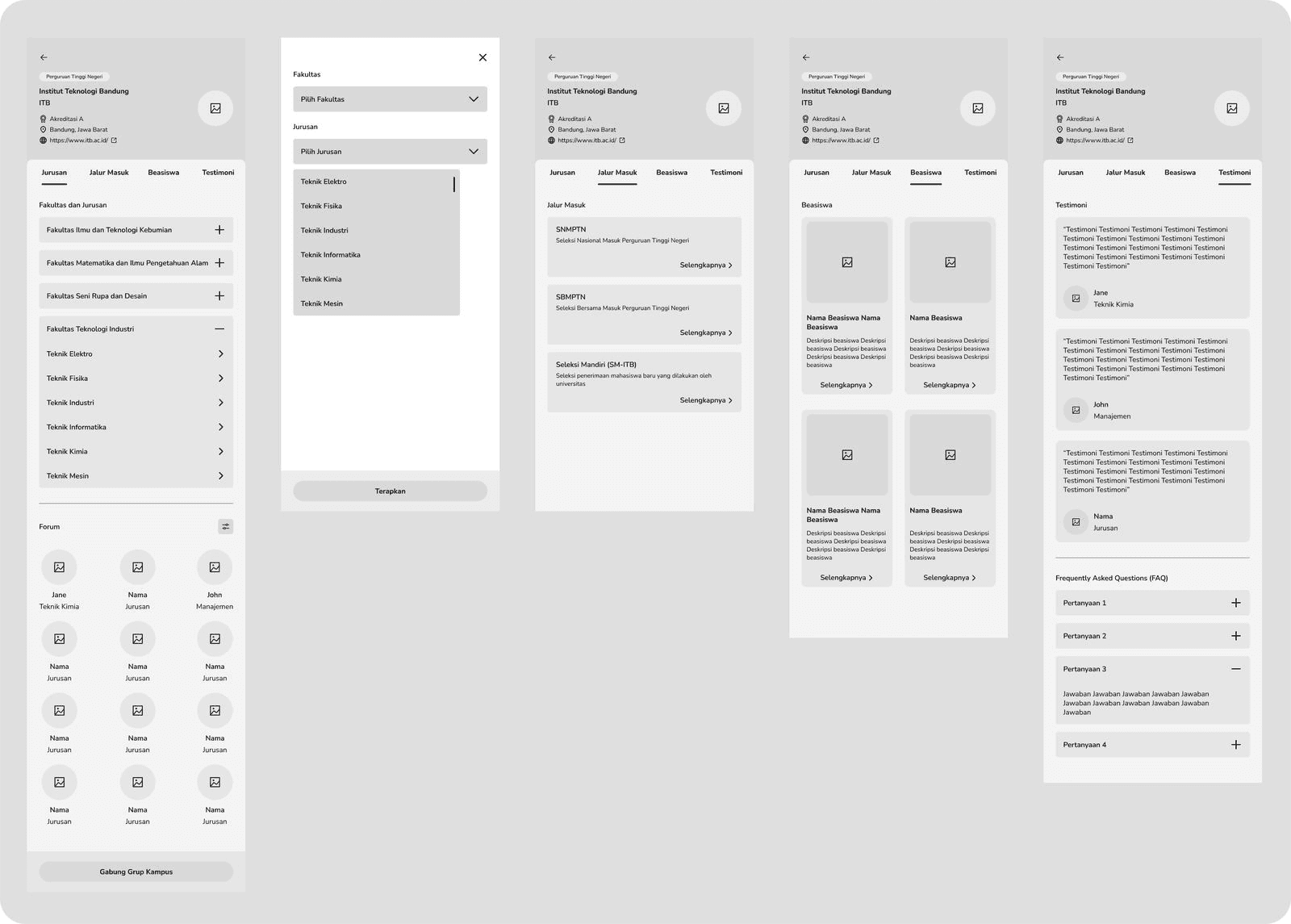
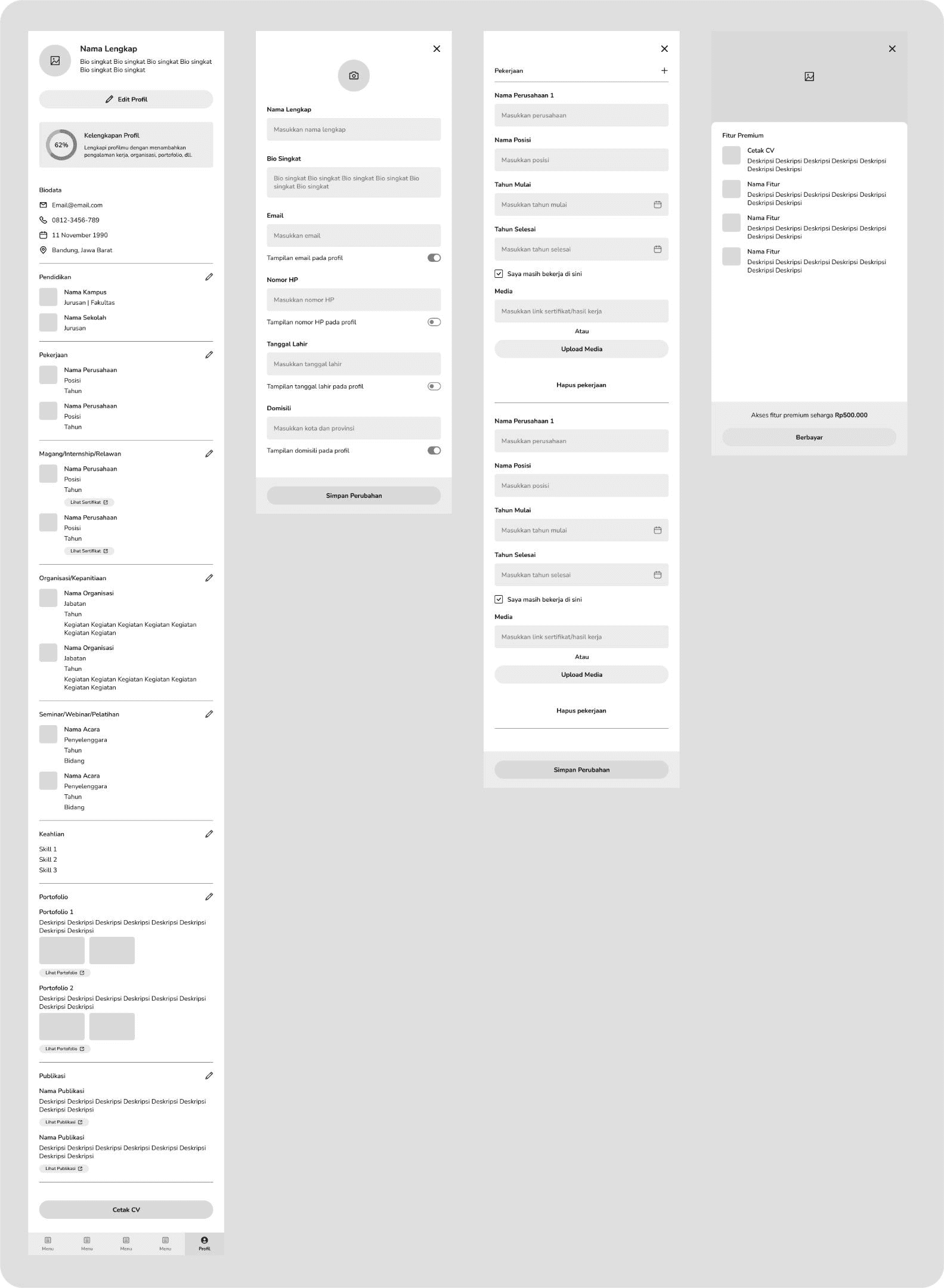
I was assigned to design the login & register flow, campus list feature, campus detail feature, and profile features. I created wireframes to map out the layout I wanted to use as the final design. This wireframe was polished several times here and there but I don’t have documentation for each of the layout revisions, here is the final wireframe design that is approved.
Final Design
Login & Register Flow
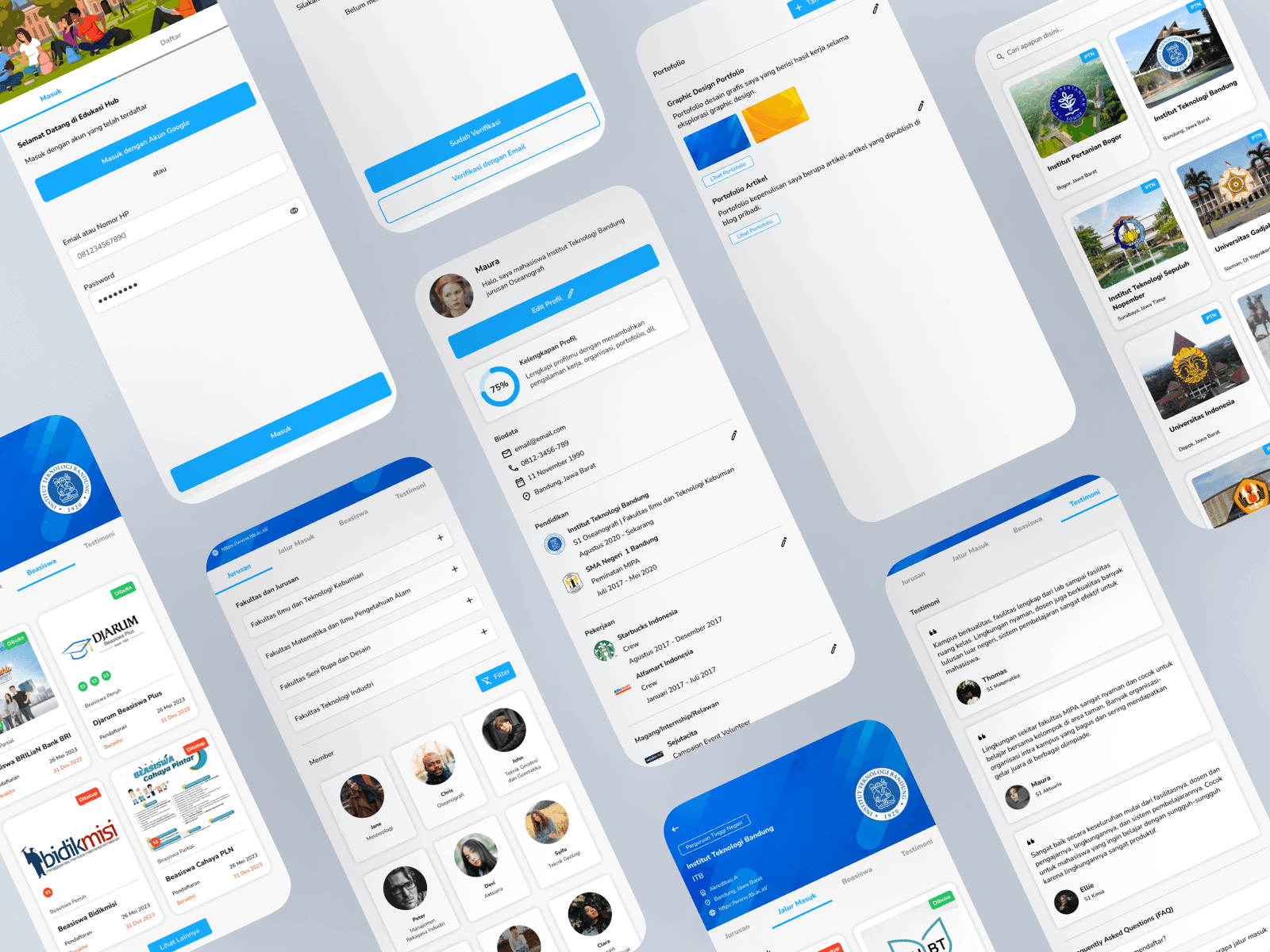
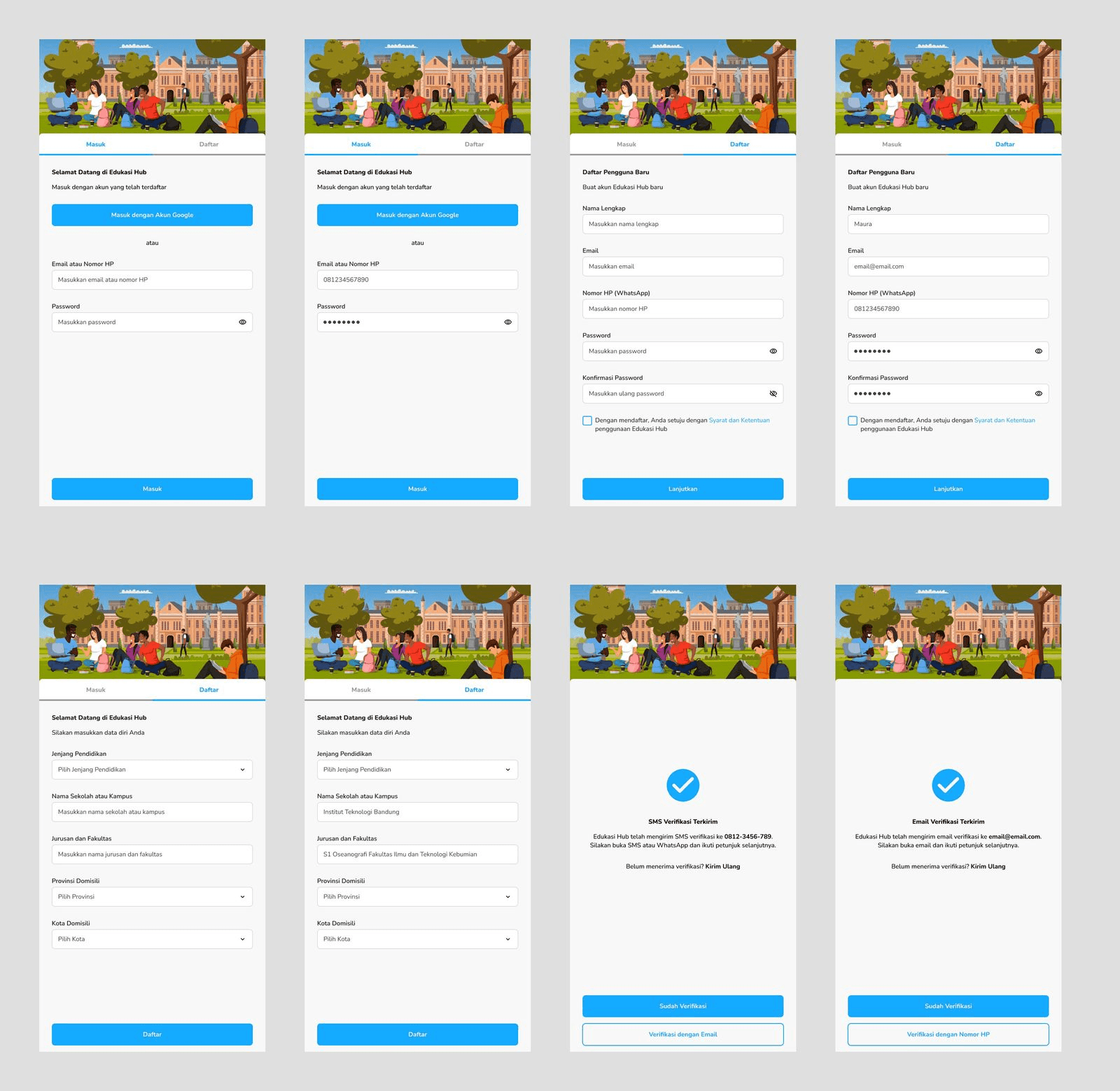
The login & register flow consists of a basic login page with illustration and input fields, then a tab to switch between login or register, and a flow to do email confirmation. I use relevant illustrations in the theme of university education since that is what this product is about. I also use the primary colour which is light blue across various design elements.
Campus List
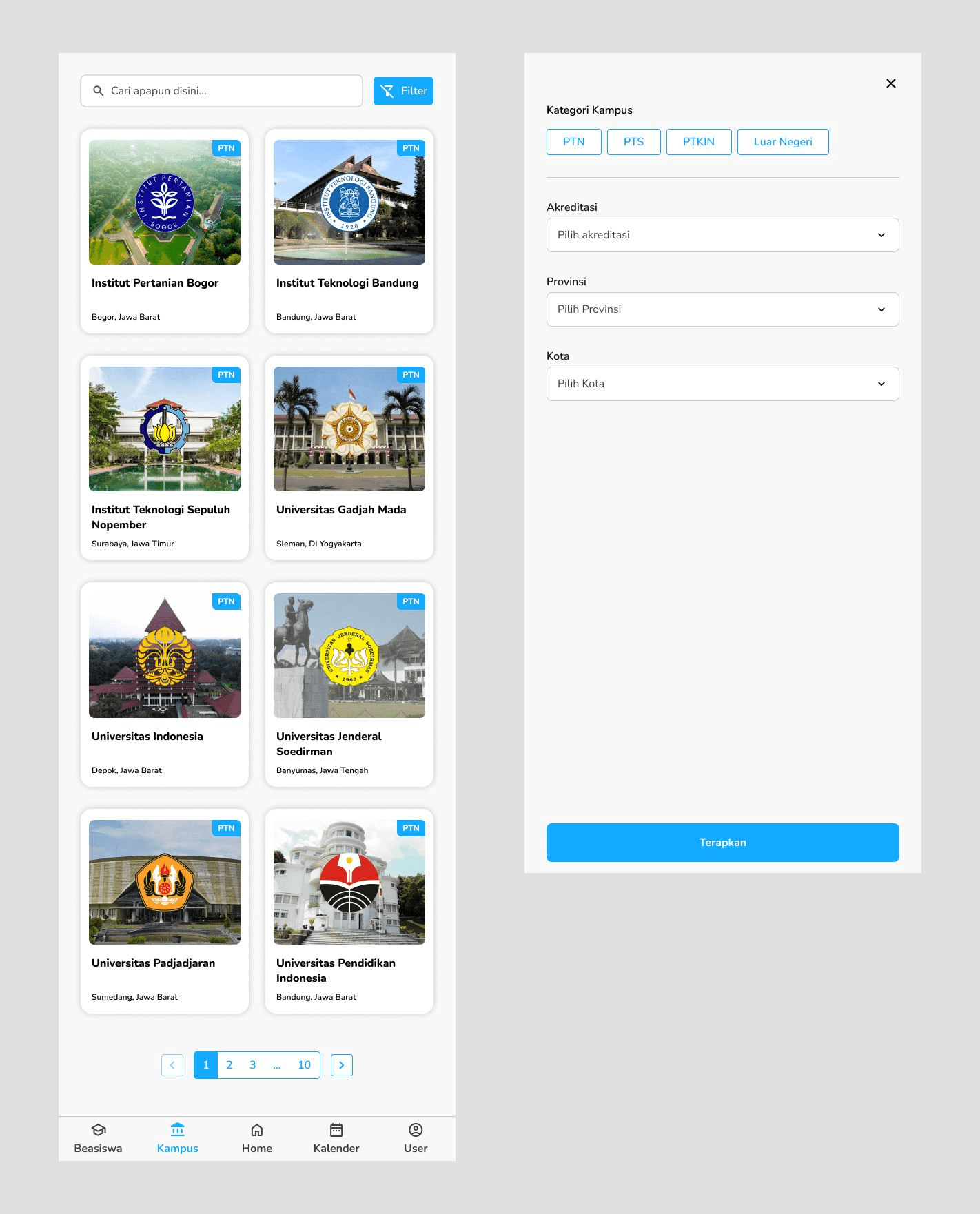
This is a page, which has the list of all campuses available especially in Indonesia. Here we have a search bar and a filter feature to filter campuses based on which is state or public or Islamic or abroad campus along with accreditation and location. The campus card was designed by my teammate and I made some adjustments to match the information needed to display. There is also a pagination and a navigation bar on the bottom side of the screen.
Campus Detail
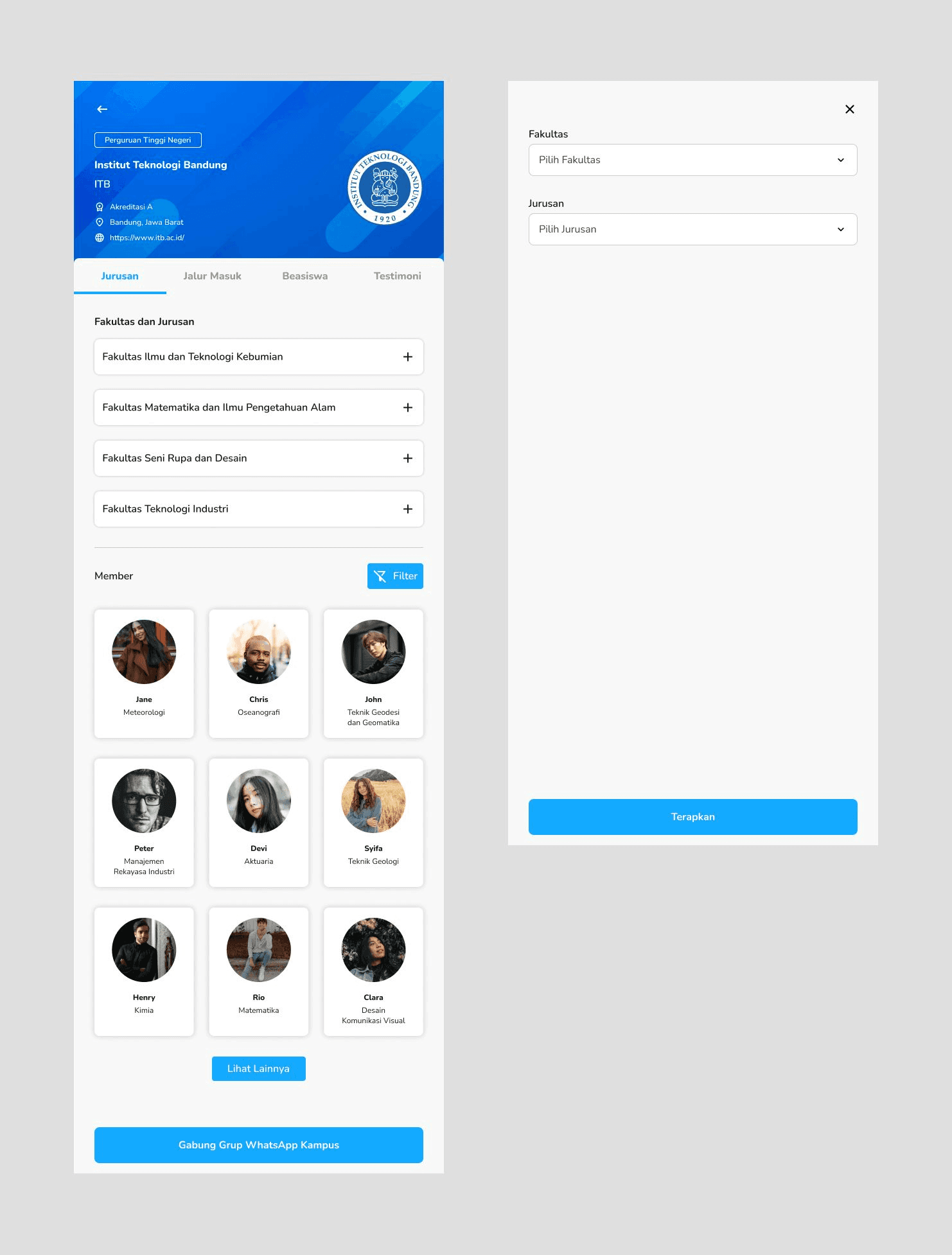
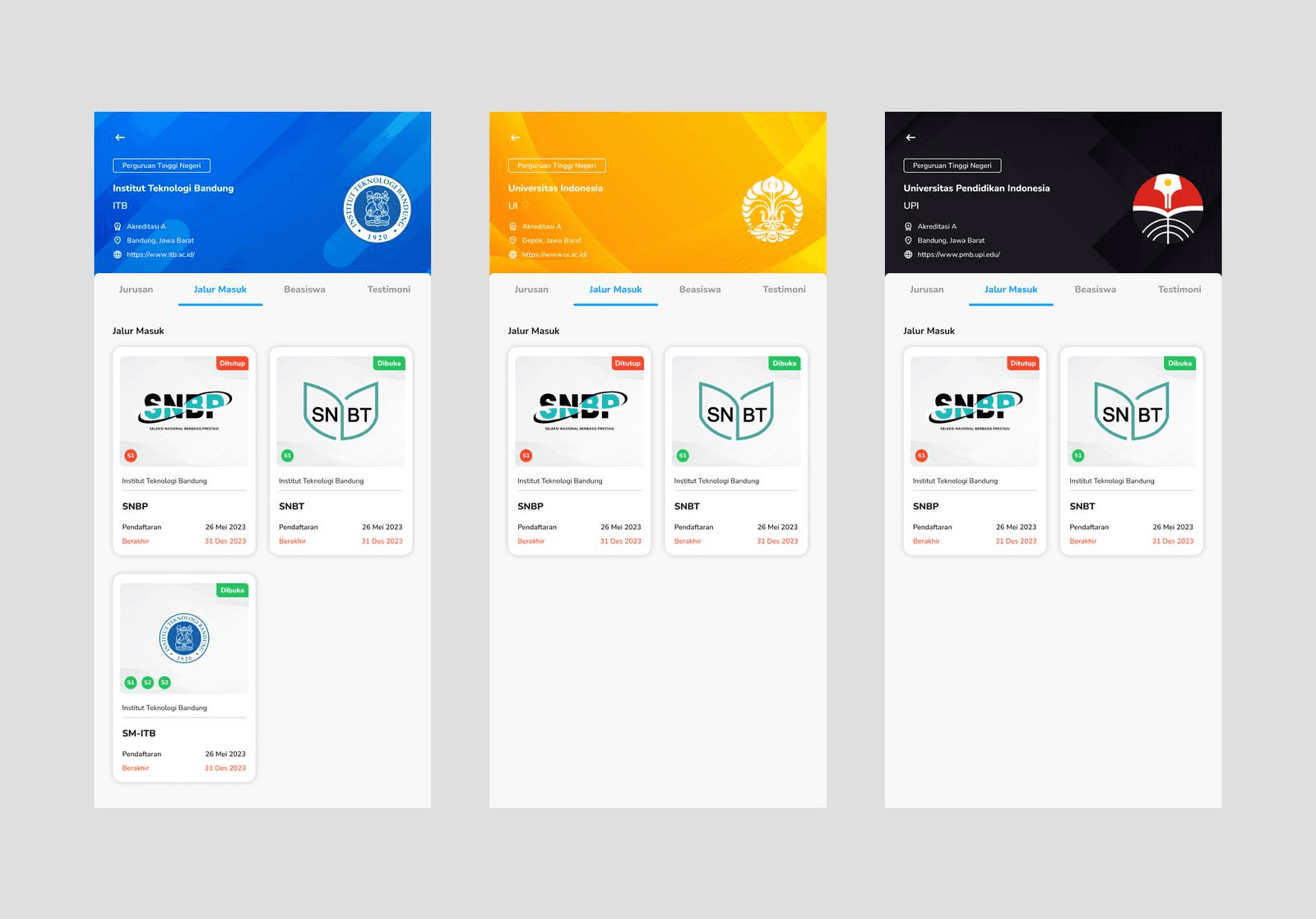
This page contains university information, majors available, Edukasi Hub members who are enrolling, entry paths, scholarships, and testimonials from Edukasi Hub members.
This is quite straightforward, there is the university logo with a background that matches its colour scheme. In the faculty and majors section, I created an accordion in which users can choose and click on their desired majors. In the members section, there is a filter option to filter the members according to faculty and majors. On the bottom side of the screen, there is a button that directs users to join the campus WhatsApp group with other Edukasi Hub members.
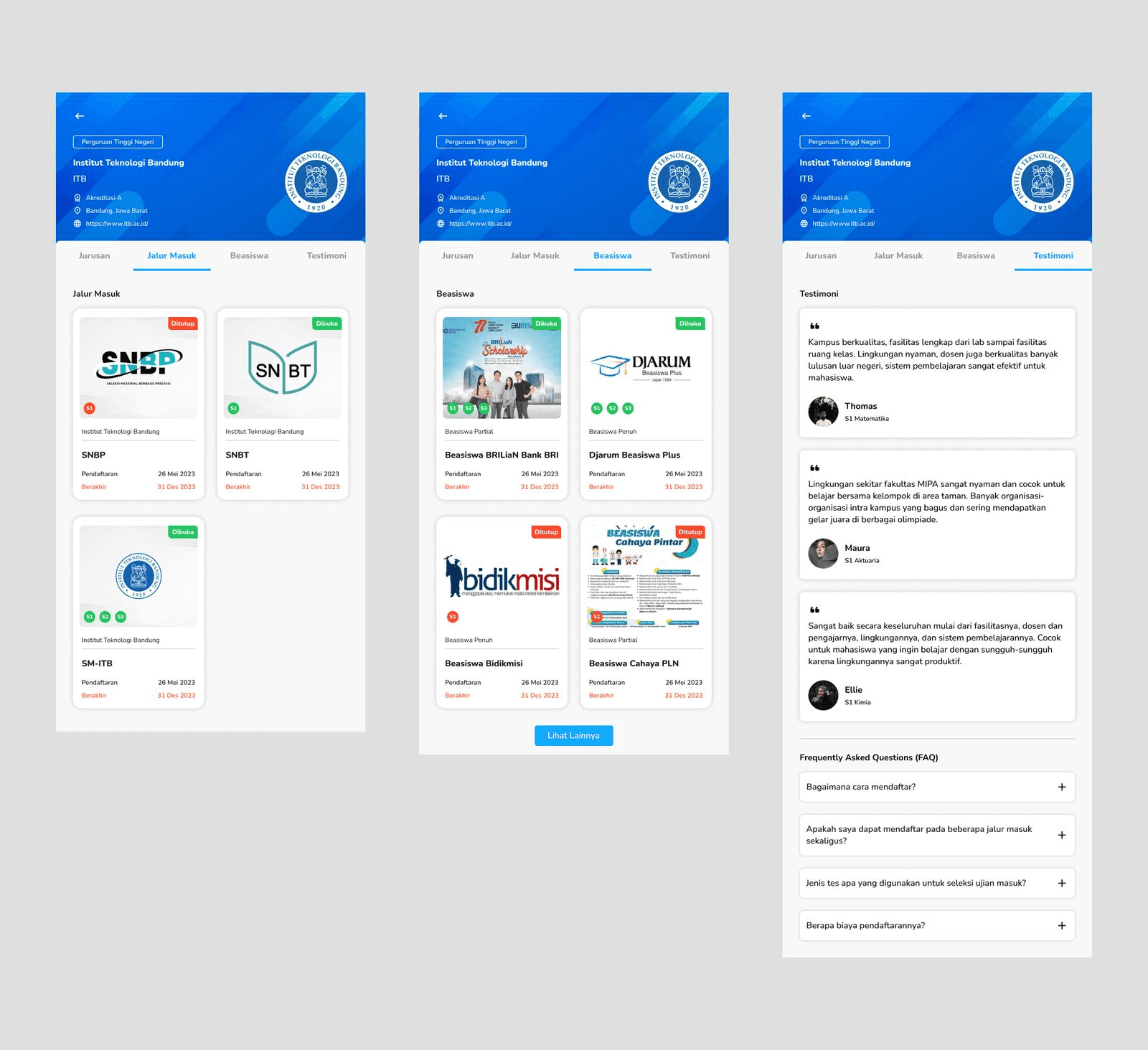
On this page, there is a tab to switch between information such as majors, entry paths, scholarships, and testimonials. The entry paths tab shows all the available entry paths for students to apply to the university, designed as a card with information like whether the path is open, the registration date, and the available level of education.
The scholarships tab shows all available scholarships for the university along with information like name, registration date, status, and also available level of education. The testimonial tab shows all testimonials from other Edukasi Hub members who are enrolled in the university from various majors. There is also a FAQ section on the bottom side of the page.
Since the header background should match the colour scheme of each university, here I create some variations for several top universities in Indonesia, each with their respective colour theme.
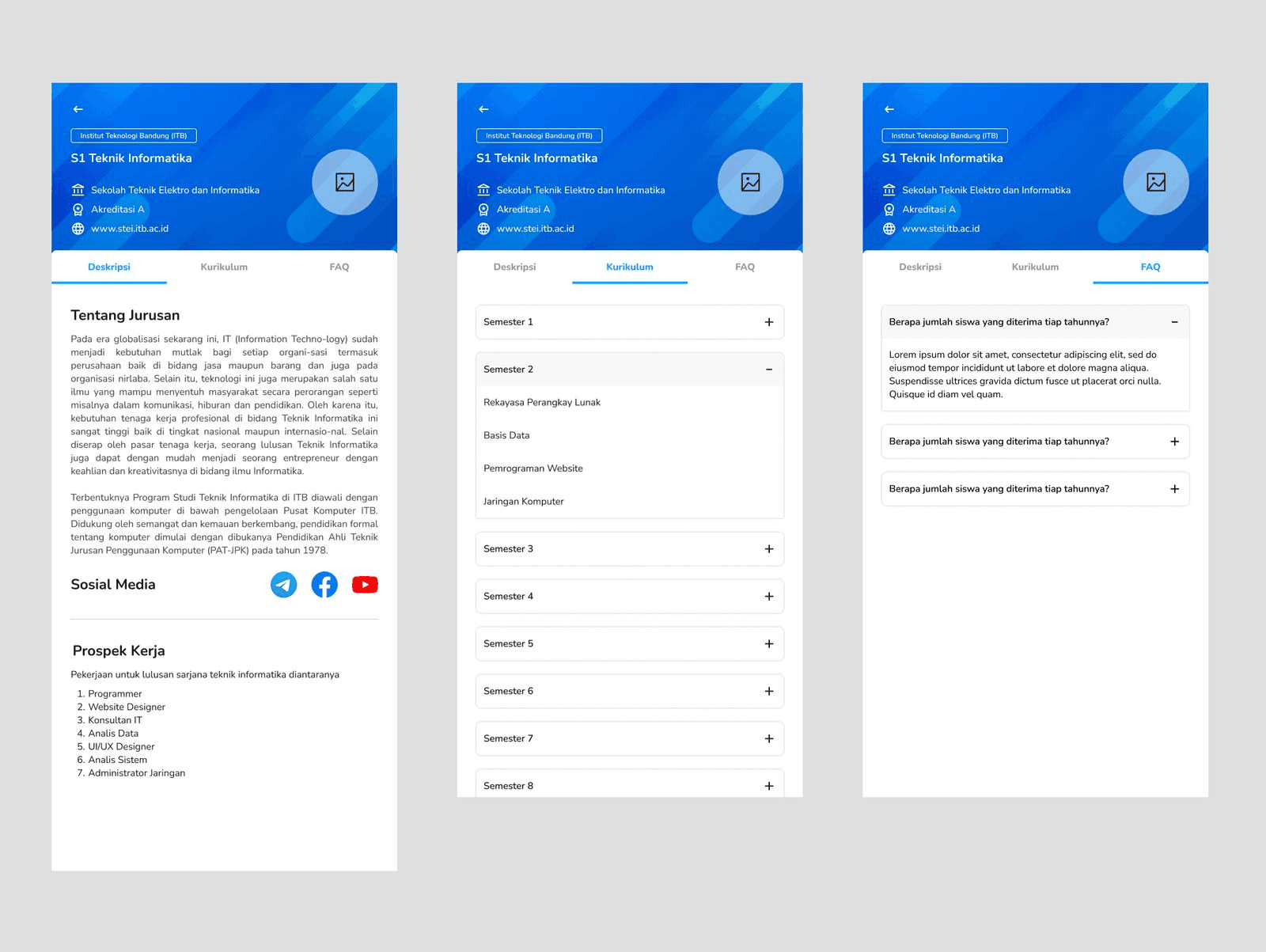
On the major tab, when users click on the accordion, a list of majors will be available to be checked. When users click any of them, it will navigate to a specific major page for that university. On this page, users can view major information, social media, work prospects, curriculum, and FAQs. The image displayed on the header is still a placeholder because it should be filled with each of the major logos.
Profile Feature
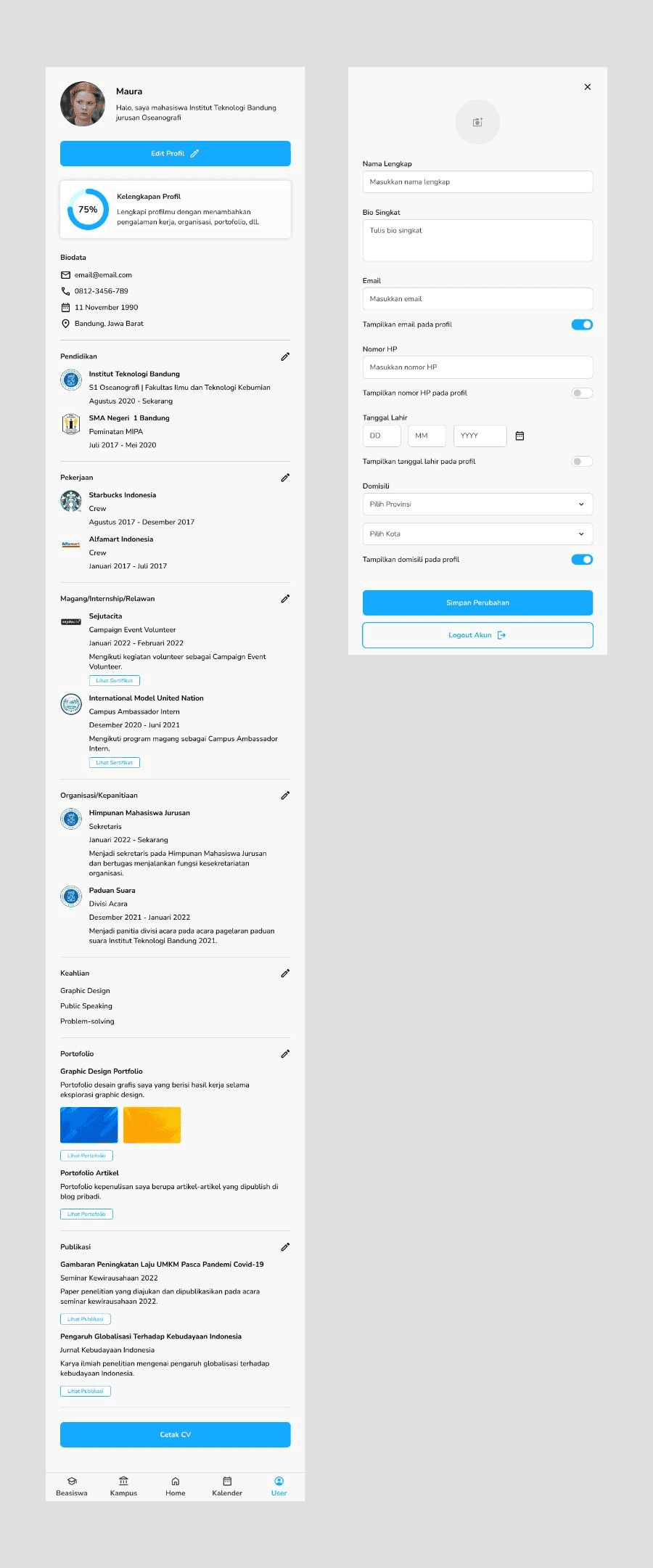
The profile feature contains users’ basic information, a button to edit their profile, profile data completion, biodata, education experience, working experience, internship/volunteer experience, organizational/committee experience, skills, portfolio, publications, and a button to print their information as a CV/resume.
On the edit profile page, there is an option for users who want to display their email, phone numbers, date of birth, and location on their profile page. This profile page functions like LinkedIn in which any Edukasi Hub member can view each person's information.
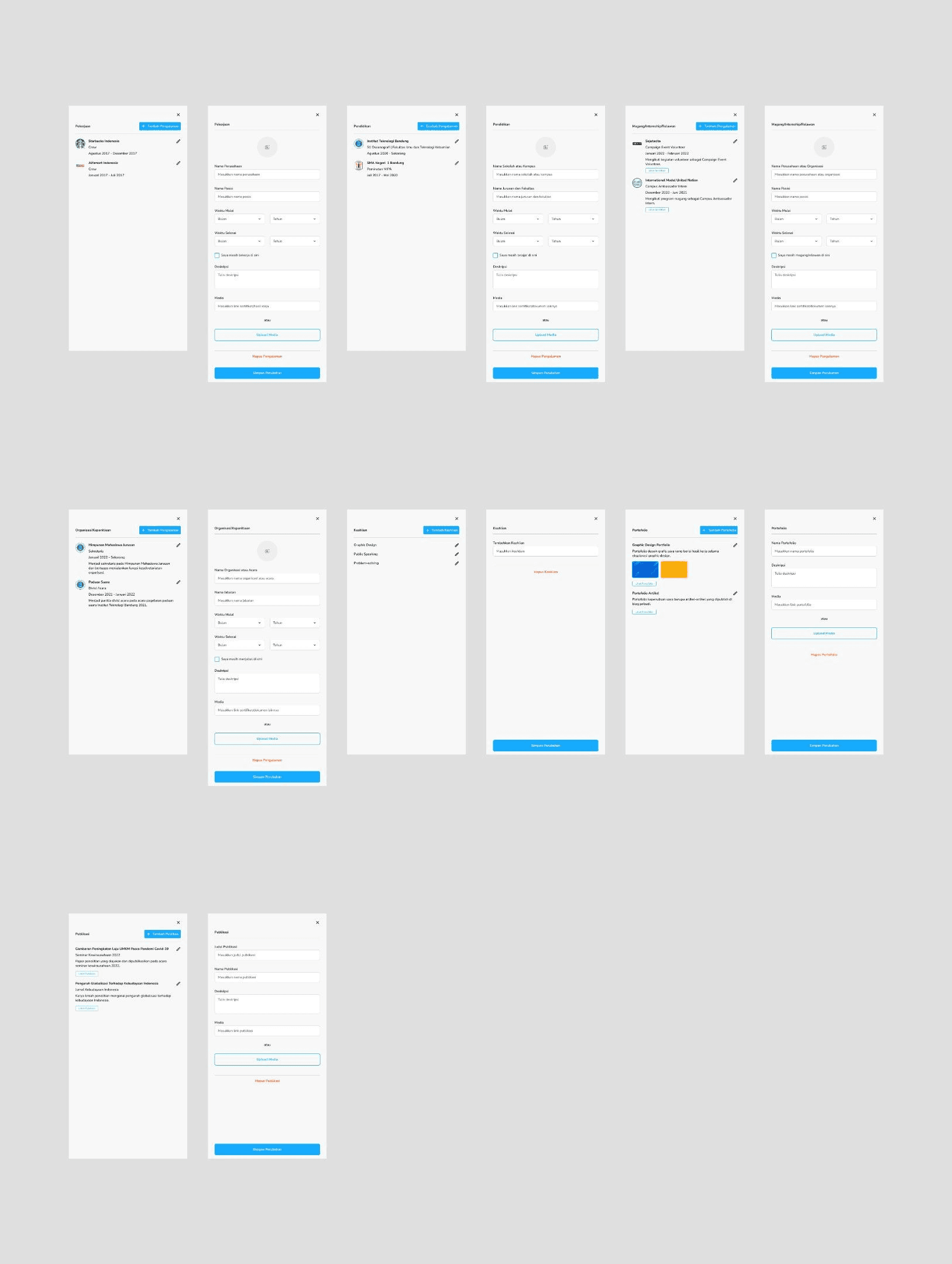
On each of the experience sections, users can add, edit, or delete any experience they want, thus making this profile page have a flow to add various users’ experience information.
Prototype
Here is the product prototype that you can try, this has been combined between the design that I made and the other team member's design.
Measurable Outcomes
Our internship program is only 3 months and at that time, we just completed the high-fidelity design of the product, we have not been able to conduct usability testing to measure our design outcomes. My team coordinator also said that the testing is optional since they also want to jump on developing the product. So, we ended up didn’t conduct any testing and just finished on the hi-fi design.
Limitations & Lesson Learned
My first internship experience is something that I remember from my journey after it. It is a great opportunity to meet new people, try new things, and learn stuff I never knew. My teammate, team coordinator, and Santri Hub’s CEO have all been helping me to complete this project and made me the designer I am now, I’m so grateful for this experience. Even though this was my first time doing an internship, I’m proud to present that I was honoured as the best UI/UX Design staff on the end of my internship period. This achievement later guided me to keep learning and pursue a career to be a great designer.