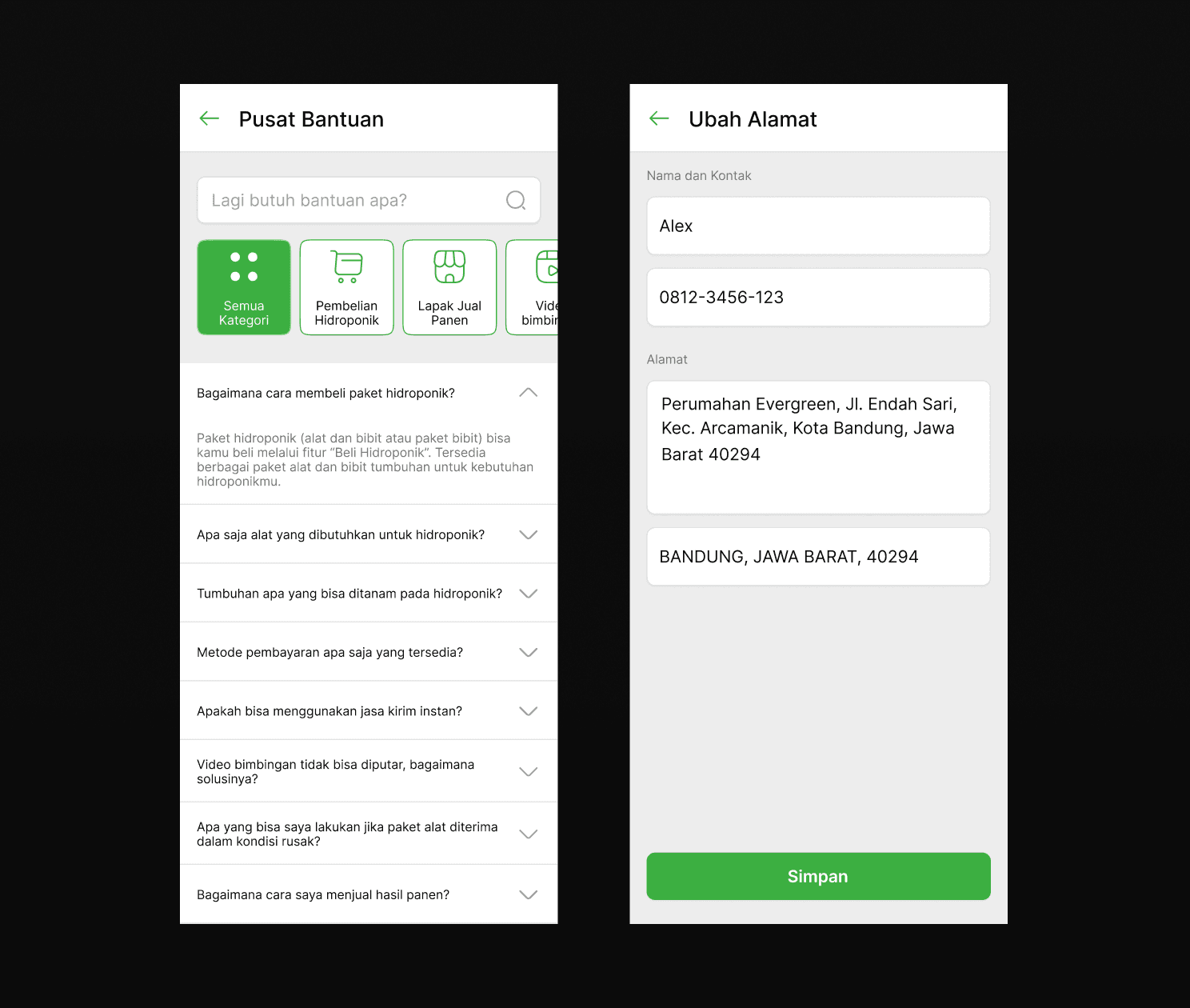
A UI/UX Design for a business that provides everything about hydroponics needs with various features.
CLIENT
EasyGreen
ROLE
Lead UI/UX Designer
SERVICE
Mobile App Design
Project Details
Links
Here are all the artefacts about the design process to make it easier to document this project.
Role & Responsibility
My role here is as a Design Lead who leads 4 UI/UX Designers and works together with 2 product managers. My responsibilities are creating design guidelines to be used for the team, defining the product’s tone of voice, defining the design style, leading research sessions, creating high-fidelity prototypes, fixing the team’s design with the defined style, conducting usability testing, and pitching the design side of the project.
Problem
We were given the theme of aquatech (aquaculture technology) and we did our research exploration and came up with these problems:
Population growth is not directly proportional to the land media as a constant agricultural land.
Lack of application of technology in modern agriculture.
Limited marketing and distribution of harvest sales
Unstable agricultural market prices.
Limited access to seeds, fertilizers, and agricultural equipment.
Lack of facilities for farmers to be able to share knowledge with other farmers.
These problems are related to agriculture and not specific to aquaculture, but we found out that we could have a slice between those sectors through a horticulture technique named hydroponics. Hydroponics is the technique of growing plants using a water-based nutrient solution rather than soil and can include an aggregate substrate, or growing media, such as vermiculite, coconut coir, or perlite. Thus, matches our aquaculture technology theme while also related to our stated problems.
To deepen the problem, we gather some supporting data which state that the increasing population is inversely proportional to the availability of land and labour working in the agricultural sector. In this case, many agricultural lands have been turned into settlements. Therefore, other ways are needed to develop agriculture even though these things are constrained.

Solution
Based on the problem that occurs, we already have ideas to solve it using our hydroponics method. We know that generating a solution in the first step is not a good thing, but most of the ideas come as a final solution. That’s why we’re doing this and will further expand our solution through the research and design process.
So, what we are offering to solve the problem is EasyGreen. This one-stop mobile application platform allows users to grow crops using hydroponic systems to meet their vegetable needs. The app will have these unique point values:
One-stop hydroponic platform: Guide, equipment purchase, and harvest sales.
Informative cultivation video tutorials.
Connecting hydroponic farmers with buyers and business opportunities.
Community to share knowledge and experiences.

Goals
Since we knew we were going to make an app (Because this is a bootcamp project), we then defined our product goals, which are:
To become the number one one-stop platform in Indonesia, which focuses on plant cultivation using hydroponic systems.
Disseminating the technique of matching planting with hydroponic systems to all levels of Indonesian society.
Improve the welfare of farmers by 60% by providing access to agricultural technology.
Encourage high-quality harvests with maximum profits of up to 100% for farmers.
Constraints
This is a group project between PMs and UI/UX designers, but since I’m on the design side, I will only document more details on the design stuff, it still needs to be noted that every design decision is based on the business research that my PMs did.
This project doesn't have any extreme constraints, the aquatech theme is unique but it is still a topic that rising and a lot of resources are available on the internet. For the project’s process, we made it end-to-end from research to testing. Further than that is out of the project’s scope, so the outcome is only a high-fidelity prototype and its documentation.
Business Side
The business side of the project was done by our PMs, here I showed them with a brief explanation.
Lean Canvas
The lean canvas is a one-page business model designed to help entrepreneurs and teams quickly map out and validate their ideas. Our team made this to map all the business information about our solution ideas.

Business Model Canvas
The Business Model Canvas (BMC) is a strategic management tool that helps organizations, entrepreneurs, and teams design, visualize, and analyze their business models. It provides a structured, one-page overview of the key elements that make up a business and how they interact. This is similar to lean canvas and functionally the same.

Competitor Analysis
This analysis actually was done after we decided what feature would be added to the app so that we could have a focused analysis regarding what’s competitor had. After conducting this analysis, we can see that our product has a unique value proposition that competitor doesn't.

Market Size
The market size is defined using this TAM SAM SOM method to find all types of addressable and obtainable markets. Data source: BPS (2023).

4P Marketing Mix
The 4P Marketing Mix consists of key elements in a marketing strategy: Product (the goods or services offered to meet customer needs), Price (the cost reflecting value and competitiveness), Place (distribution and availability of the product), and Promotion (methods to attract and persuade customers). These elements work together to create an effective marketing strategy.

Go to Market Strategy
A Go-to-Market (GTM) Strategy is a detailed plan outlining how a company will deliver its product or service to the target market. The goal is to align all efforts to effectively reach customers, create demand, and achieve business objectives which in this case is defining customer acquisition cost.

Marketing Design
Here are some promotional marketing designs that can be used to promote the products using social media like Instagram or digital posters.

Projection Revenue Management
Projection Revenue Management is estimating future revenue by analyzing data such as historical performance, market trends, and customer behaviour. It helps businesses plan effectively, optimize pricing strategies, allocate resources, and set realistic financial goals to maximize profitability. Based on this analysis, we can see that our product will reach its break-even point and start profiting in June 2025.


Those are the business artefacts that our team created. Next, we’ll enter the full design process and align our design decisions based on the business side information.
Design Process
The process of designing this project comes from ideas and then trying deeper to gain more understanding of the problem through research until creating the high-fidelity prototype and testing the solution
Research
In the first stage of the design process, we conducted research to learn more about the topics and gain information from potential users.
Research Background
According to psci.princeton.edu, our current agricultural system is faced with a monumental task. By 2050, we need to increase food production by about 70% to meet the needs of a global population of about 9.8 billion people, 68% of whom are projected to live in urban areas. If we project linear growth in agricultural output over the past five decades, we will not be anywhere near this growth by 2050.
Hydroponic farming is a farming technique that could be one answer to the problem of land shortages. This system creates a controlled environment where plants grow without soil, relying on a nutrient solution dissolved in water to obtain essential nutrients. The advantages of hydroponic methods include more efficient use of water, better control over plant nutrients, and faster growth and yields.
Research Objectives
Since we are directing the topic to hydroponic planting, we adjusted the research objectives to be like this:
Getting Insight from the community about the problems they encounter when Gardening.
Identifying the community's needs for information about Hydroponic planting.
Providing opportunities for the community to learn about Hydroponic planting procedures.
Research Hypothesis
Some of our assumptions regarding the research topic are:
Many people do not know how to plant plants with a hydroponic system.
Planting with a hydroponic system is more complicated than planting conventionally.
The results of hydroponic planting are no different from conventional planting methods.
Hydroponics are only suitable for large scales and are not practical for use by individuals or families on a small scale at home.
Plants grown in hydroponics may be considered to have a less natural or less delicious taste than plants grown in soil.
Hydroponics are only suitable for certain types of plants, such as green vegetables, and cannot be used to grow other plants such as fruits or flowering plants.
Hydroponic systems tend to be complicated and require high investment. People think that planting hydroponically requires equipment and technical knowledge that is difficult to access.
Research Questions
The questions to ask the user for this research are:
What are your daily activities?
Do you like gardening?
What makes you like gardening?
Where do you usually buy gardening tools?
What planting method do you usually use for gardening?
Why do you use that method for planting?
What obstacles have you experienced when gardening?
How do you solve these obstacles?
When your garden is harvested, what do you do with the results?
Do you want to sell your garden harvest?
Do you know about hydroponic planting techniques?
What do you know about hydroponic planting?
Are you interested in learning about hydroponic planting methods?
What do you think if there is a special application that discusses hydroponic planting?
Methodology
The method used in this research is 1:1 interviews to find out people's habits in planting plants and also people's interest in learning hydroponic planting techniques. We could use surveys or other methodologies but because our time is limited and we need deep data from the potential users, so we decided to conduct interviews.
Participant Criteria
The ideal participant criteria or the potential user to be researched are:
Min. 5 and max. 7 people
Male and female
Have a smartphone
Age 17 - 60
Often gardening
Timeline
The timeline for the research phase is 5 days from 20 - 25 November 2023 which includes the following activities:
Day 1 - 2: Creating Research Plan
Day 2 - 3: Creating Research Scenario
Day 3: Recruiting participant
Day 3 - 4: Conducting interview
Day 4 - 5: Synthesizing
Day 5: Deliver result report
Research Results
After conducting user interviews with 7 participants, we gained a lot of data and tried to summarise it into three categories which are behaviour, issue, and opportunity.
Behaviour
Participants buy supporting tools for plantations through offline stores around their homes
Participants use conventional techniques, namely soil, in carrying out planting techniques but have also used hydroponic methods to plant flowers.
Participants have planted several plants and the harvest is usually consumed personally, but sometimes some are also sold to nearby stalls.
Issue
Participants thought hydroponics was only for flowers.
Participants once planted hydroponics but the plants died because the water was forgotten to be changed.
Participants were still unable to find the right market for farmers who use hydroponics because the harvest figures are relatively small so few are willing to accept them regularly.
Opportunity
Make it easier for laypeople who want to try hydroponics to buy all their needs in a package.
Provide learning in the form of videos and text to guide laypeople in hydroponic planting and tips for successful planting.
Provide facilities to sell crops to buyers in the surrounding area, such as GoFood so it is only for the surrounding area.
Create a community to discuss with others about hydroponic planting.
Create a journal feature to document the progress of planting plants so that it can be archived or shared with others.
Empathy Map
Based on the research results, we try to gain user perspective and create an empathy map to define what the user says, thinks, does, and feels. Most of the information here is based on the research findings of the interview session so it’s based on real potential users.

Competitor Analysis UI Perspective
The designer team also conduct a competitor analysis but from the UI perspective meaning that we collect information on what competitors have in their product and list it. At the time, there was no other app that had a hydroponics focus we kind of struggled to find a competitor to analyse, so we ended up trying to analyse plant and garden-related apps and see their feature and design style.

From the UI side, we only gathered UI references for the design later, but from the app features, we listed all the features available on competitor apps that we can try to add as one of our solution ideas later on.
Competitor Analysis Tone of Voice
We also conducted a tone-of-voice analysis based on a similar app and saw how other products try to communicate with their users. This phase is recommended so we know what is the best way in the industry to make a brand voice that users can use.


Those are some similar app tones of voice, this information will later be considered to create the best experience for our users.
After gathering data from users and competitors, we are ready to define the user problem and ideate solutions in the next phase.
Define & Ideate
In this stage, we define the user perspective through a user persona, understand user activities regarding the problem through a user journey map, and then try to generate solution ideas from user pain points.
User Persona
User persona is created to define the ideal user that has the problem we are trying to solve. Here, our ideal user is a person who is already familiar with gardening and has a problem with a lack of experience and knowledge in managing gardening along with tying to plants using hydroponics.

User Journey Map
We then map our daily user activity as a user journey map. Here the scenario is that our ideal user wants to do gardening more easily but doesn’t know several things to do and needs guidance. This maps the process that the user does from first discovery, consideration, execution, and completion which means that the user has solved its problem.
In every step, there would be issues and opportunities, these will be listed and noted as an issue so that we can try to ideate solutions from it. We also try to visualise the user's emotions when going through each journey step, this is so that we can understand where it would be nice and not for the user.

How Might We
We then listed several issues after mapping our user journey and understanding their regular phase of activities. Here we list 5 issues, and then on each issue we try to make a perspective to think about how we can solve the problem, this is called How Might We. How Might We is useful so that we can switch our thinking toward finding a solution based on the given problem.
For example, here we have an issue based on the research stage in which a user said that they thought that hydroponics could only be used for flower plants. That is the issue, now we switch our thinking using the How Might We method and be like: How might we educate the general public about the ins and outs of hydroponics? After that, we’re generating as many potential solutions as we can and choosing which is the best. Here we’ve listed the chosen ideas for each issue.

After generating ideas for all the problems, we need to prioritize them because we can’t have all those ideas together considering the limited time and resources. We prioritize the ideas based on their impact and feasibility and here are the final chosen ideas after prioritization:
Provides learning in the form of videos and texts to guide laypeople in hydroponic planting and tips for successful planting.
Create a community forum so that hydroponic enthusiasts can discuss with each other.
Providing marketplace facilities for selling harvested produce.
Providing a compact package of hydroponic planting products.
Those four solutions then turned into key features for the app which are:
Buy Tools and Materials (Marketplace)
Cultivational Videos
Sell Harvest Results
Community
Information Architecture & User Flow
After all the features are defined, we then create user flows and information architecture for all features and the whole app flow. Since the file size is quite large, the documentation for these processes can be viewed in the links section.
Low-Fidelity Design
We also made a simple wireflow to indicate how the flow will be implemented. Here is the wireflow of all the key features on the app, more about the detailed description of each feature will be explained in the high-fidelity section.


Those concluded our progress on the define and ideate phase. Now that we have the wireframe ready, we will try to design the high-fidelity prototype in the next stage.
Final Design
In this stage, we defined our visual styles, brand identity, and more to make our solution come real. Since we have all things set up and based on researched data, we’re ready to design the product.
Mood Board
First, we need some reference about how we want the app to feel. We created a mood board with three keywords (Hydroponics, nature, all-in-one) to guide or focus on defining how our app theme would be. We look for images, design references, concepts, color schemes, and more visual things on the internet and gather it as this mood board.

Brand Identity Guideline
For the brand, our team decided to name the app EasyGreen. A simple name that resonates with how simple it is to enjoy a “green life” without very much hassle. We also create a simple brand identity guideline that shows the philosophy behind our brand logo, schemes, style, and meaning behind it. Our main colour here is green which is obvious because our theme is about plants, but we have secondary and supporting colours like blue and yellow to add extra visual style.

Design System
After the brand style is set up, then we create our design system to be used later in the final design. For fundamental style guides like colours, typeface, and some main reusable components, we create them ourselves, but for other components like modals and fields, we use other design systems like Untitled UI and Vuesax icon pack to save time.

Tone of Manner
In the research phase, we did a competitor analysis of tone of voice to understand how other products communicate with their users. Here, we also defined our tone of manner which consists of the colour scheme style and tone of voice.
The main colour scheme we used is based on dark pastel green colour, which means that the app will represent its theme which is about plants and how to make user life “green” easily. For the tone of voice, we want the product to sound informal, and friendly, but still serious and use simple language. This is to make sure we can be easy to guide various users from laypeople to professionals.

High-Fidelity Design
We have our solution ideas, design style guide, and other things needed to build the product, now it’s time to do it. Here is the preview of our final high-fidelity design alongside its key features and its target metrics (This was defined by our PMs and using various business side data considered).

Here is a full preview of the design. We create designs for all main flows alongside basic flows like login. register, and settings.


Here is the breakdown explanation for each key feature:
Buy Tools and Materials
The first key feature is a marketplace to allows users to buy hydroponics tools and materials including seeds, fertilizers, and more. The business process here is that we —EasyGreen-- will produce our physical product like hydroponics package and more or we can buy from another vendor but replace the brand using our own. So, all the products on the marketplace are in the brand of EasyGreen so we know we are providing only the best quality products.
We sell various categories like just hydroponics base tools, seeds, fertilizers, and many packages for users who want a simple set to try hydroponics at home. We also provide each product with manual tutorials alongside the cultivation videos on the app feature.
For the design style, this is a quite standard pattern for an e-commerce platform like we have our product cards, product detail page, checkout flow, and order flow. We use our base colour scheme across all pages and components to create consistency.
This feature is our main feature because here we are trying to help people who never tried hydroponics to buy a go-to complete package with extra tutorials to get started easily. We also offer damage shipping protection and a simple checkout flow so anyone can get their hydroponics package in no time.

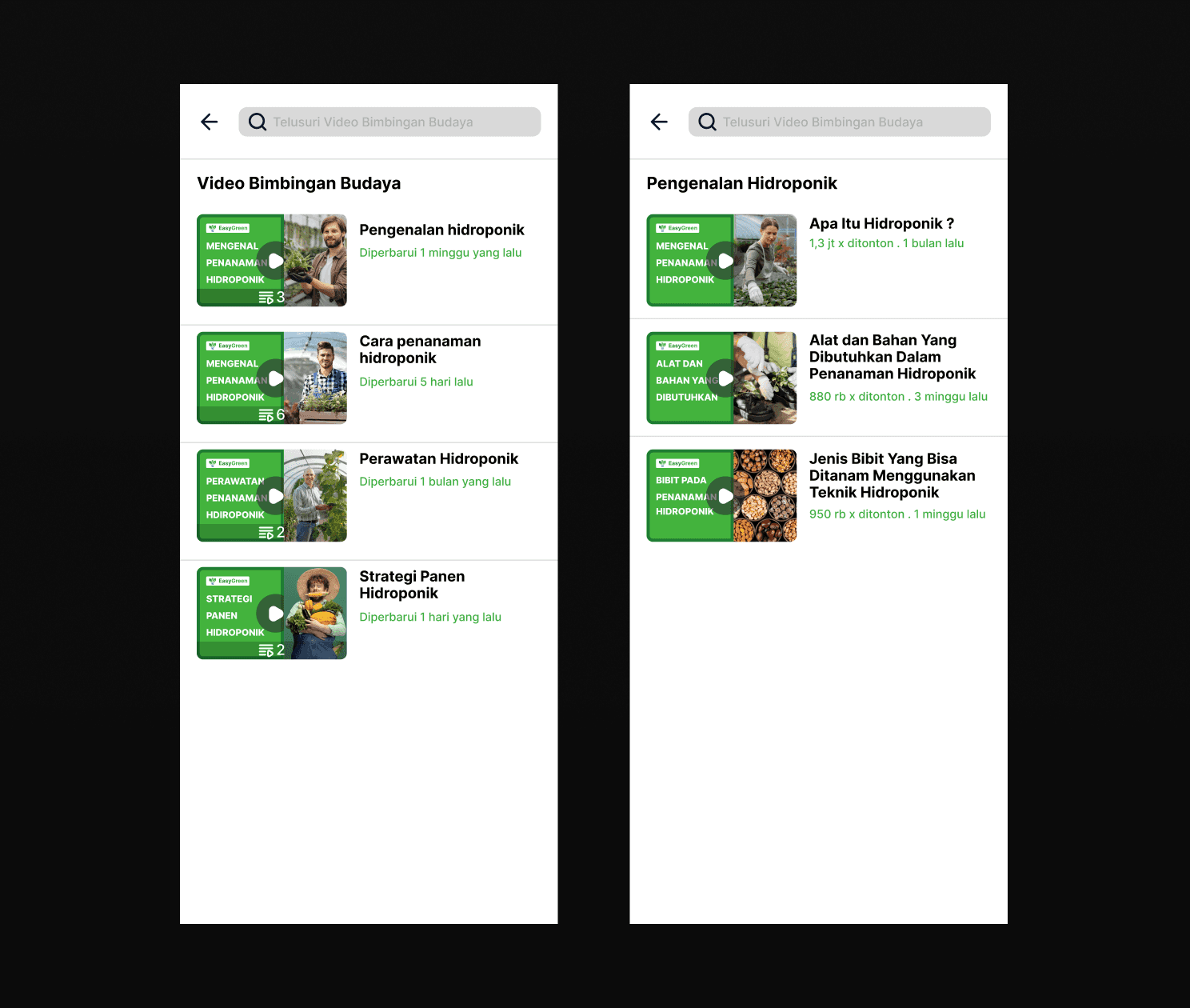
Cultivational Videos
This is our centre of knowledge. Here, users can browse and watch various hydroponics tutorials from many categories, be it for new people to professionals. Users can watch videos and leave comments to discuss the topic with other people.
This feature design is simple enough and uses a similar pattern to other video-based platforms like YouTube and BStation so we hope that users can use this feature without hassle.

Sell Harvest Results
Not just to encourage users to start planting hydroponics to make their life more “green” easily at home, we also have a feature to let users sell their harvest and gain income. The concept here is that EasyGreen will become a middleman between our users and those who need hydroponics harvest products. So first, we will need users to fill out their location because, at this first stage, we will only serve several locations. If users' location is outside our operational base, then they can’t use the feature.
Once users set up their location, they can fill out a form to let us know what they plan to sell, how much their harvest is, when it will be harvested, and add additional pictures or videos about their harvest product quality. After they are submitted, we will review them and if they meet our standards, we will buy the users’ products and sell them to other places like restaurants or markets that need fresh hydroponics harvest, but this is done outside the app, that is the business process. The only thing users will know is whether their selling form is accepted or declined. Users can submit as many forms as they want and if it’s accepted, we will pay the users based on the harvest quality and quantity.
This feature is a way that we ideated to support local farmers to get income easily without the need for actual land to farm and also to prove that we can get income from gardening even at home using a hydroponics system. That way, our product supports the all-rounded side of this theme, which we provide users with all they need, and we facilitate them to sell their harvest.

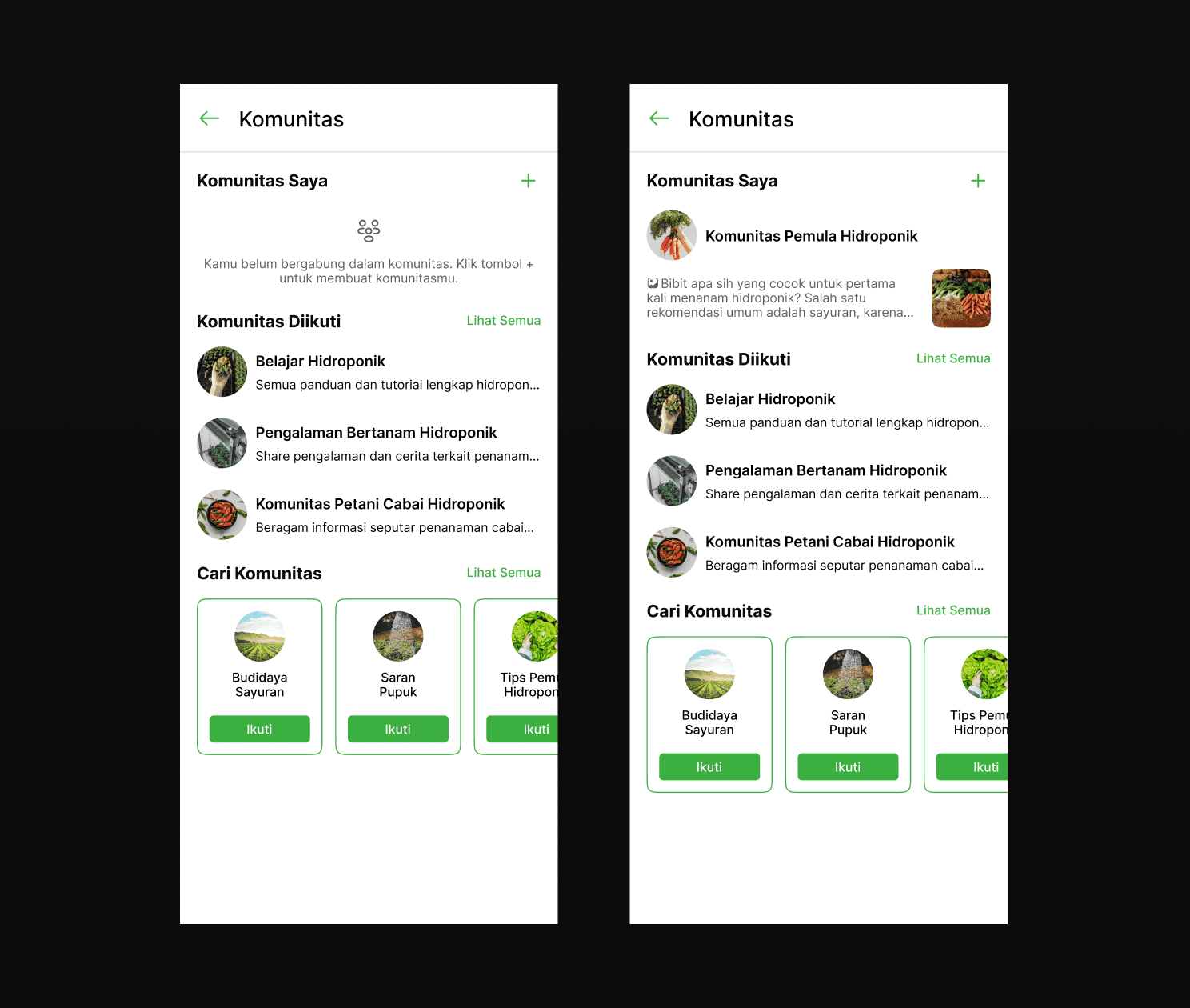
Community
To better support our users in their hydroponics journey, we added a community feature where users can interact with each other in some kind of group with various categories. Users can join other communities or create their own. When creating their community, they can set whether it will be private or public. If private, it will function as a diary for users to document their hydroponics plant growth. If it is set as a public community, users can share it and other people can discover the community from the app.
What differentiates this community feature from regular social media groups is that here, only the group owner can send a message on the main chat room. However, community followers can reply to each chat using the comment feature so that the discussion is always focused on a specific topic. There users can interact with other users and discuss more about the hydroponics theme.

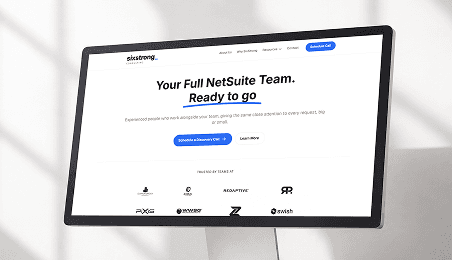
Landing Page
Not just the mobile app design, we also create a design for our landing page. This will function for promotional purposes where we showcase our product details, its features, our team, and the call to action to download and try the app.
The landing page design is responsive to desktops and mobile phones so that we can reach various potential users using many platforms.

Those are all the main key features that we designed as our solution to the problem. We believe that all our app features can benefit users as they will be completely supported in growing plants using hydroponics systems at home.
Prototype
Besides the key features, we also designed the whole app flow from registering, and login, to account settings. Try our solution yourself in this product prototype.
10 Usability Heuristics
To make sure that we design our product with various considerations and meet the UX standard, here we explain how our design uses the principle of 10 Usability Heuristics and creates a design that is usable and user-friendly.

Visibility of System Status
The design should always keep users informed about what is going on, through appropriate feedback within a reasonable amount of time.

Match Between System and the Real World
The design should speak the users' language. Use words, phrases, and concepts familiar to the user, rather than internal jargon. Follow real-world conventions, making information appear in a natural and logical order.

User Control and Freedom
Users often perform actions by mistake. They need various options to choose from without having to go through an extended process.

Consistency and Standards
Users should not have to wonder whether different words, situations, or actions mean the same thing. Follow platform and industry conventions.

Error Prevention
Good error messages are important, but the best designs carefully prevent problems from occurring in the first place. Either eliminate error-prone conditions or check for them and present users with a confirmation option before they commit to the action.

Recognition Rather Than Recall
Minimize the user's memory load by making elements, actions, and options visible. The user should not have to remember information from one part of the interface to another.

Flexibility and Efficiency of Use
Have the flexibility to take action without being stuck with only one way to proceed.

Aesthetic and Minimalist Design
Interfaces should not contain information that is irrelevant or rarely needed. Every extra unit of information in an interface competes with the relevant units of information and diminishes their relative visibility.

Help Users Recognize, Diagnose, and Recover from Errors
Error messages should be expressed in plain language (no error codes), precisely indicate the problem, and constructively suggest a solution.

Help and Documentation
It’s best if the system doesn’t need any additional explanation. However, it may be necessary to provide documentation to help users understand how to complete their tasks.
Measurable Outcomes
We have created our design with research-backed data and met the UX standard. Then we need to validate whether our design solves users' problems and measure its success. Here, we use a usability testing method using Maze to test our design to potential users.
Usability Testing Plan
Here are our tester criteria:
Male and female
Have a smartphone
Age 17 - 60
Often gardening
We use Maze as our testing platform and we create these tasks for users to try our app:
Register app and watch cultivation videos
Buy hydroponics tools and materials
Selling the harvest
Create and follow the community
We also asked several questions regarding their background with hydroponics plants and how they think the app is.
Usability Testing Results
We conducted the testing session and were able to test it to 20 testers. The session is unmoderated so we just let them follow the instructions on Maze and complete the tasks.


Of 20 testers, 17 of them already know and are familiar with hydroponics. This means that hydroponics is not an exclusive topic and most people know about it.

On the first task, we ask the user to register an account and watch cultivation videos, but they can’t get straight to it the first time register, they need to complete some information on their profile first to be able to explore the app. Here, we can see that 19 of 20 users completed the tasks although 13 of them went indirect but in the end, they did finish it. The miss click rate and average duration here are quite normal since we have many screens and it’s fair to say that users try to explore the app first.

On the second task which is buying hydroponics need, 18 of 20 testers succeed and the average duration is quite short. This means that the design pattern for the flow is familiar in the users’ minds since it’s like most of e-commerce platforms.

The next task is selling the harvest results, here the usability score is quite low not because it’s hard to use, but because most of the users always try to explore some features and screens before completing the tasks using the main flow, which is why there are 11 testers who complete the tasks indirectly.

The final task is creating and following a community. 14 of 20 testers were able to complete this task but others didn’t, they said that some of the visual elements like icons can be designed better so they will be highlighted and easy to understand.

Overall, all testers said that they understand the main concept and function of the app, and they are also familiar enough with the design pattern and able to operate the app without the need for guidance. When asked to rate how easy it is to perform all the tasks, 47% of testers gave 5 5-star rating which means that they are satisfied with all the user experiences and interfaces that flowing nicely. 3 testers did give a low rating and this is because some of them are constrained with the prototype feature which does not allow for exploration and just straight to do the tasks. However, all users find this app can be a helpful solution regarding the problem of gardening in this modern society. They are all hoping that our products will help many people and achieve success.
Limitations & Lesson Learned
That concludes our case study of this project. We have been through a long process to be able to complete this project and it’s such a great experience to be part of this and learn many things we never knew before. Some of our processes were constrained by time, resources, and each team member's daily busyness, but we still managed to finish it.
After we complete the usability testing stage, we are preparing to document our process and present it to our mentors and judges. At the end of the bootcamp, we received recognition as the best final project group in our class.
Although this project still needs a lot of improvements such as iterations and deeper research, we are very proud that we were able to create a product concept, with all its decisions and business side, as well as a beautiful user interface.