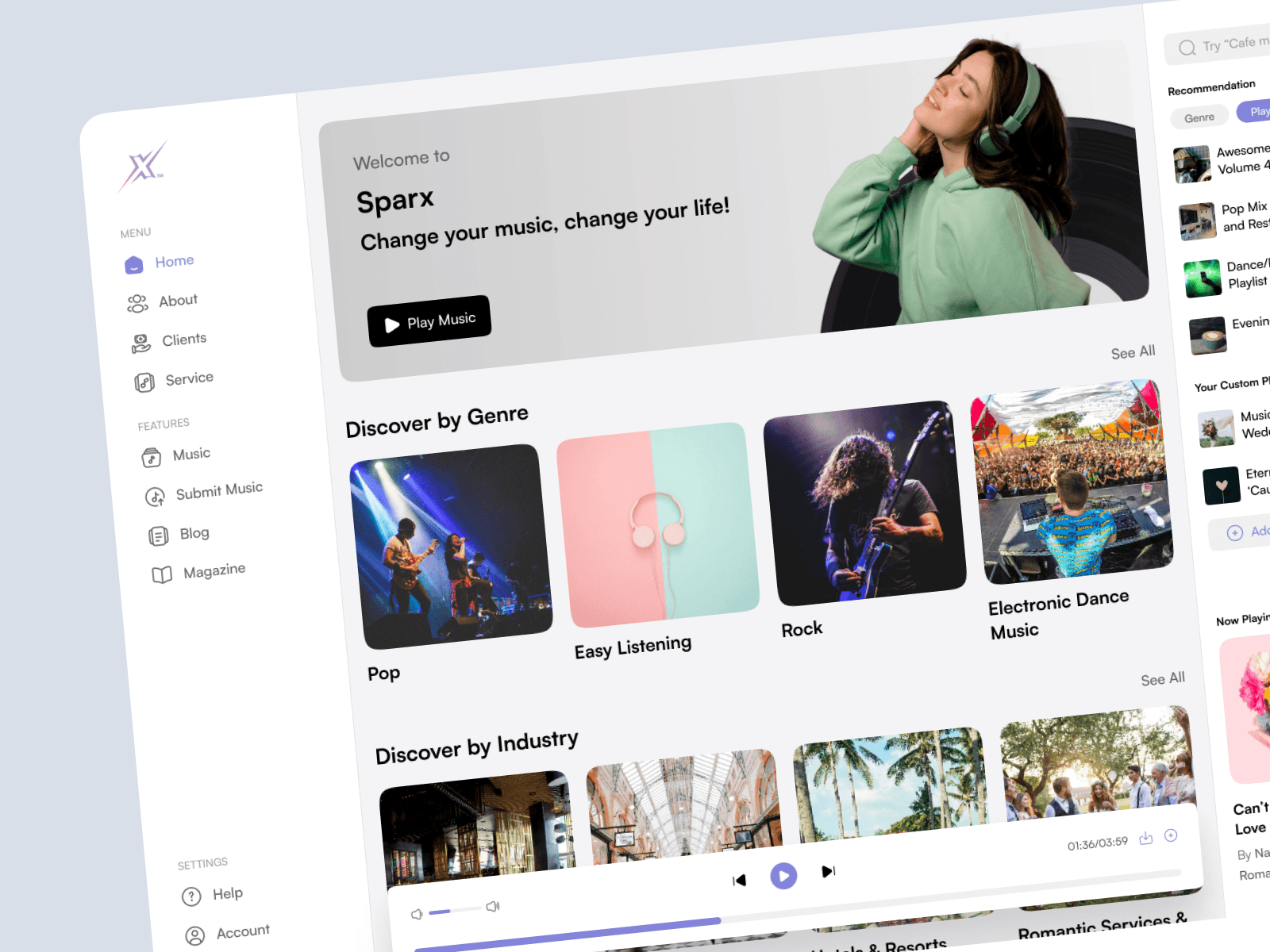
A web UI/UX Design for B2B SaaS platform that provides royalty-free music for public spaces.
CLIENT
Sparx Network
ROLE
UI/UX Designer
SERVICE
SaaS Website Design
Project Details
Problem
The client wants to build an internal CMS platform to organize all the music content that is displayed on their main website. They previously didn’t have this CMS so they want to make it possible to organize music and playlists from an internal site.
The client also wants to redesign their main website with more simple and modern looks to match the CMS design style but only on a new flow that lets users create and organize their playlist, the playlist will not only be able to be created by the admins, but users can also create it too.
Goals
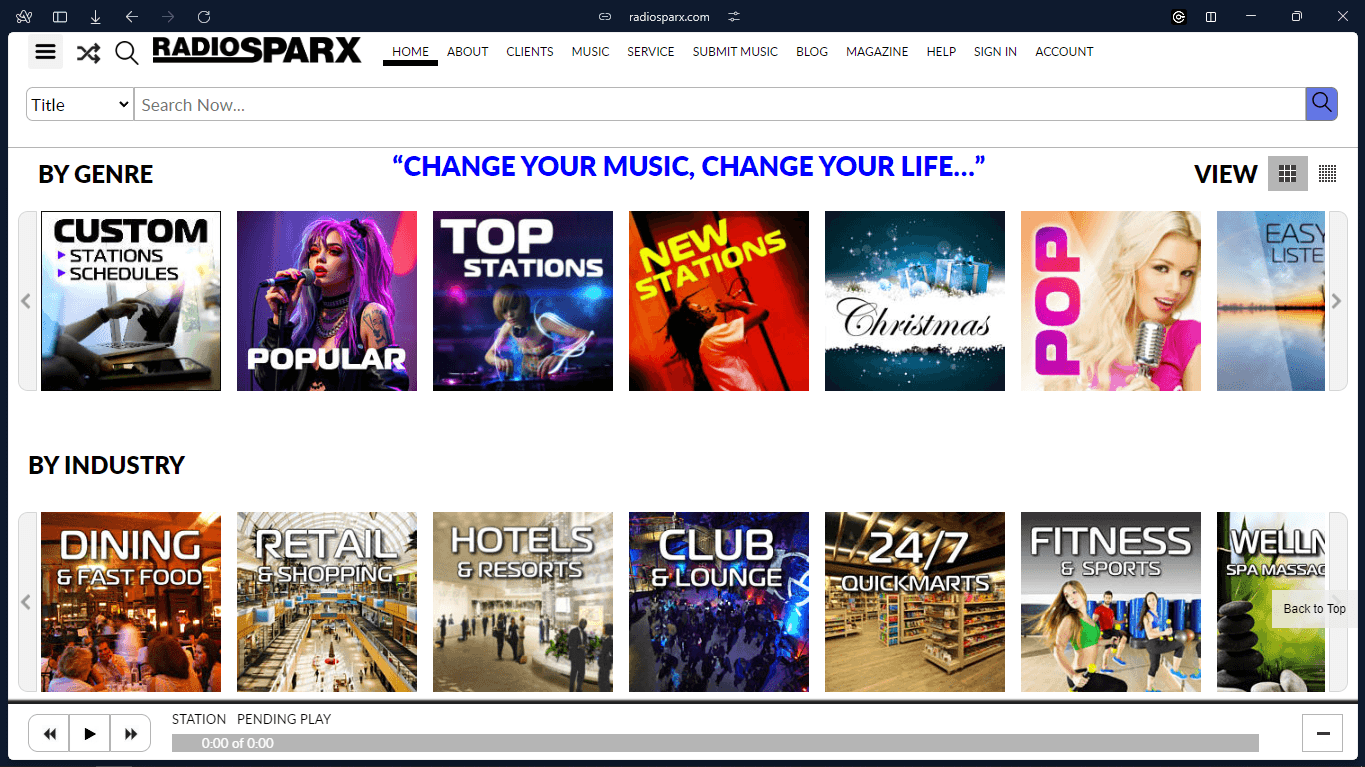
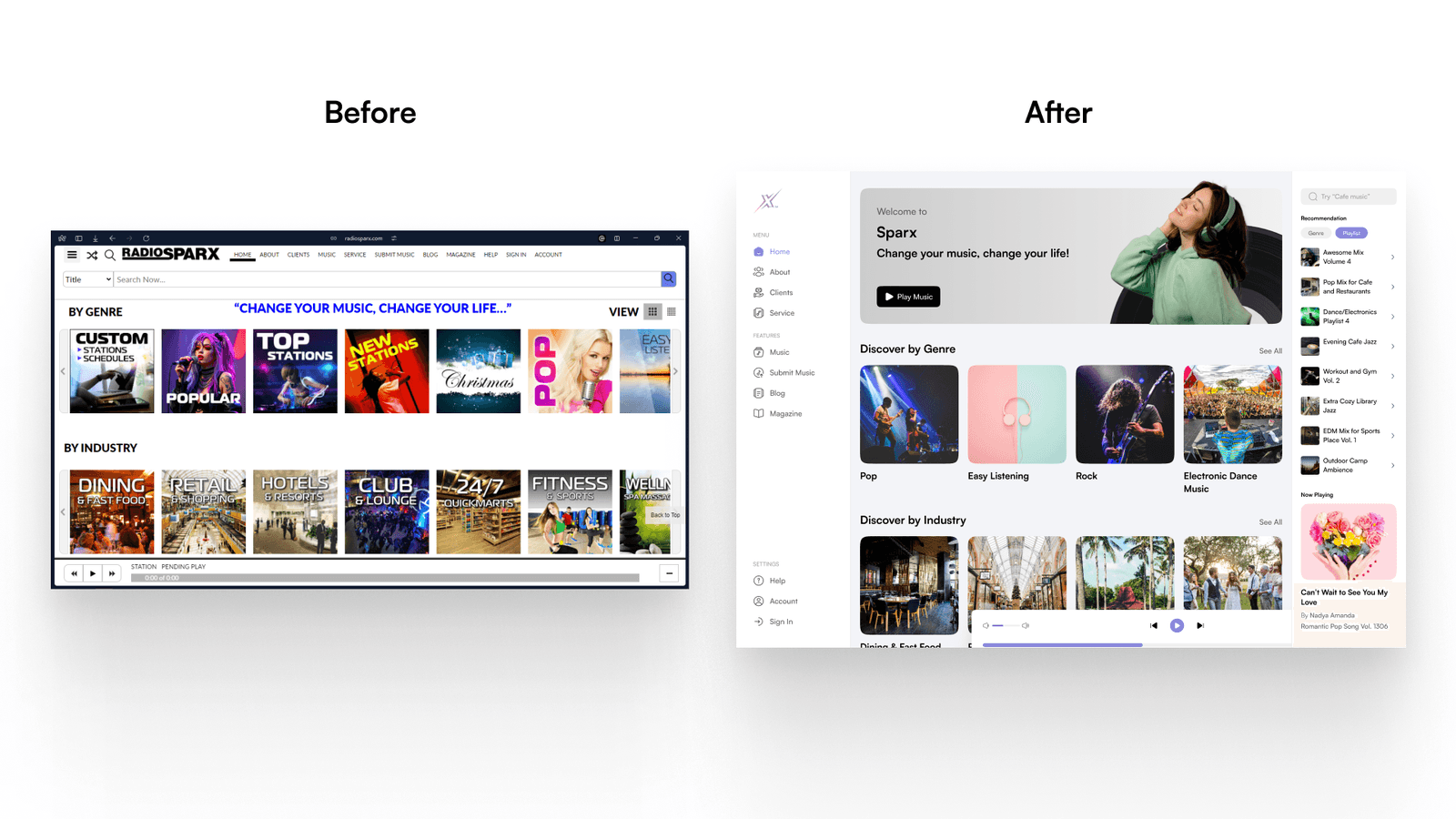
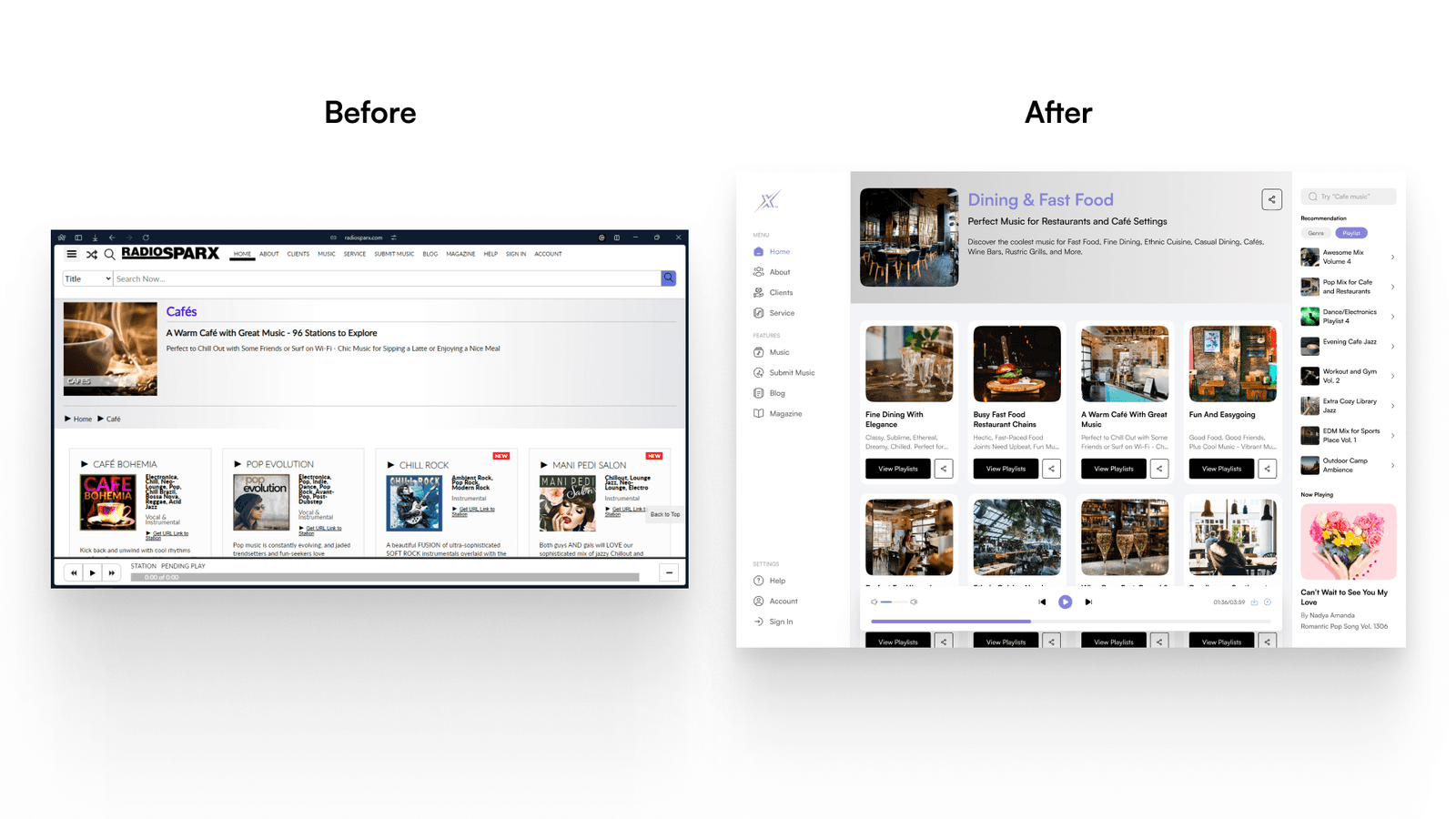
Redesigning the new flow to allow users to create their playlists on the Sparx main website while also revamping the design of several pages on the website. The old website looked like this:
Designing the CMS platform that allows the admin to upload music, organize playlists, manage users, and more.
Role & Responsibility
My role here is as a UI/UX Designer who crafts the design and makes the prototype. There is also the development team that will implement my design so my scope is just to design it.
Constraints
The project is very clear from the beginning, whether from the brief, or each meeting, and all the flows are clear so there are no real constraints that slow the design process.
Design Process
The timeline of this project is not very long but since some design addition comes after the development phase by developers, then I worked on this project for quite some time. The design process used here is very straightforward, since the client just wants to prototype to be developed, we’re not conducting any research beforehand, and since the client already has a completed design brief, we just jump to the design and prototyping phase.
Researching Previous Website
The first thing we do is check the previous website of the company. Their website has many features and pages, but they only ask us to redesign the flow to let users create and manage their playlists. These include several pages:
Home page
Login & register page
Playlist creation page
Playlist management page
Another part of the site like the about us and services page won’t be touched at all, just the new flow.
Understanding The Product and Business Goals
Sparx is a Malaysian company that has been providing royalty-free service for years to businesses and venues, they already have an established client that is using their services. They want the design to be able to meet their requirement but also didn’t change a lot which may break the user experience for their old clients, that’s why they only asked the design to be kept simple and minimalist.
With that goal in mind, the design process will be heavy on refreshing the current website with a new, simple, design.
Final Design
After having everything set up, we just jump to design the website. We didn’t create a low-fidelity design or sketch because the client only asked to view the prototype. We did some exploration but the results are the same as these final designs that get approved and proceed to the development phase.
Home Page
The home page initially contains the website menu list, available music based on genre and industry, and a music player that shows the current playing music. This looks like a simplified version of Spotify but that’s their website goal, to let users try hearing their music first and later allow them to organize their tracks in a playlist.
We designed the home page as three vertical column sections for the website menu, main content, and the right sidebar that displays music recommendations and currently playing music.
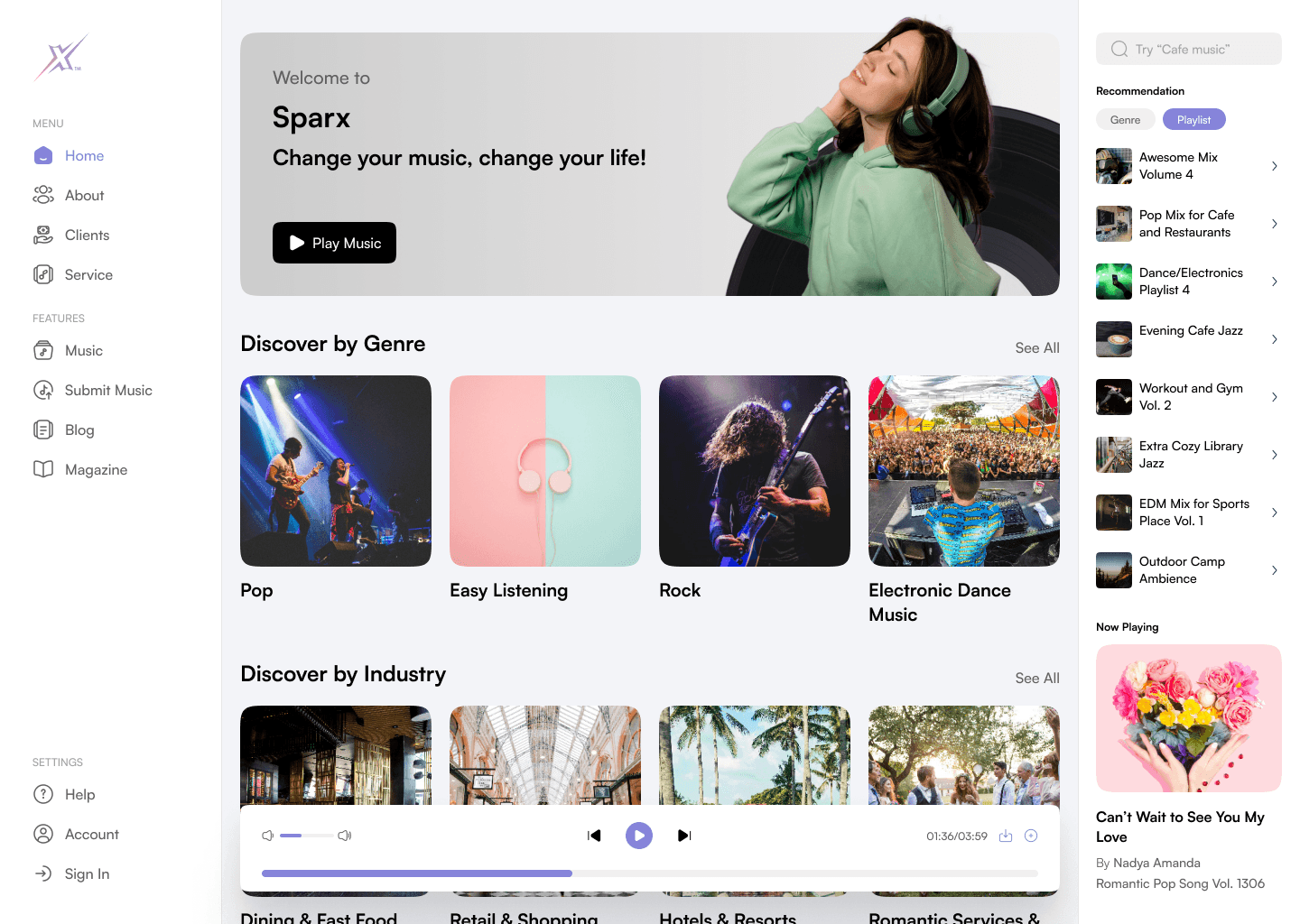
The colour scheme here is the same as the previous design which uses white and grey as the dominant colours. The design concept is simple, clean and minimalist focusing on the usability of each element like navigation and ease of learnability for new users. Here, we use a soft light blue as the secondary colour that is used on small elements like the tab button, icon, and action button, this purpose is to keep the design easy to look for eyes.
On the main content section, the upper one is a CTA banner that shows illustrations and Sparx’s tagline. This section is an improvement of the previous one, we added an extra visual element to visualise what the website is all about.
Under the banner, there are all the music categories that users can choose based on their preferences like discovering music by genre or by industry. Sparx has a lot of categories so we display it simply using a card of the image cover and the category name.
The music player control is still on the bottom but we made it float so it can easily be distinct from the background content. The control has a play/pause function, next/previous, volume control, download, and add to custom playlist functions. The download and add to a custom playlist is a new addition to the website, it’s the feature that we added to this project, but to access it, users need to sign in to their account first, that’s why here we have the state when users have logged in into their account which then there will be a new section on the right sidebar to manage users’ custom playlists.
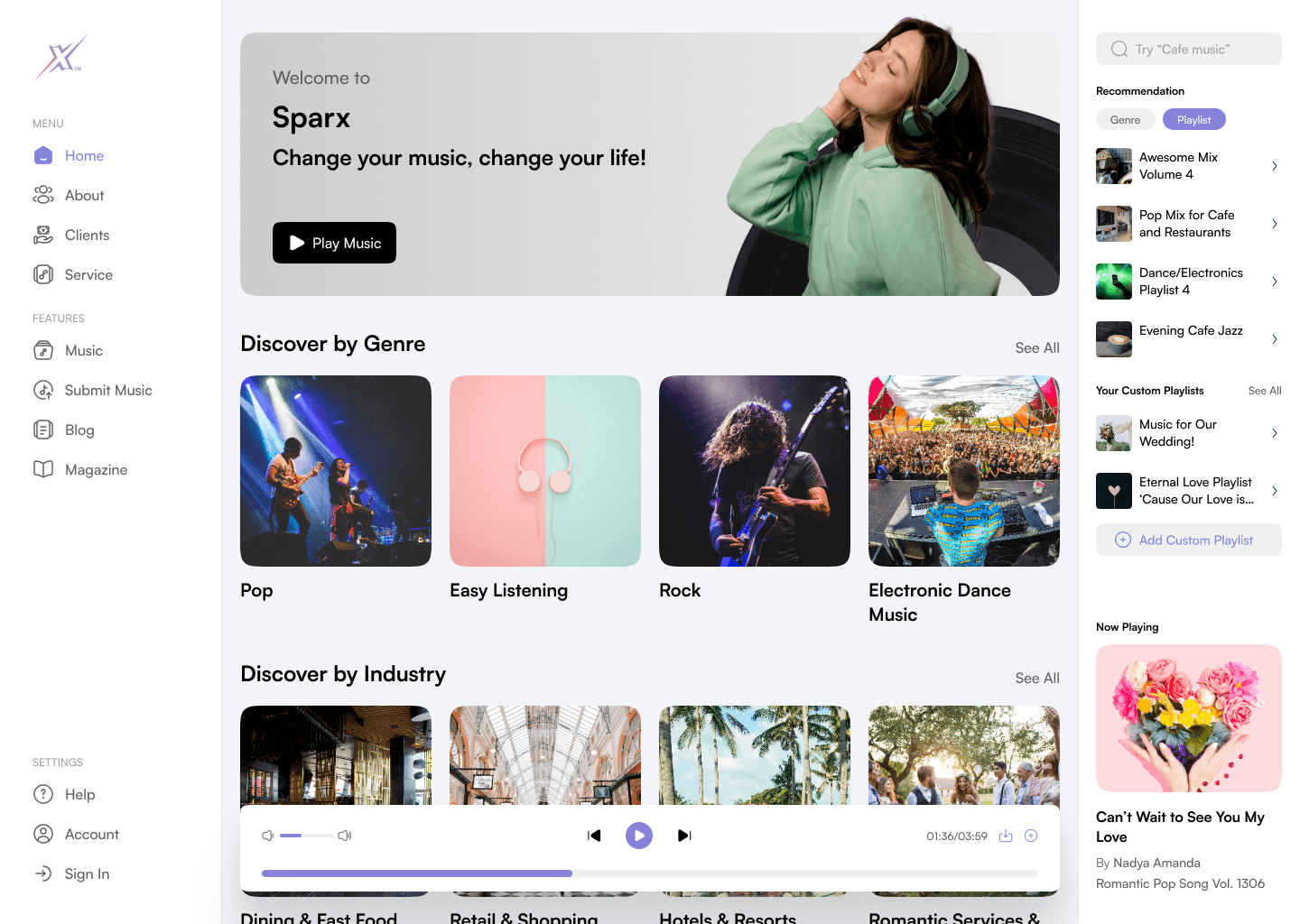
This home page is focused on providing the easiest experience for the user to understand Sparx’s products and try listening to their music. The heavy use of visual elements on illustrations and music covers is also meant to engage users to keep exploring all the music libraries that the company has.
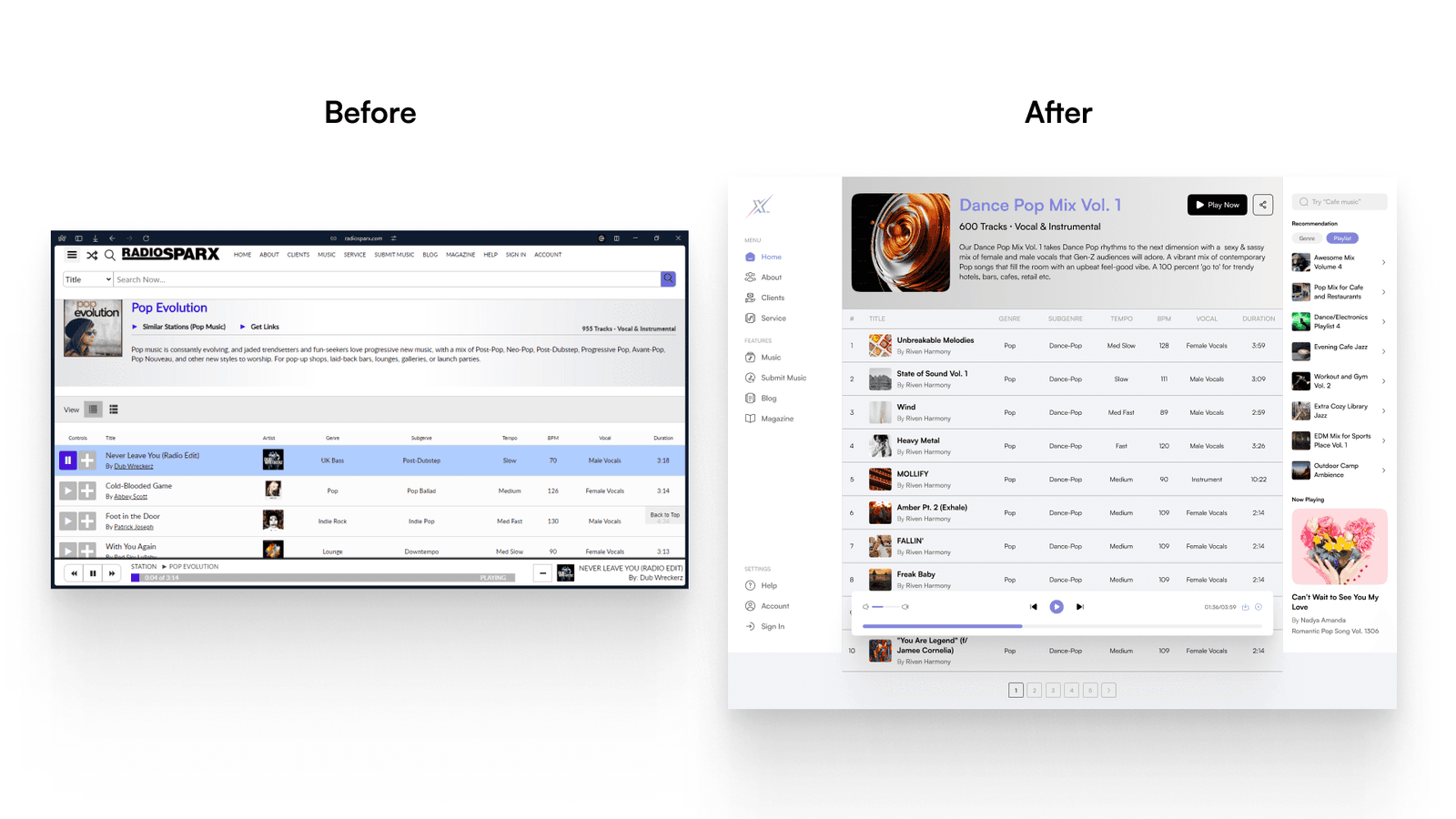
Here is the before and after of the home page design:
Register Page
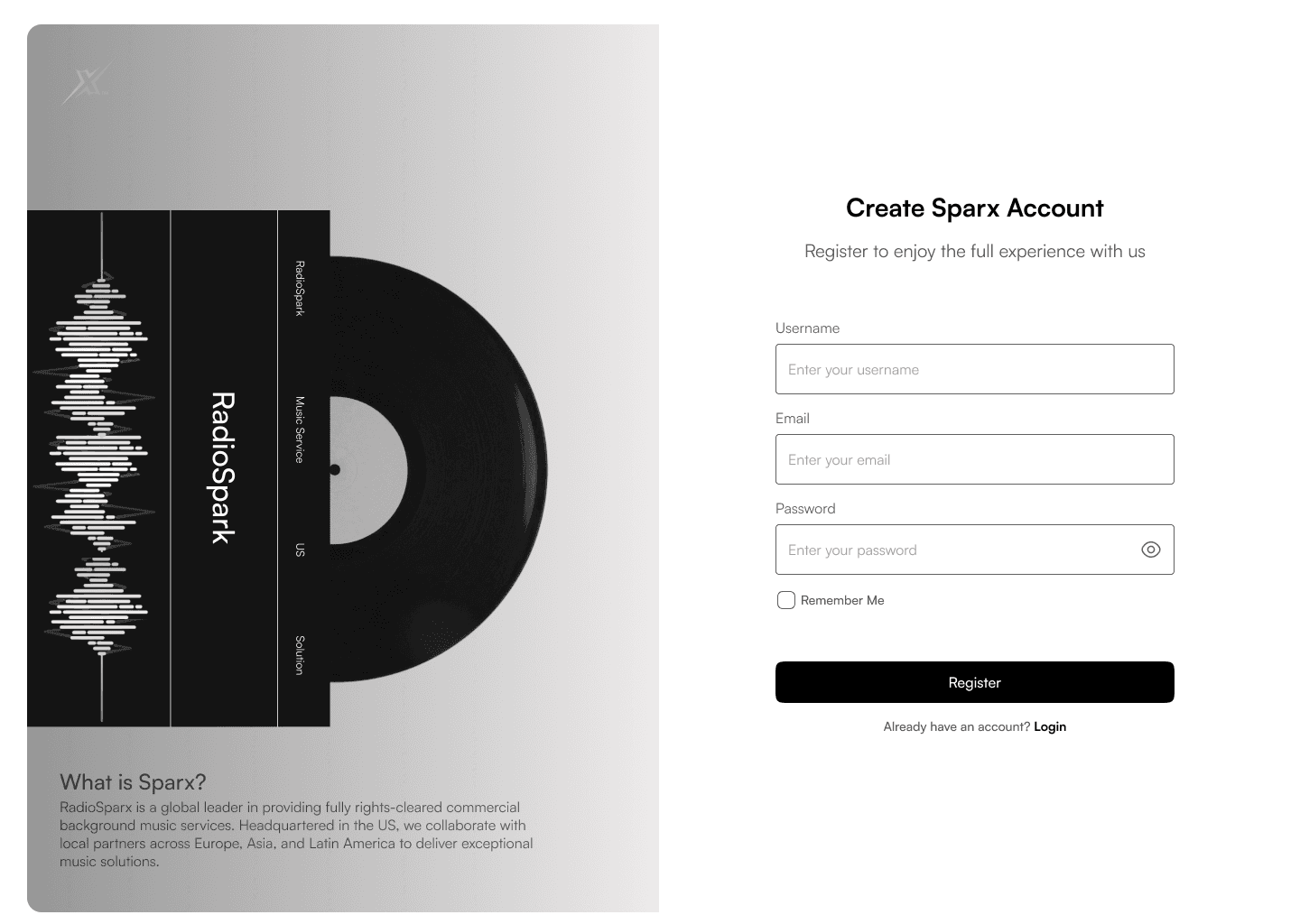
Users can play the music directly from the website without login, but when they want to download or create a custom playlist, login is needed. Here is the register page that we created to let users create their accounts and access all the features on the Sparx website.
The page here has a vinyl illustration on the left side along with a brief company explanation. The right side is the regular sign-up form.
Login Page
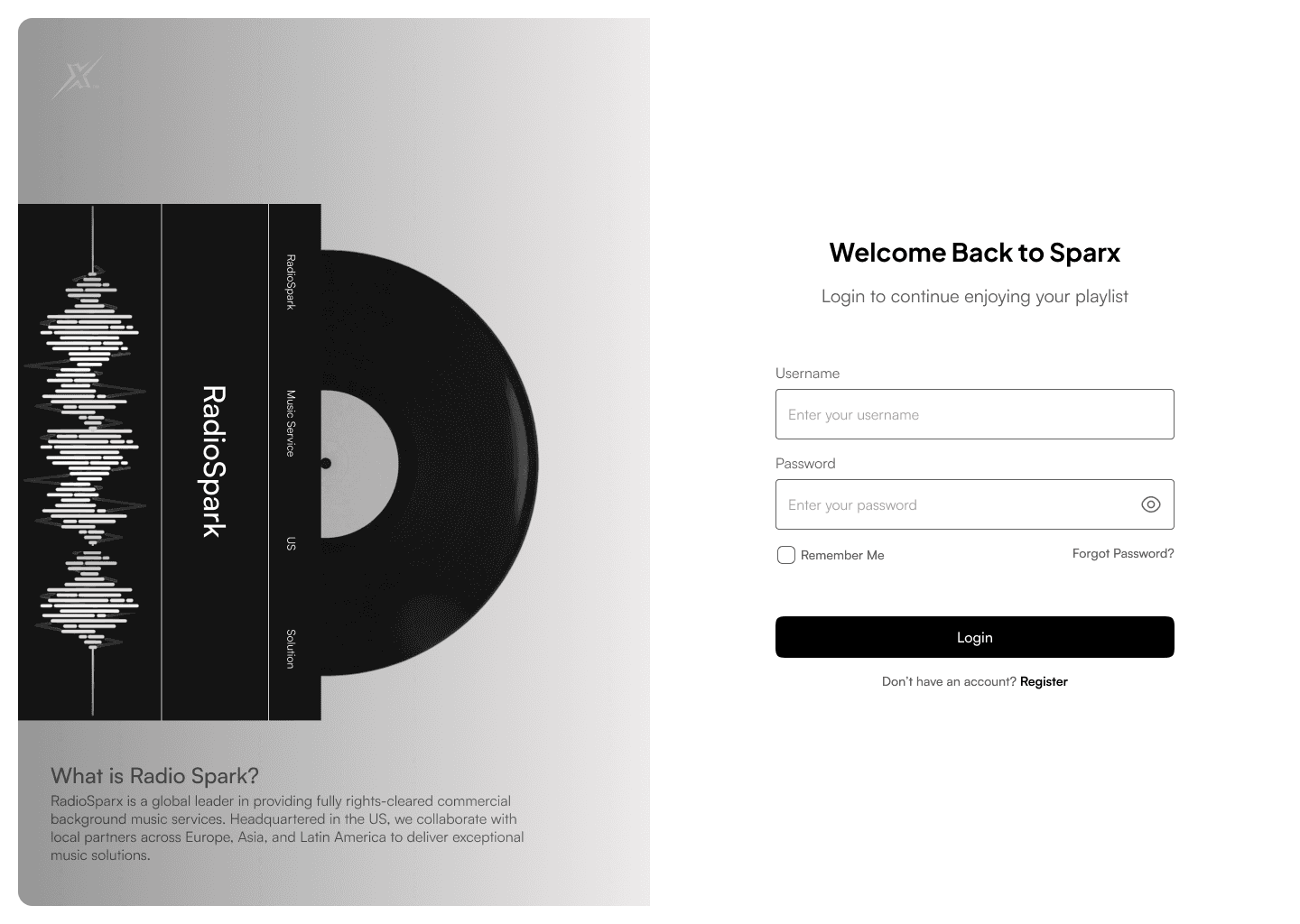
Not only used for users to log in to the Sparx website but this login page is also used to let the admin login to the CMS side of the side, so the login page is the same but they will have special admin access.
Industries List
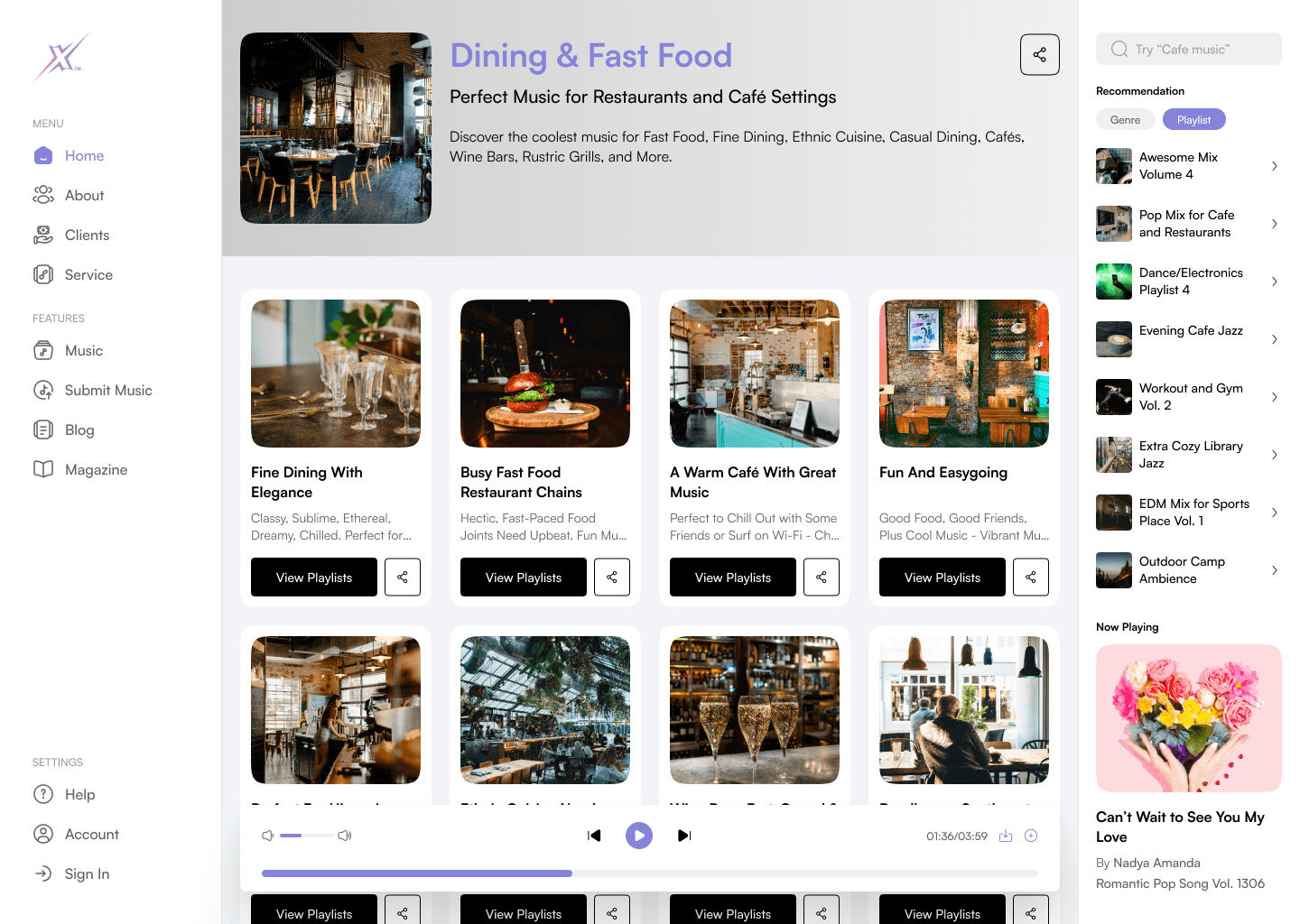
From the home page, various categories can be chosen, including an industry list. Since Sparx clients are businesses and venues like restaurants and cafes, they have all specific categories for each industry theme.
Here is one of the examples of a category of Dining & Fast Food. Each category has its description and contains many playlists to choose from based on more specific vibes. Users can view all playlists or share them directly to save them for later.
Here is the before and after of this page:
Playlists List
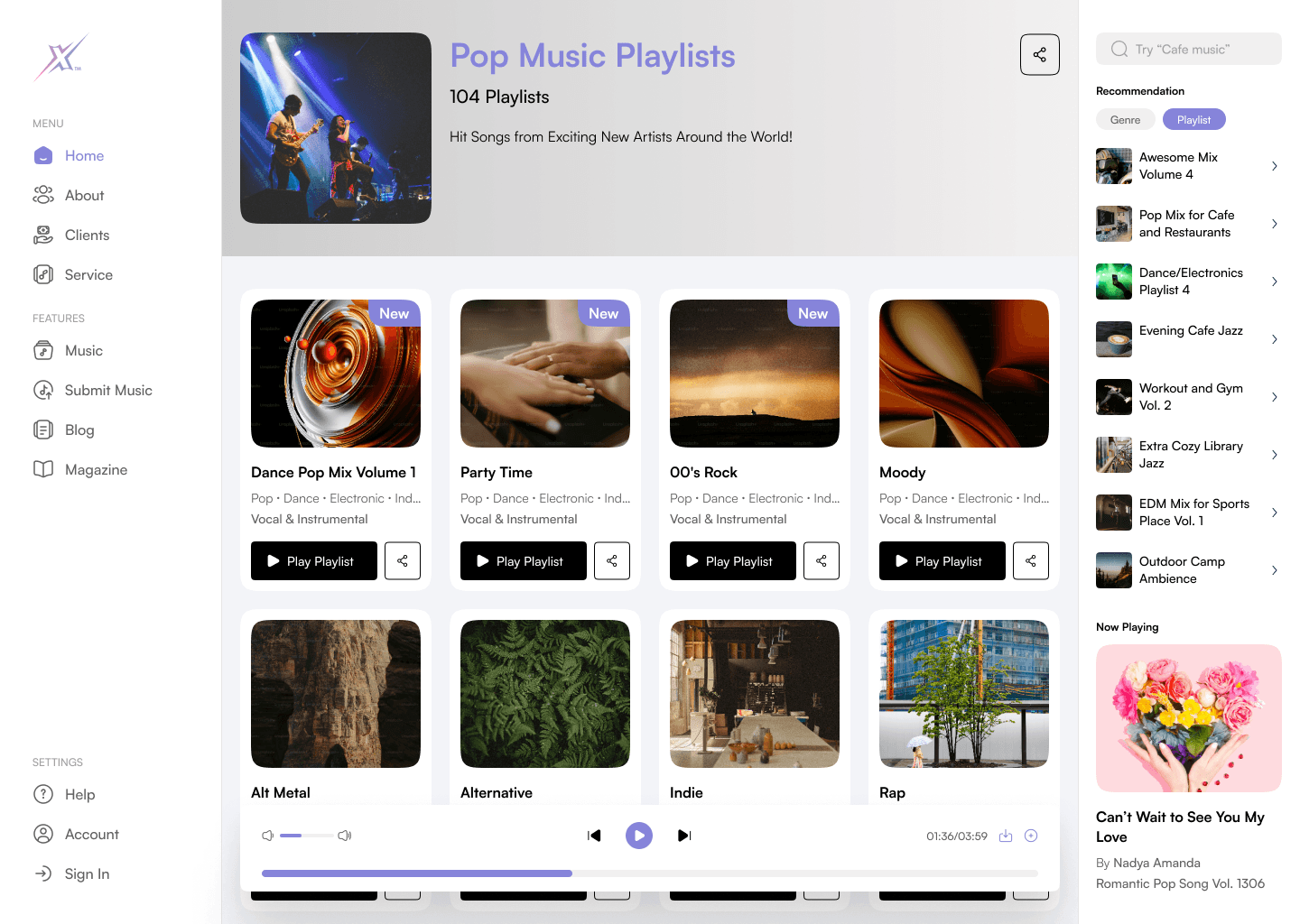
This is the alternative version of when users choose to explore based on genre, each genre will have many playlists to choose from, similar to the industry category.
Playlist Page
Each playlist page will store all the music that the users can play and see the information as a table. Every playlist can contain hundreds of music but will only display 10 per page using pagination. The design is quite straightforward where there is the song information, play button, and the music will be played directly.
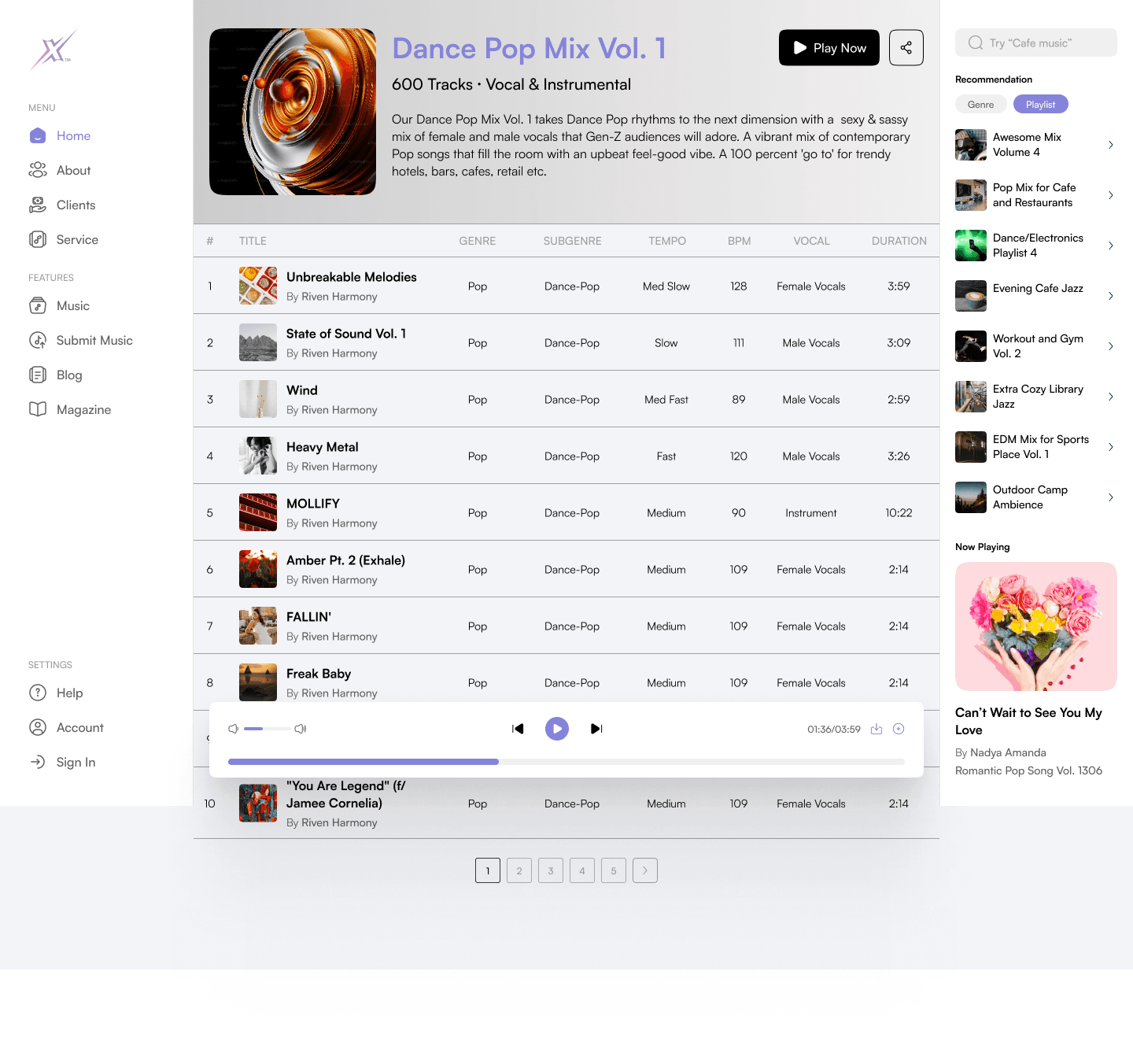
When hovering on a music row, the artist's information will be displayed as a floating card that follows the users’ cursor and changes automatically based on which row is hovered.
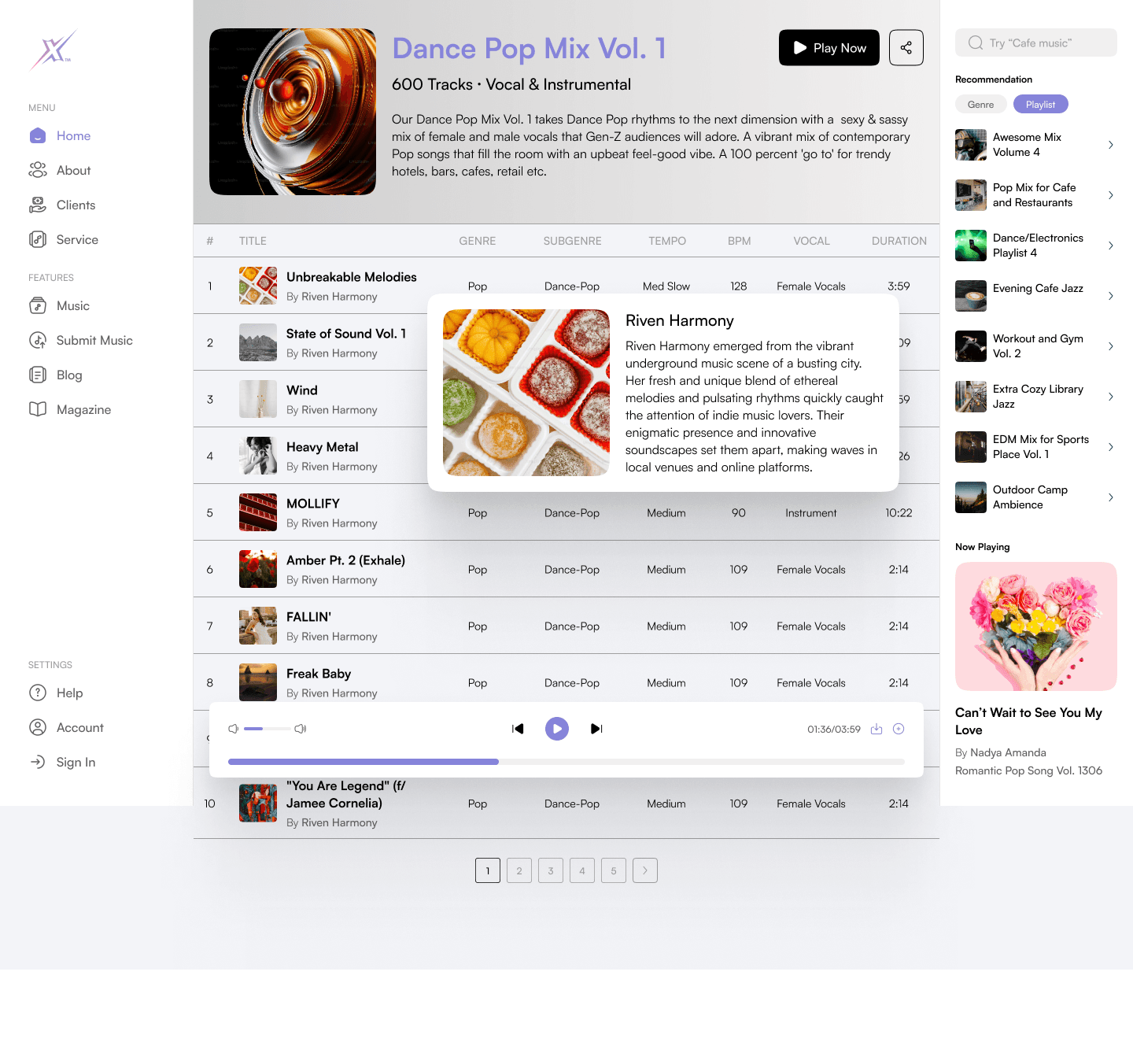
Here is the before and after of this page:
Add New Playlist
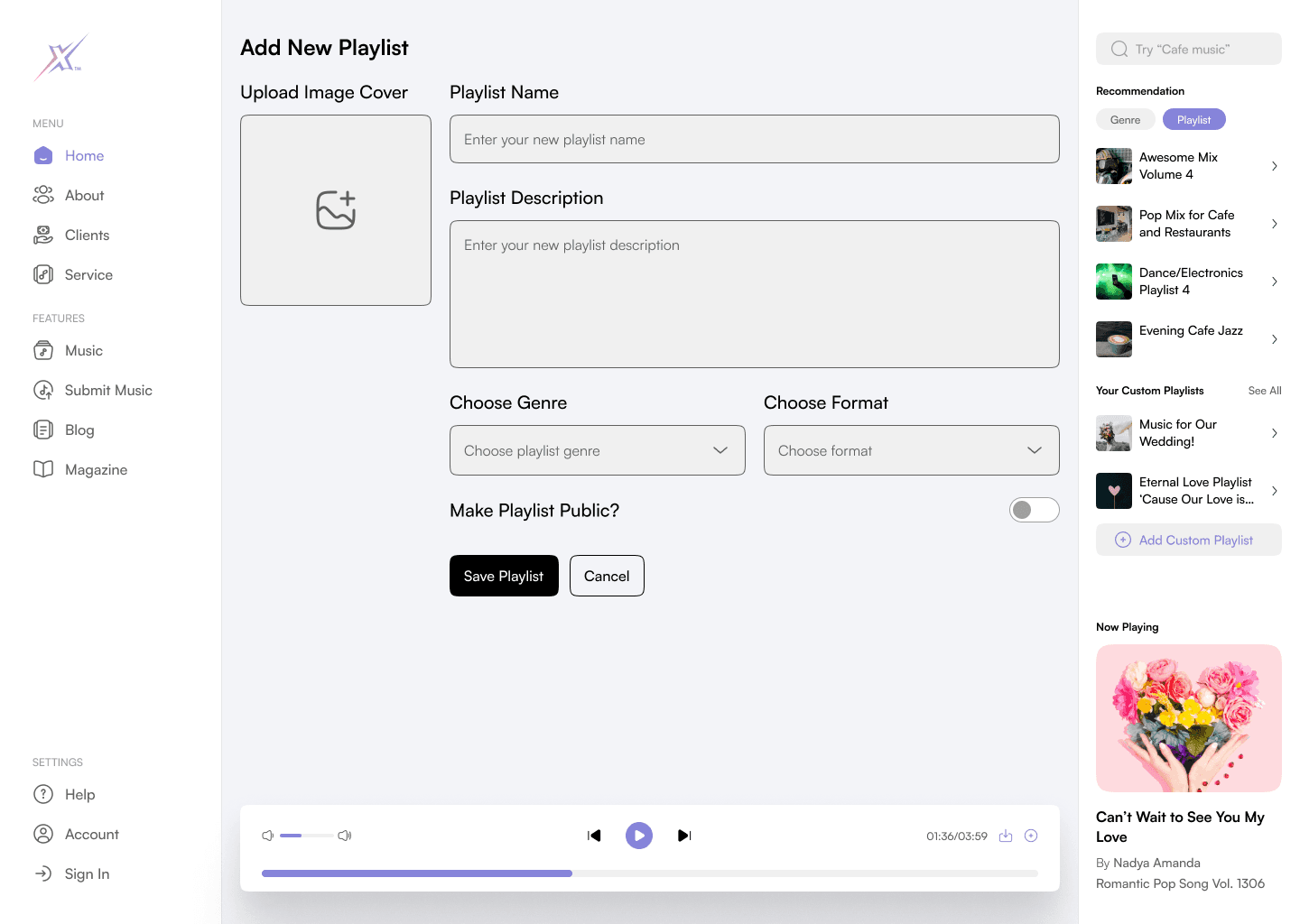
When logged in, users will have the option to create their custom playlists and add songs there. Simply by clicking on the Add Custom Playlist button on the right sidebar. Users will be taken into a simple form to fill out the playlist information like cover image, name, description, genre, format (vocal/instrumental), and the option to make the playlist public and able to be discovered by other users.
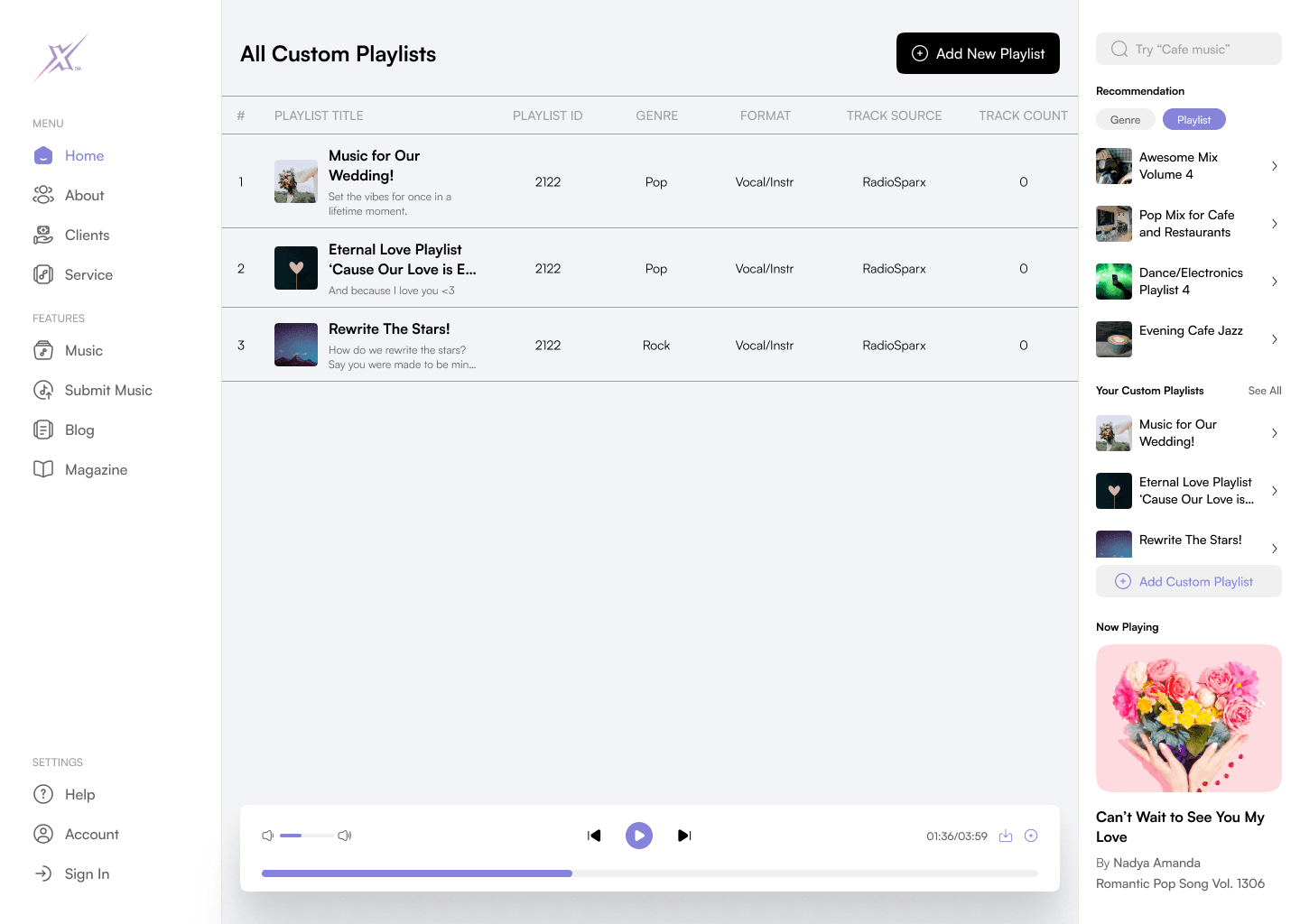
Custom Playlist List
After saving the newly created playlist, users will be taken to this All Custom Playlist page that displays all the custom playlists that users have created. This page is accessible only after logging in from the right sidebar section. Here, users will have the option to add a new playlist or delete the current one.
Custom Playlist Page
This is the custom playlist page that shows all the music on the playlist that users created, they can add new songs, delete the previous one, edit playlist information, delete it, and share the playlist. The design pattern is the same across all the similar pages which have a cover image, description, and table to display songs.
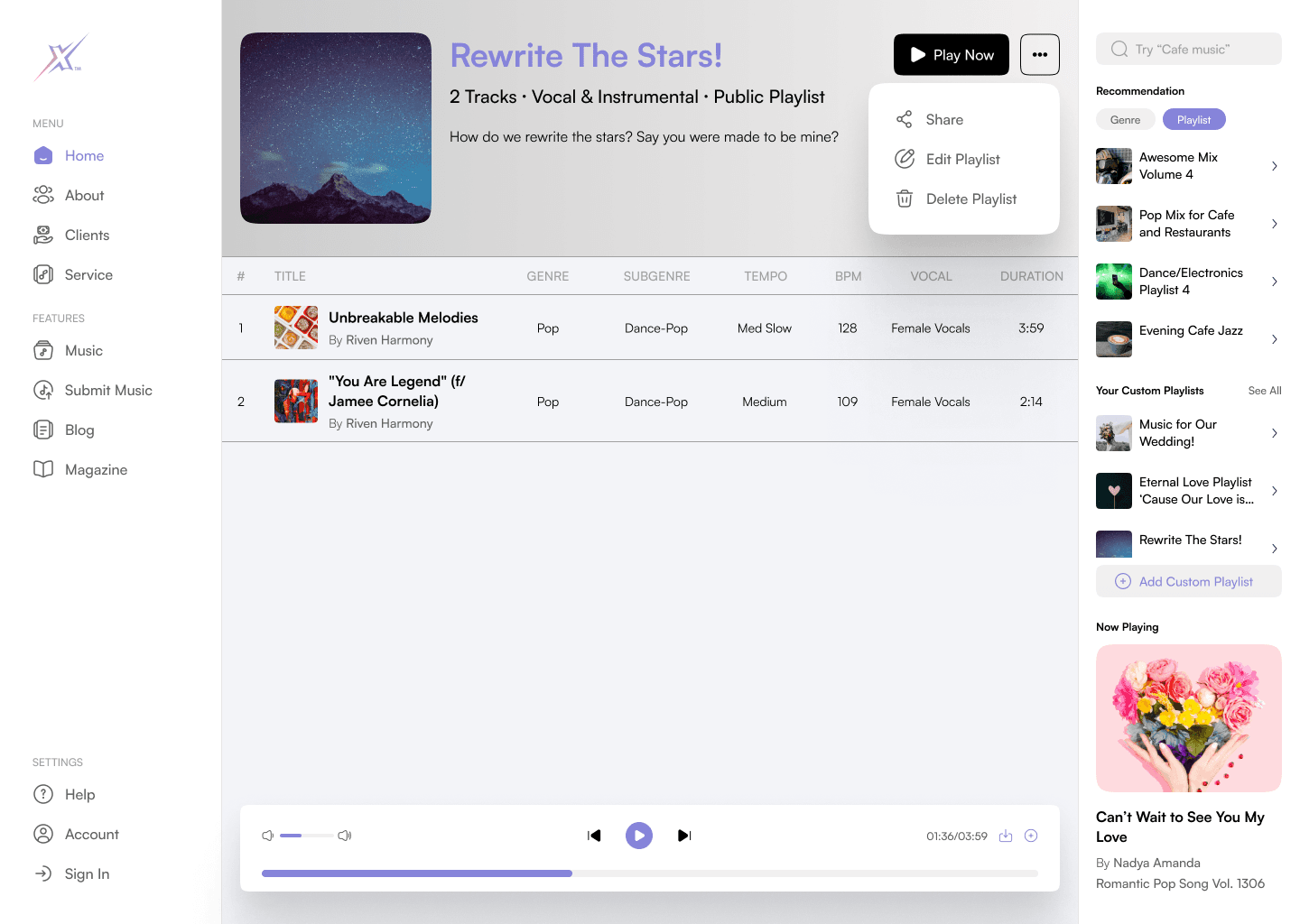
To add a new song to the playlist, users will need to play the music first and click the add song to playlist icon on the player control, then choose their desired playlist. This is the full circle of the custom playlist flow which started from users logging in to their account, then creating a new custom playlist, adding music, and managing their playlist. This is all the scope of our design phase on the main website.
Admin Dashboard
Our next scope is designing the internal CMS website or the admin side that the admin can use to manage music, playlists, users, and more. This is just like a regular admin site, we created a simple dashboard that lets the admin know their latest data such as the total music that they have, total playlists, top genres, top music, top playlists, and total listener charts based on daily, weekly, and annually.
The design of the admin site is just as simple and minimalist as the main website, here we have a sidebar on the left with a dark fill and the main content page. The colour scheme also remains the same with light blue as a secondary colour that is used on icons and tabs.
On the total listener chart, when the cursor hovers over each bar, it will show a floating overlay that informs the detailed number of the total listeners in the respective period.
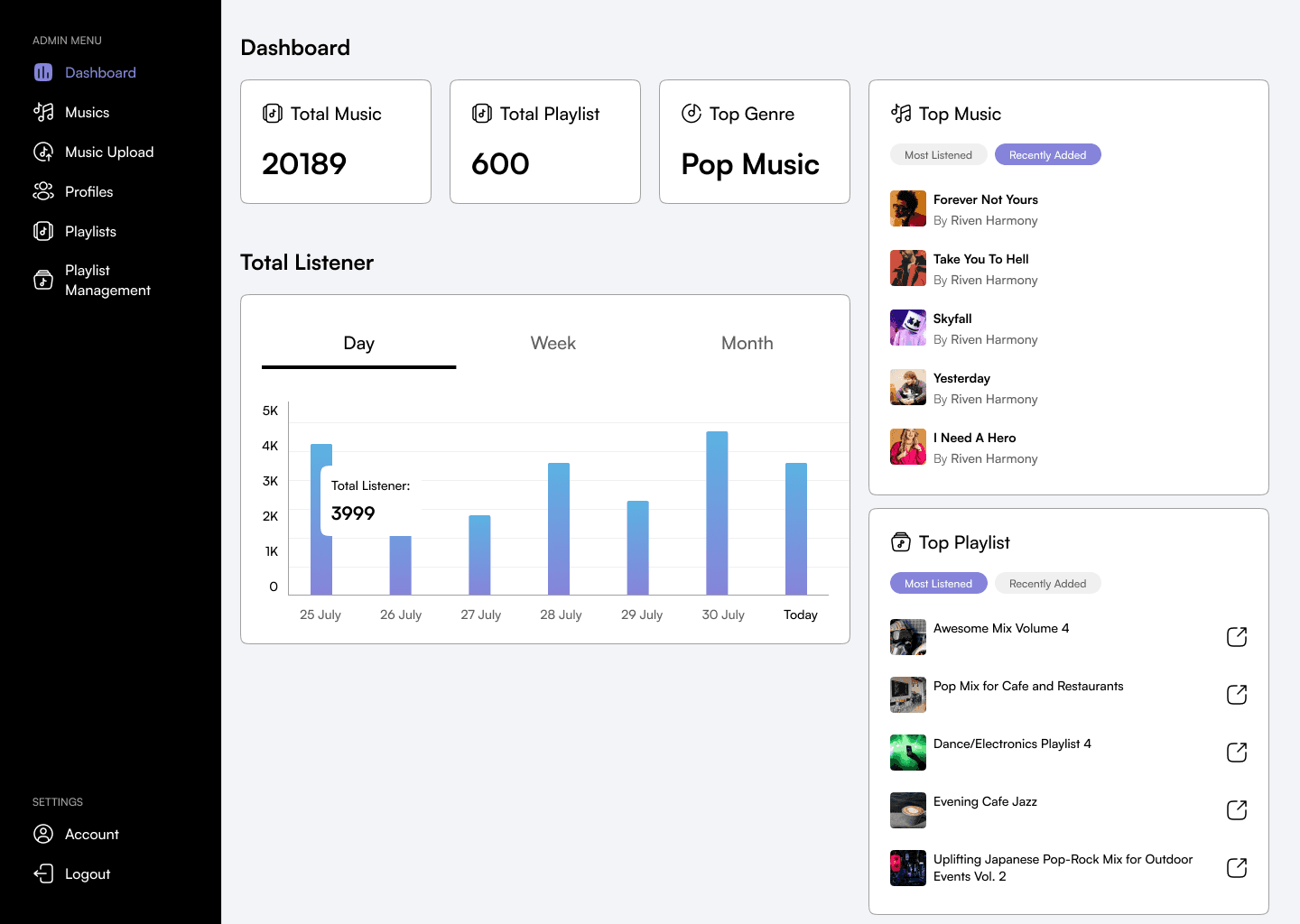
The dashboard is quite simple since there is not much information to be shown, the clients just want to create the CMS and not focus on the dashboard so it’s nice to have but they said that this is a nice design.
User Profiles & Permission Management
The admin side contains some important features, one of them is the feature to manage users and their permission access. So, even though all users who created an account on the Sparx website can download the music, the admin still be able to control the access to whether a specific account can or cannot download the music. This is due to making sure the admin knows who is getting the access and preventing content stealing.
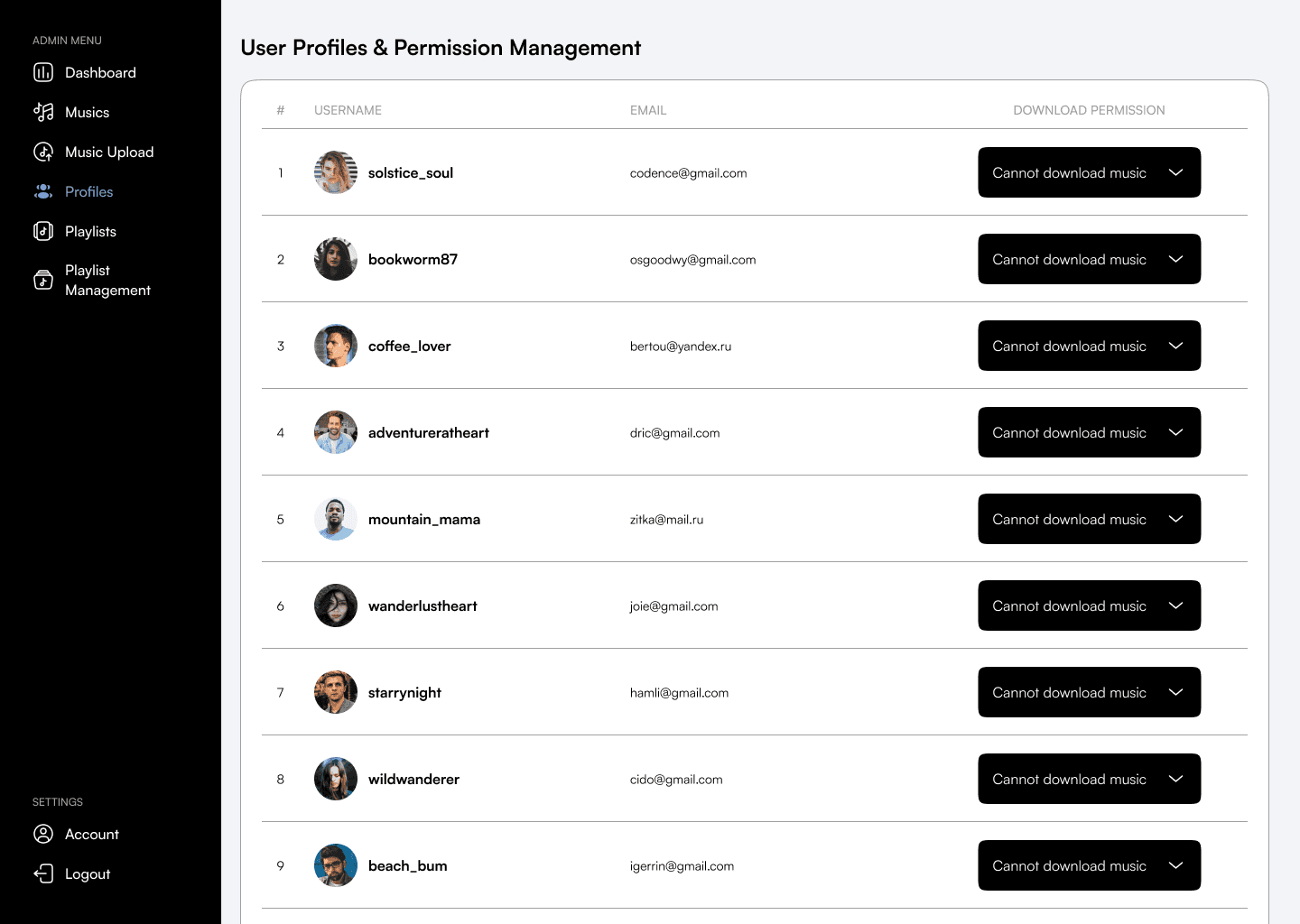
Musics Management
Admin can manage the music that is available on the platform like editing the music information, changing the genre, or deleting it. This page will show all available music that can be filtered by genre and subgenre to be easier to use. There is no search bar here because the client said that it will be just enough to use the genre dropdown and no need for a search function.
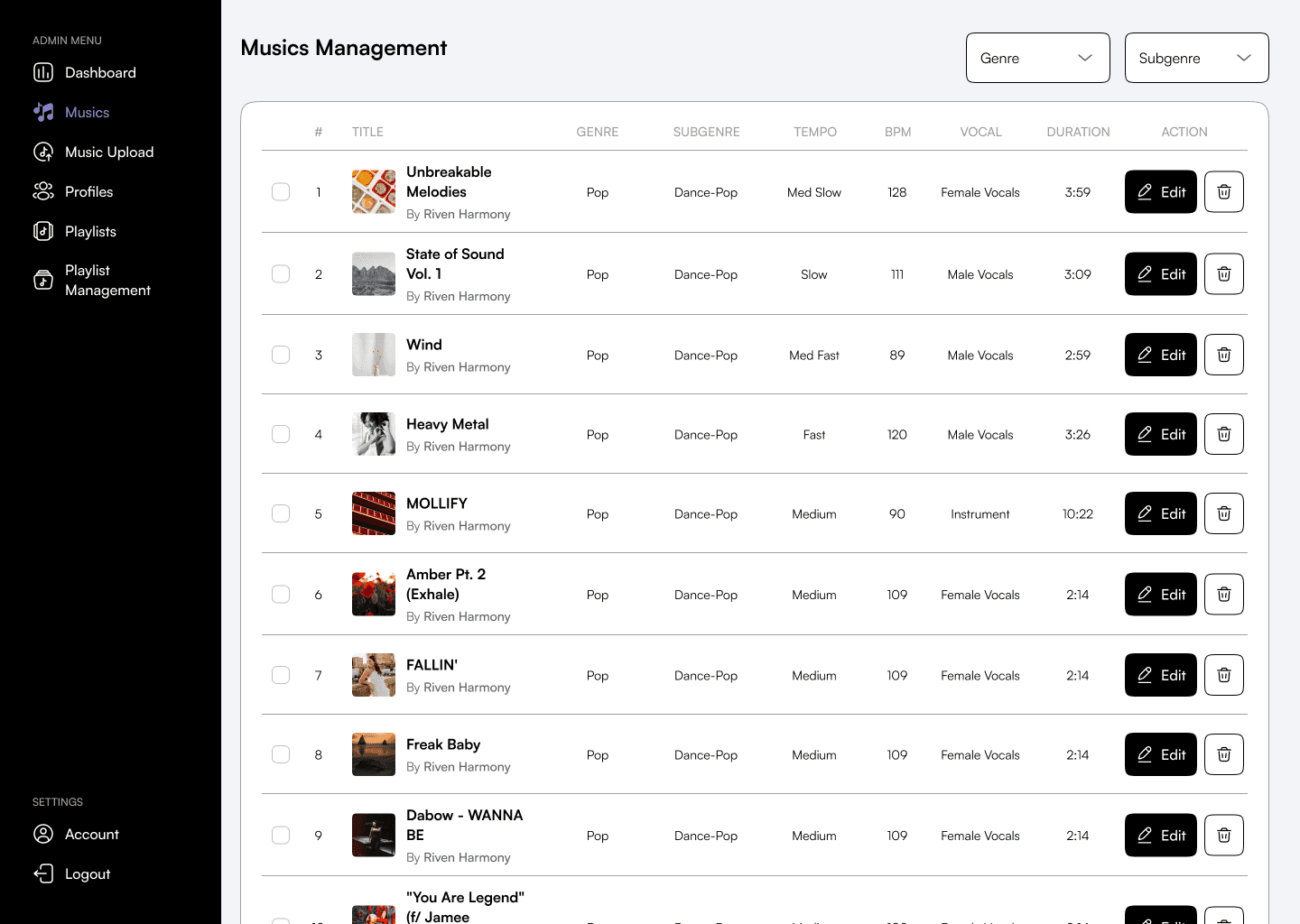
Add Music
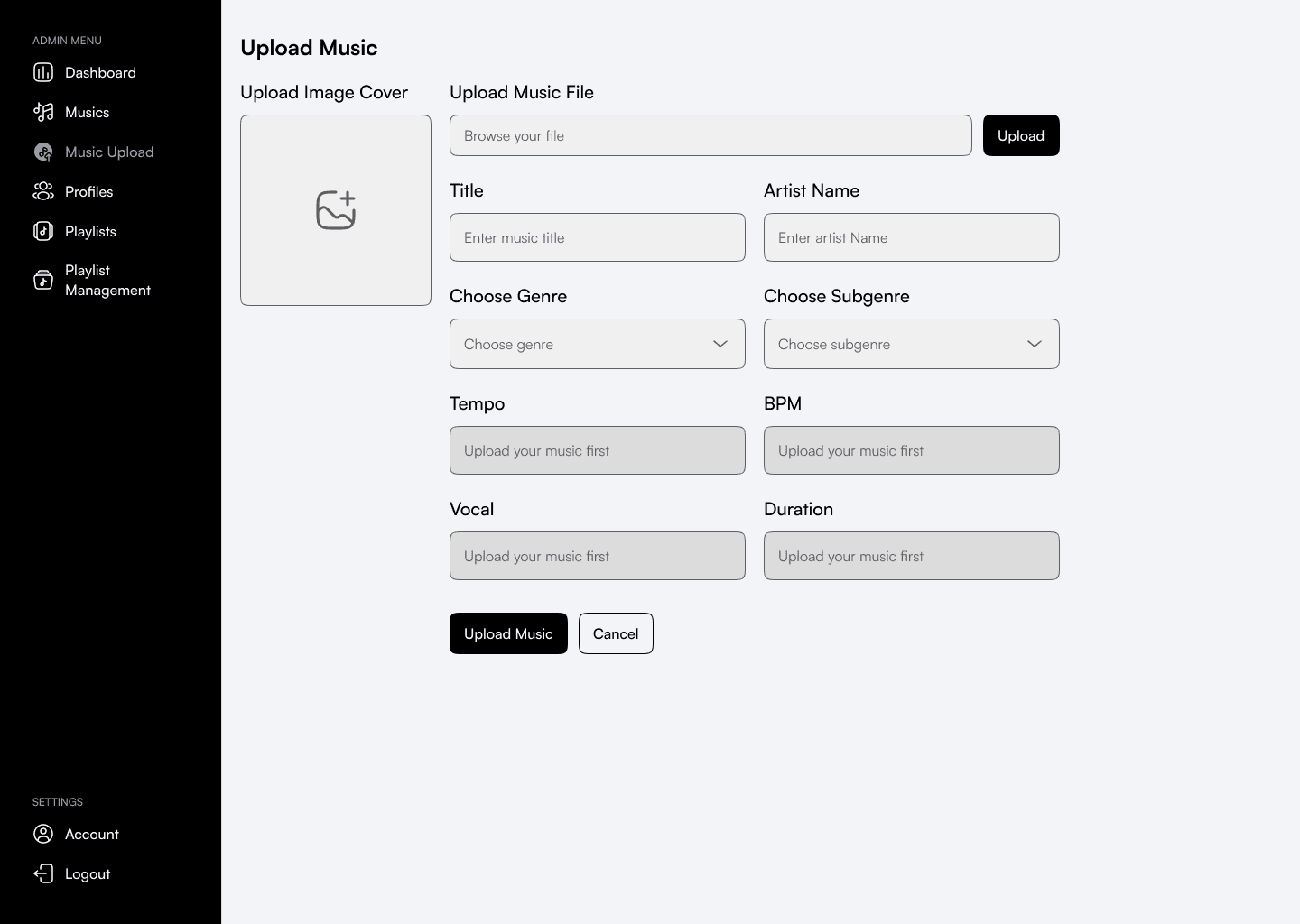
When admin wants to add new music to their platform, they can use this feature to upload new music. They will need to upload the music file, fill out the information, and then simply upload it and it will be available on the main website.
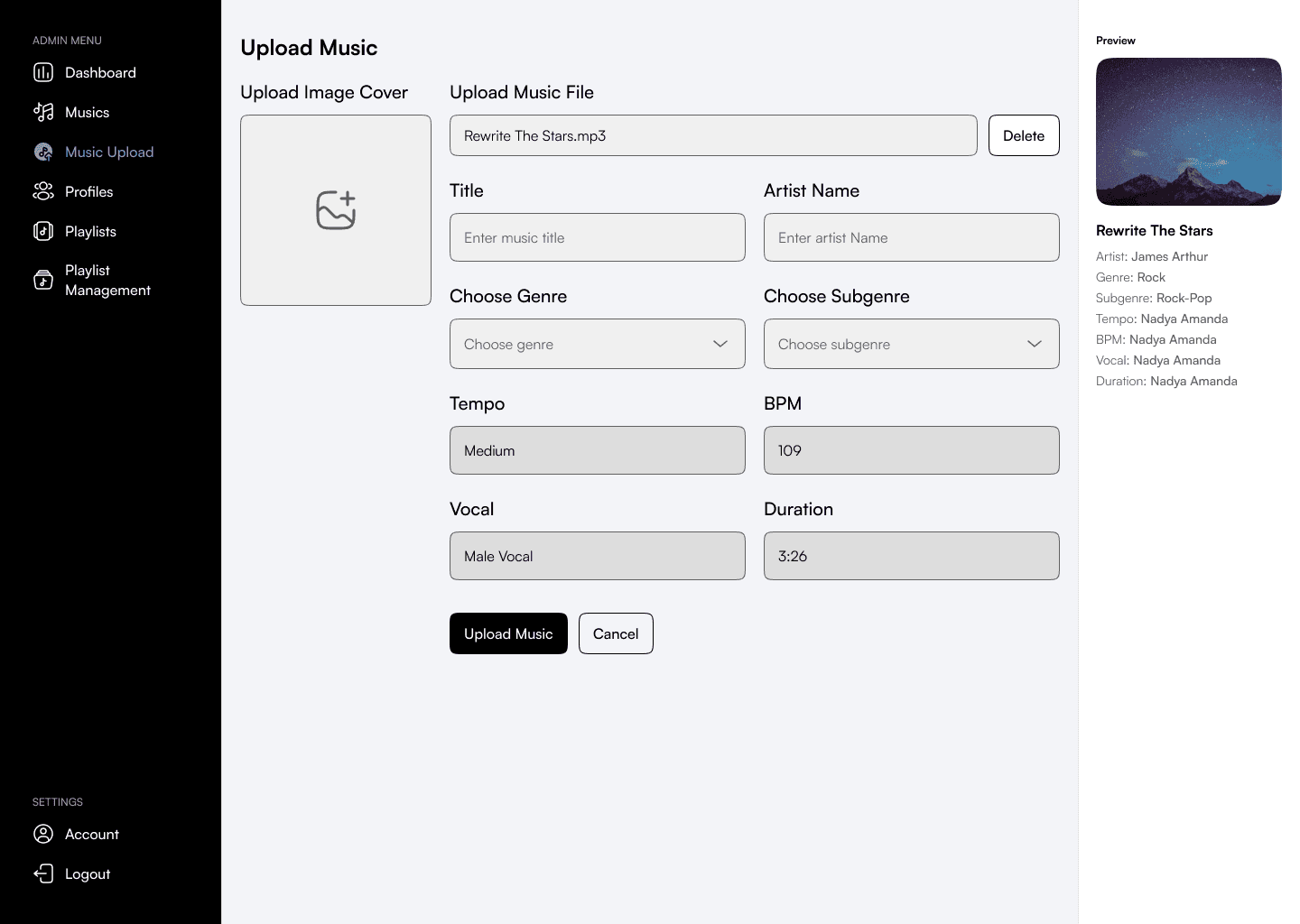
Some of the information here like tempo, BPM, vocal, and duration will be automatically detected from the uploaded music file. This is a technology that the client specifically requested and has been successfully developed by the developers.
After the music file is uploaded and the auto form is detected, the default music information like artist name, genre, etc. is also detected and displayed on the right sidebar. Admin will have the option to change those information but those are detected directly from the uploaded music.
Playlists
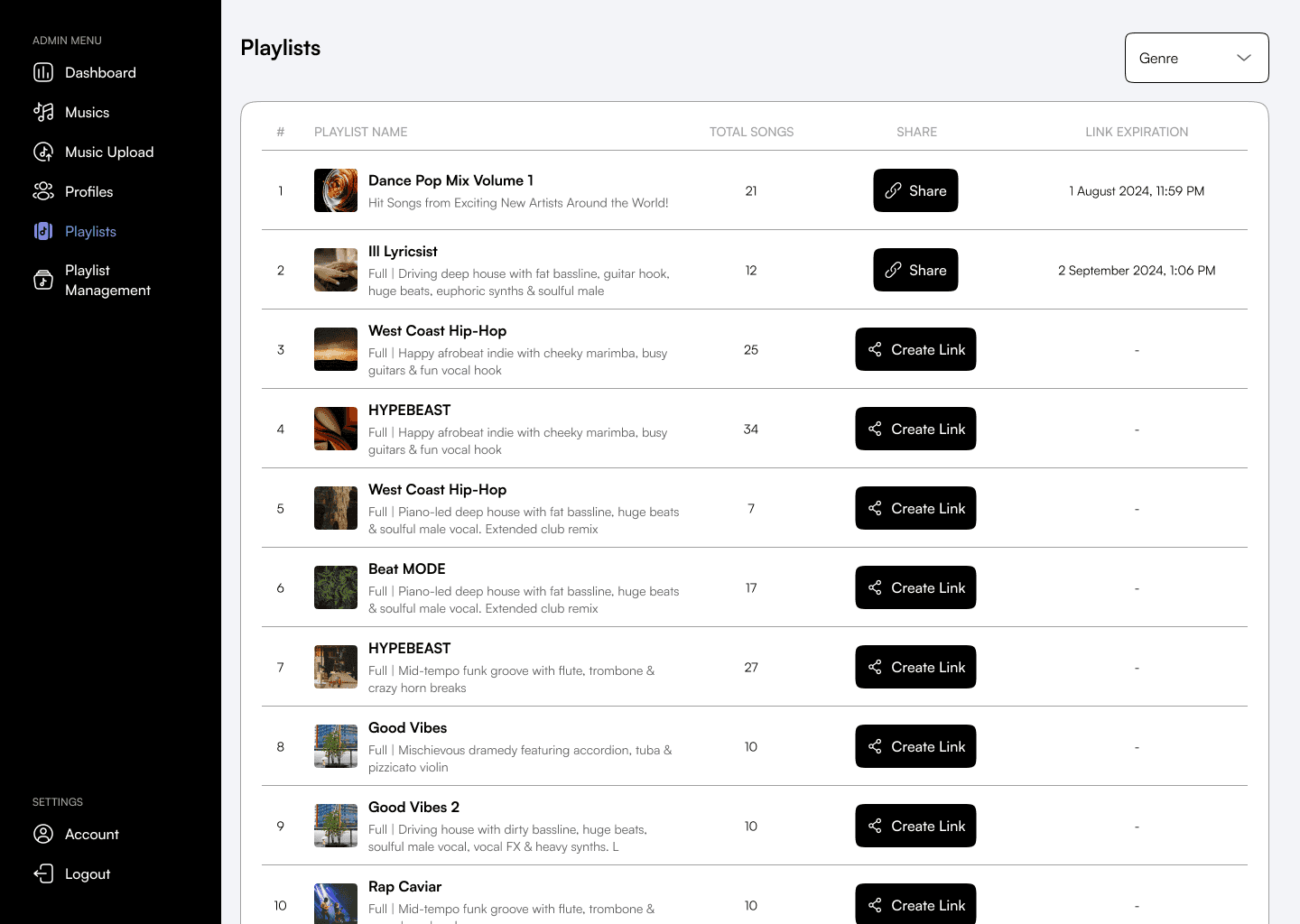
Admin can also manage all the playlists on the main website. They can see playlist information and create a shareable link that will expire in 7 days. The expiration link is due to privacy concern so the company want to limit some of its features to prevent unwanted things.
Playlist Management
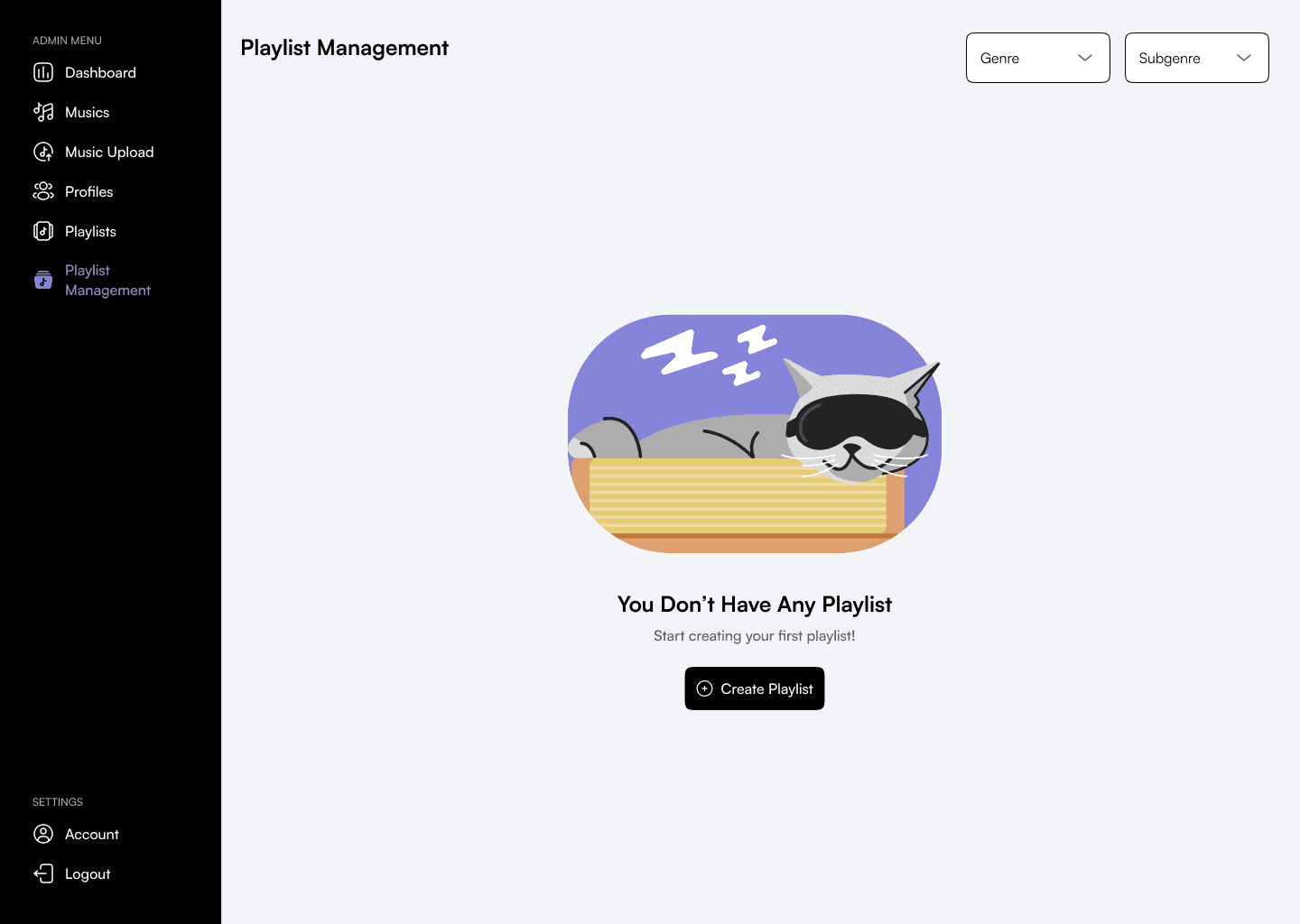
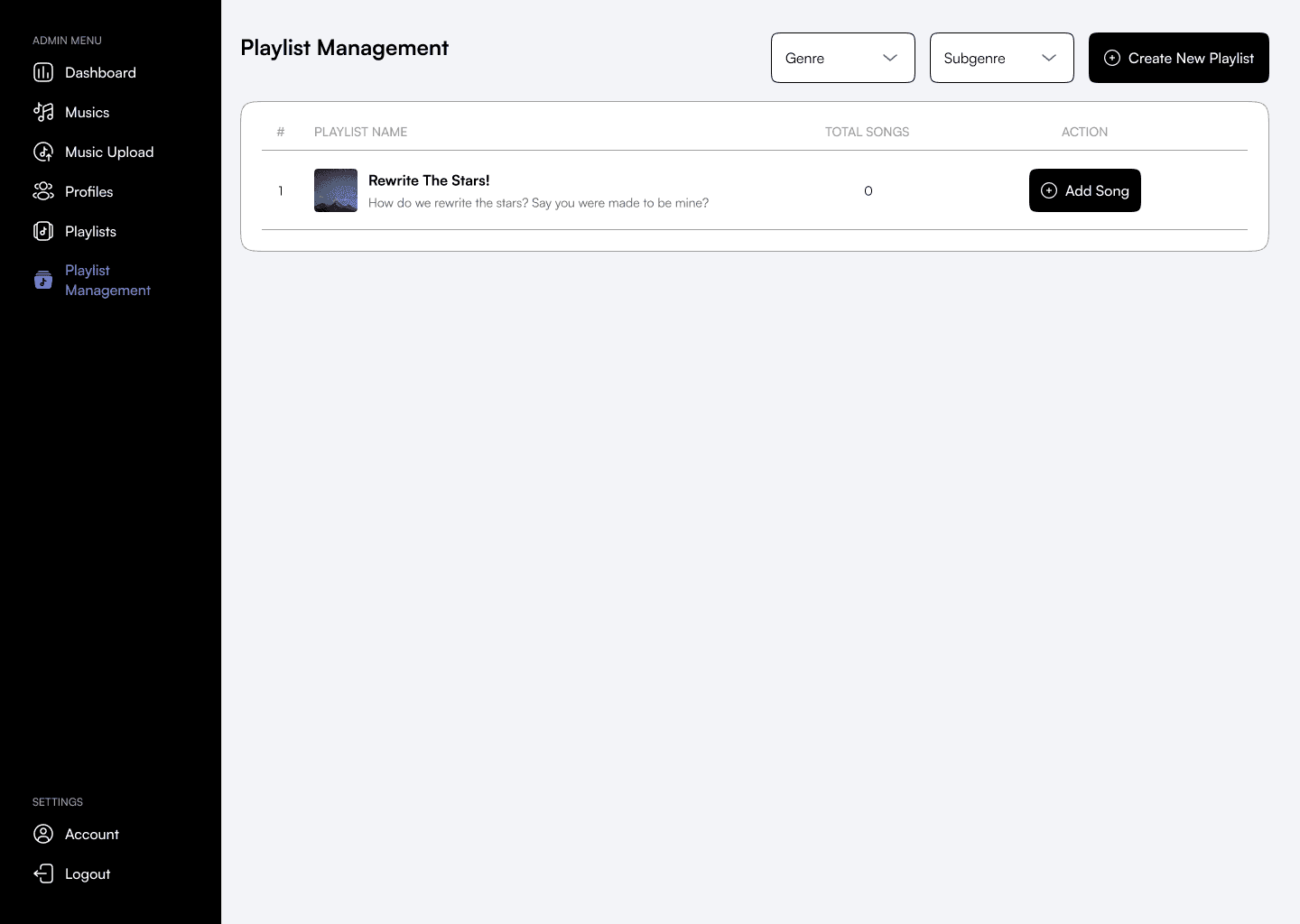
Admin can create a new playlist and publish it to the main website from this Playlist Management menu. The difference between this menu and the Playlists one is that editing the playlist content can only be able via this page and the previous one is just for sharing and viewing the playlist information.
When there’s no playlist available, it will display this empty state design version.
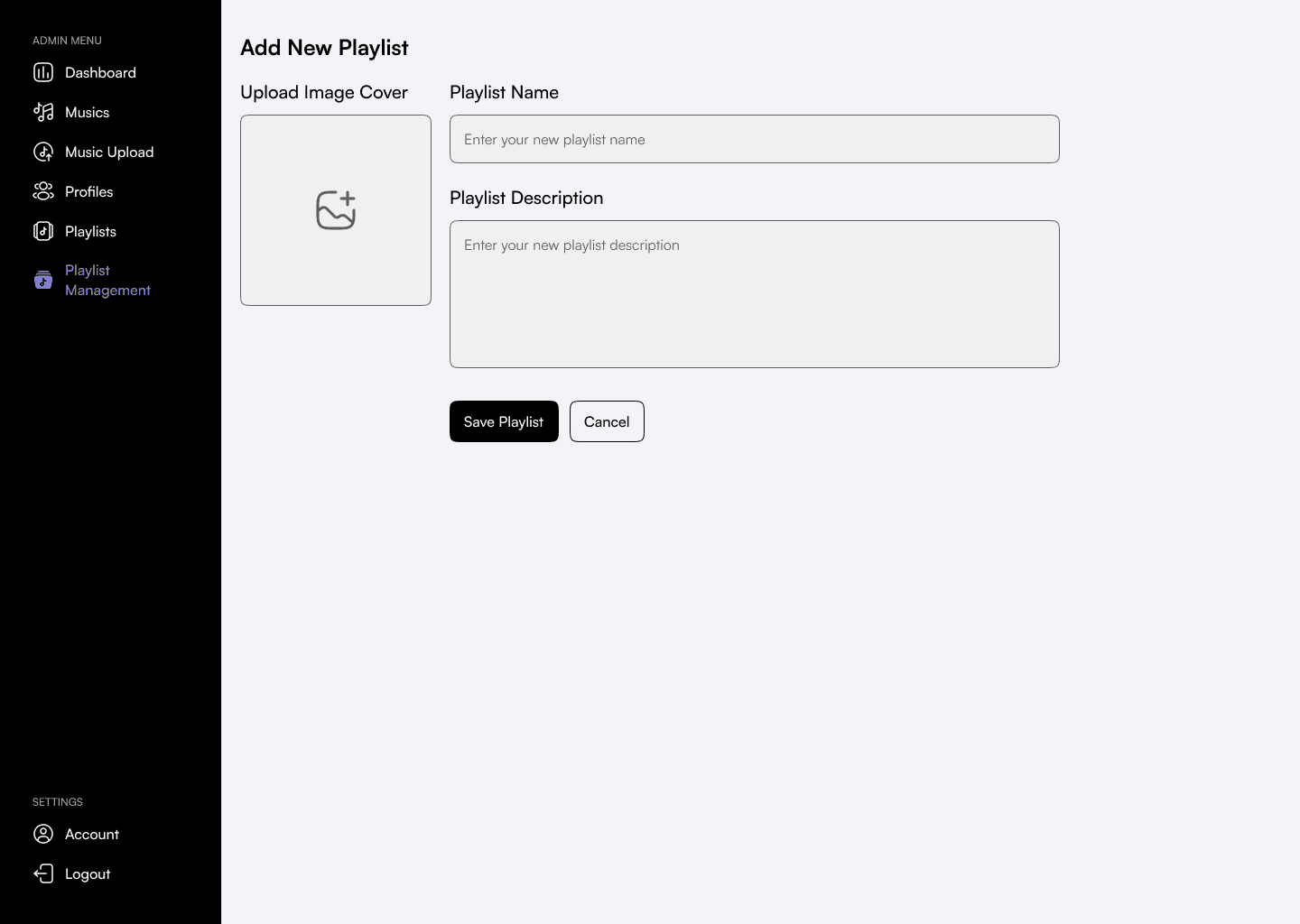
Add New Playlist
When creating a new playlist, it’s very simple, just fill out the name and description and add an image cover. Since other information like most song formats is generated automatically from the songs inside the playlist, the information needed to create a playlist is just these.
Here is the view when there is already a playlist created, admin will be able to add new songs by clicking on the button.
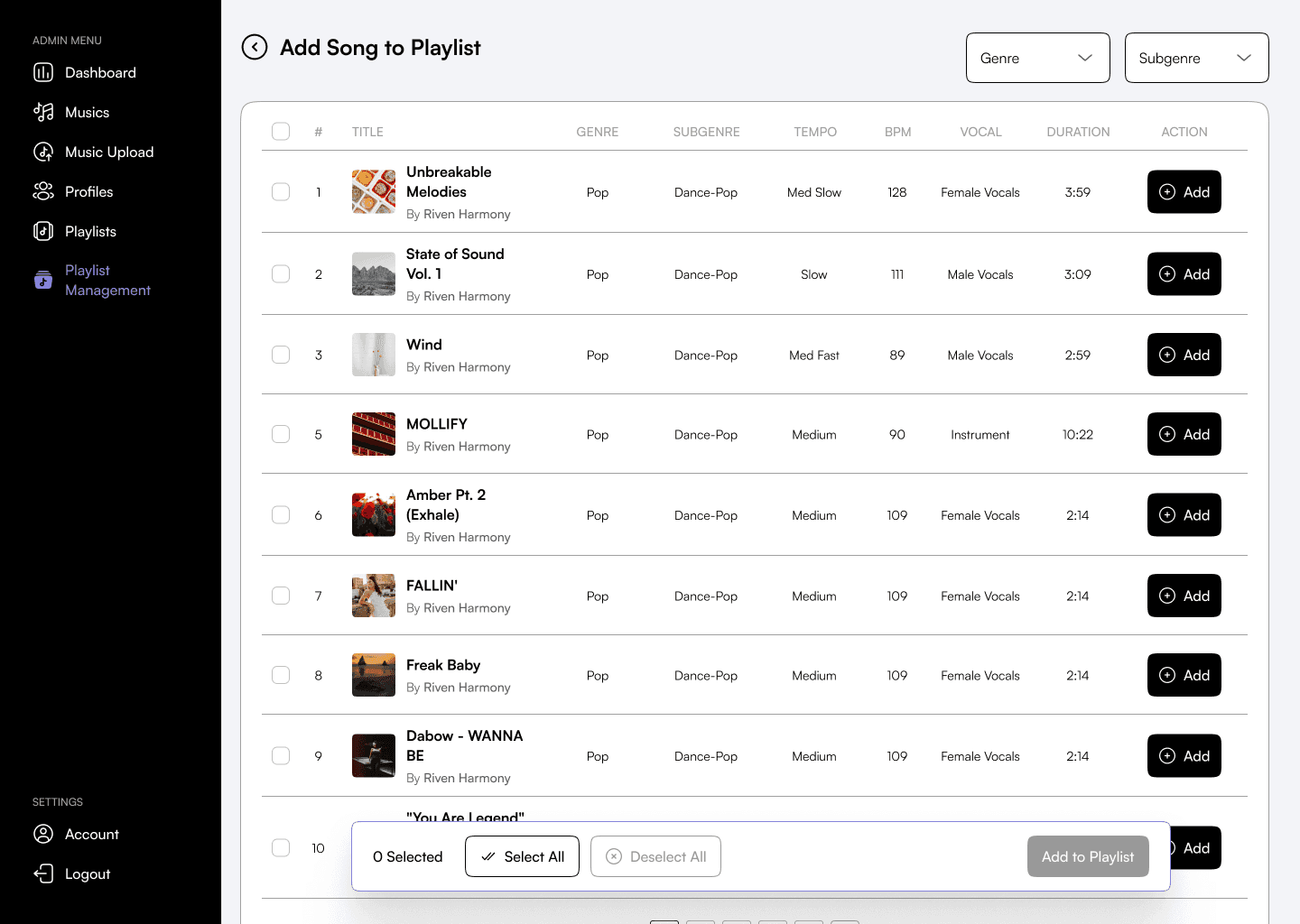
When choosing songs to be added to a playlist, the admin can click on the Add button to directly add it or check the checkbox to select several songs to be added together.
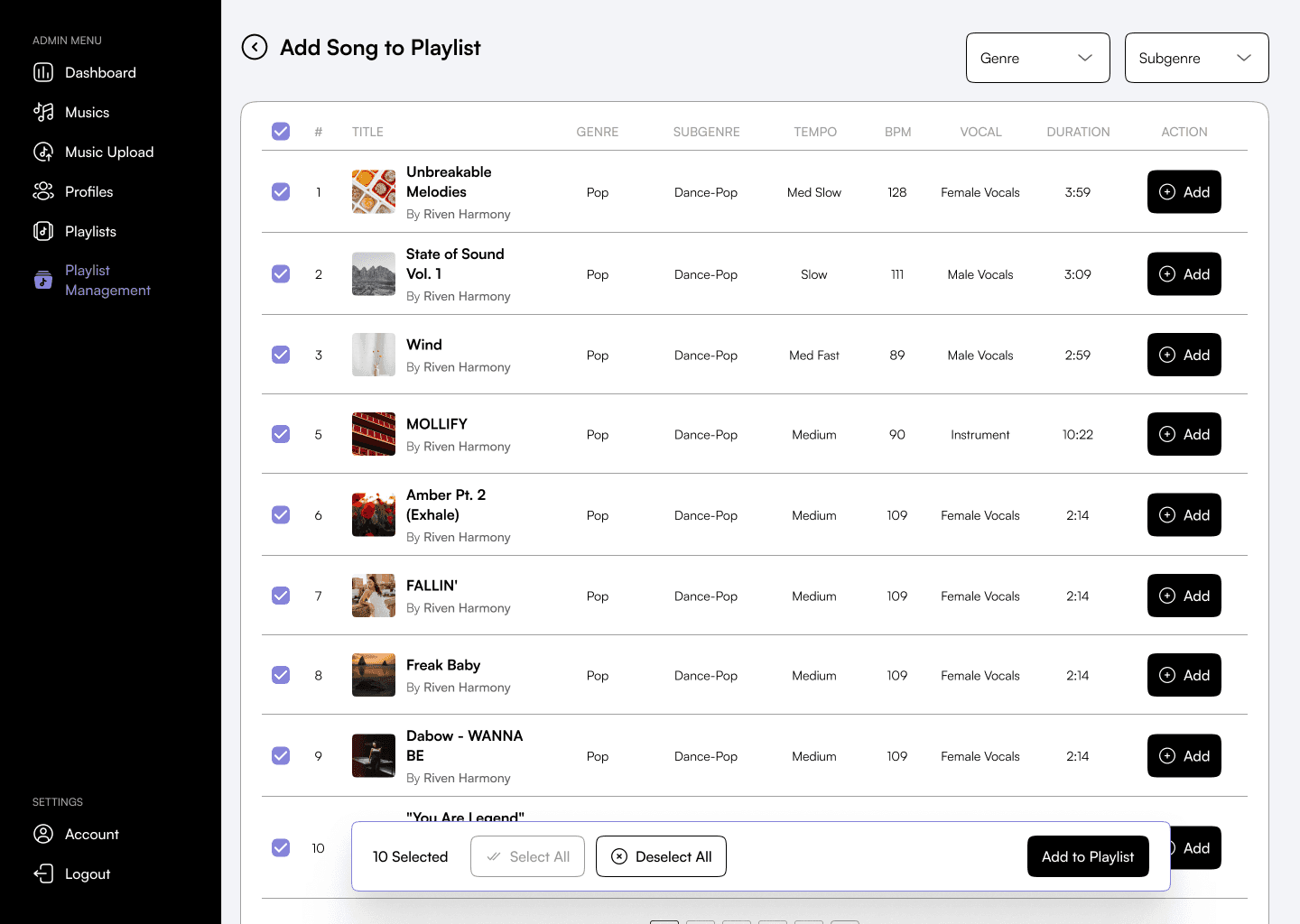
Here is the version when the admin selects many songs to be added to a playlist. The floating select control is displayed on the bottom to let the admin know how many songs are selected and whether they want to select all, deselect all, or add it to the playlist right away.
Those are the scope of the CMS site which allows the admin to upload music, manage users' permission, and also create and manage playlists. The flow is very straightforward and the design is using simple style. The clients already approved all these designs and all of them have proceeded to the development phase.
Mobile Design
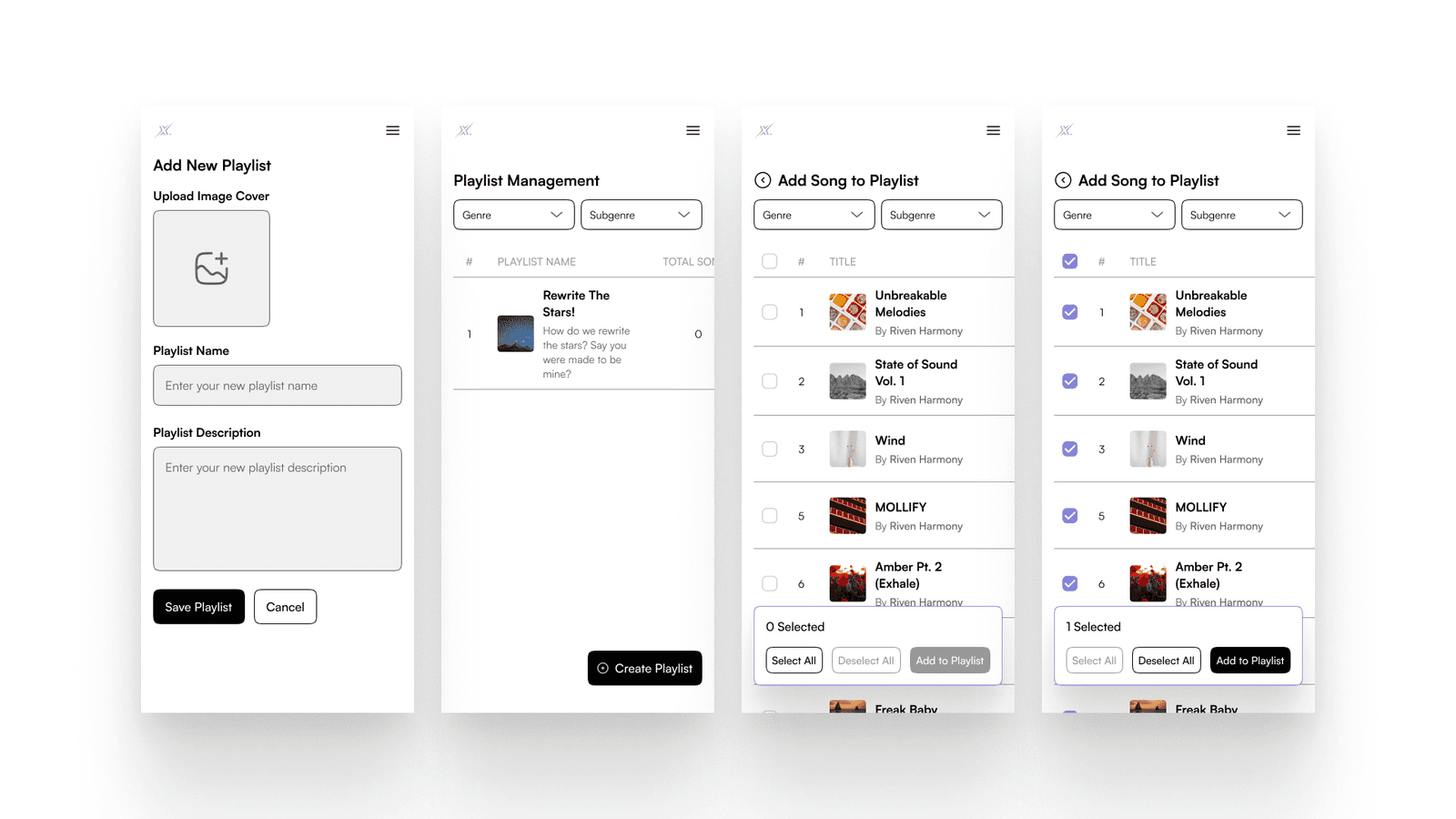
We also created the mobile version of all the pages with their respective functionality and adjusted the layout and style. Here is the mobile version:
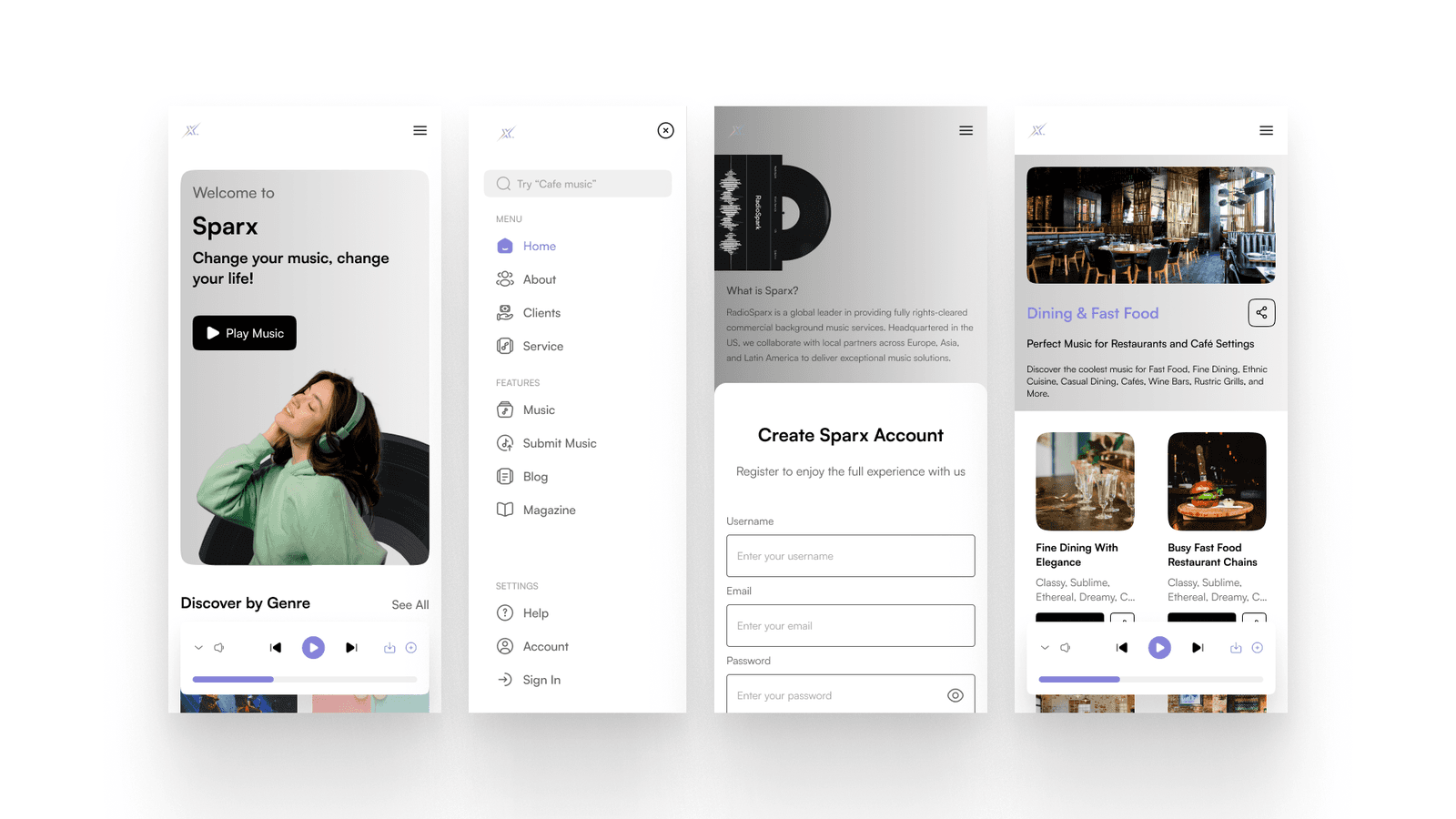
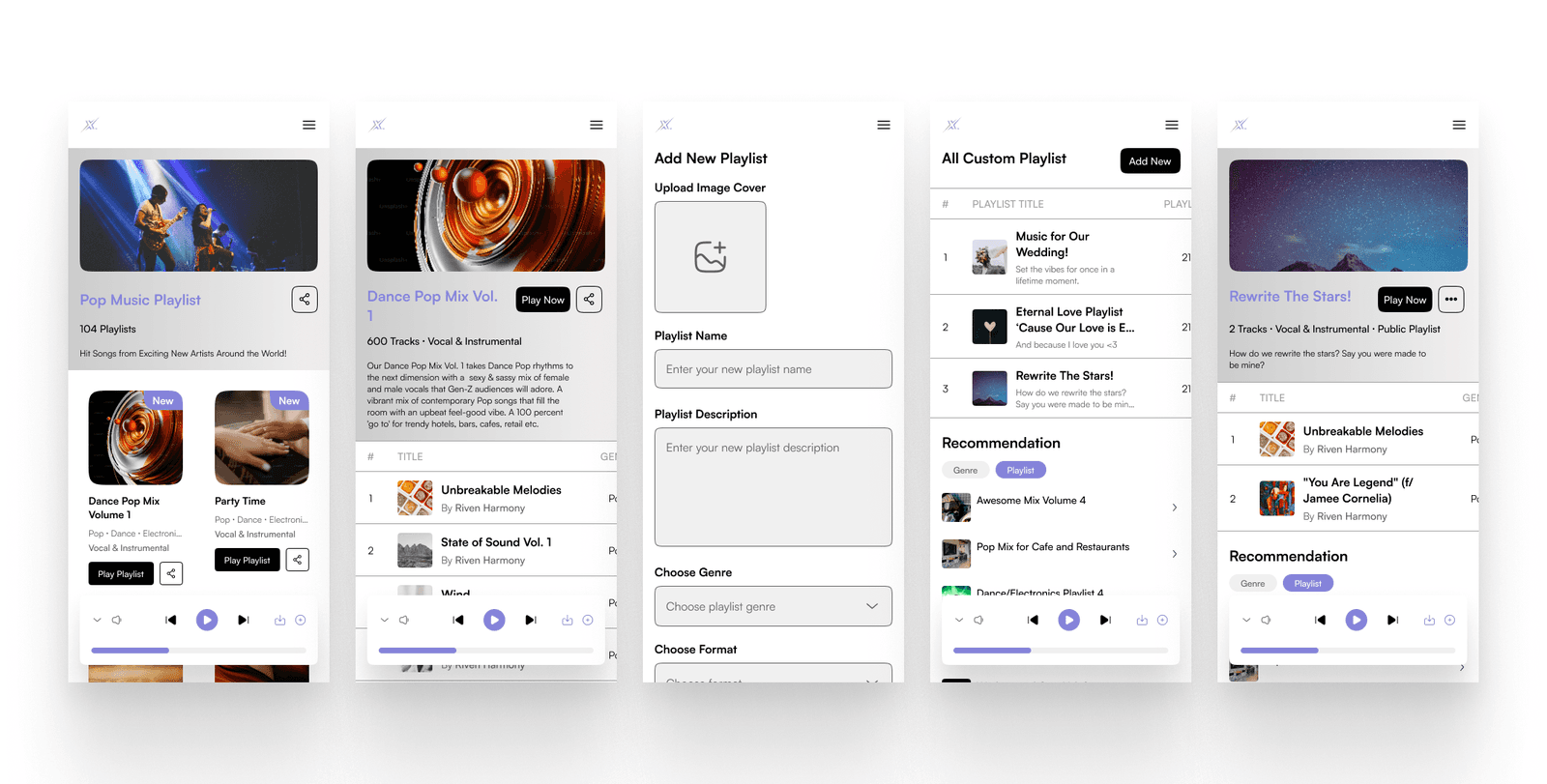
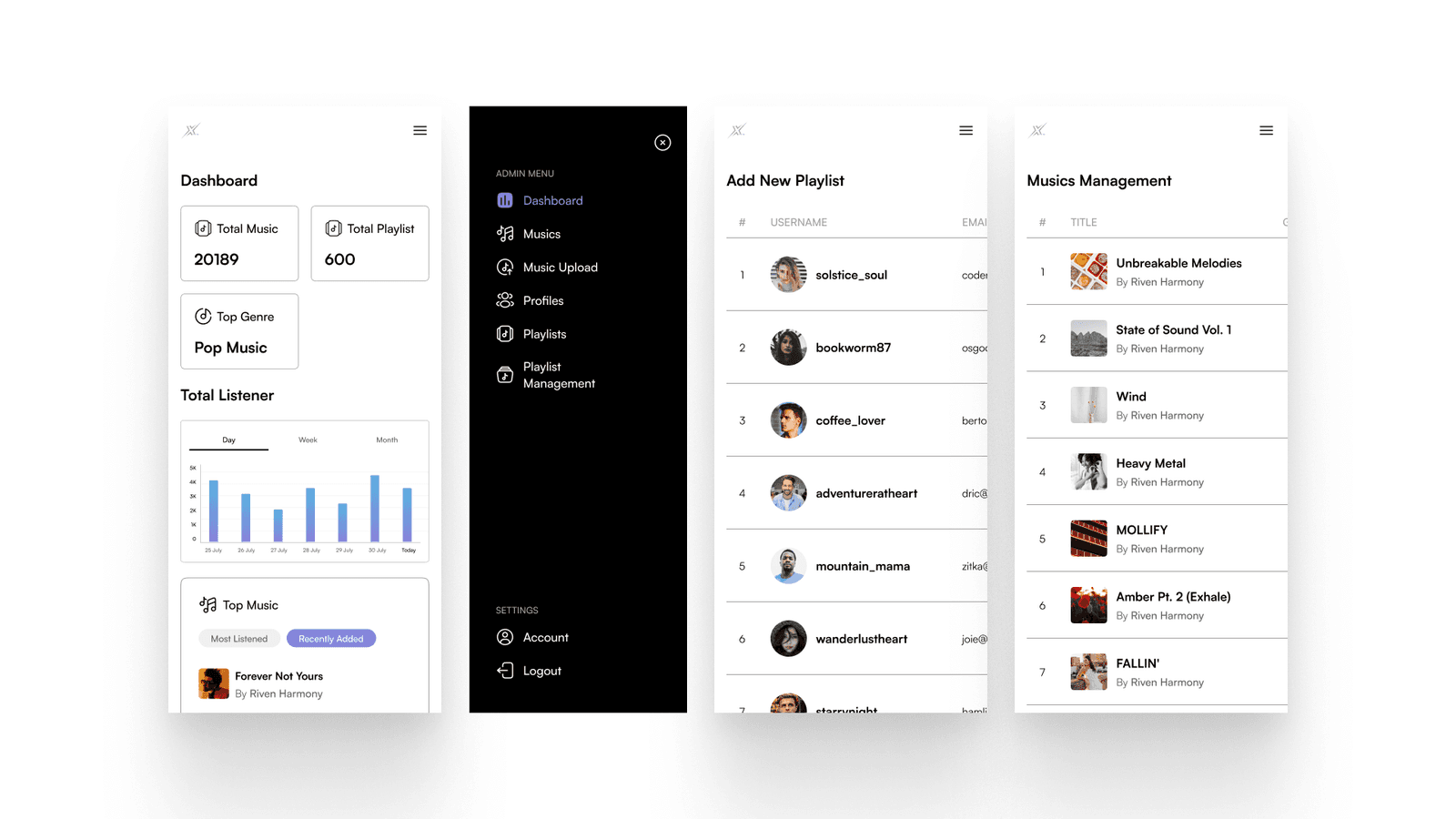
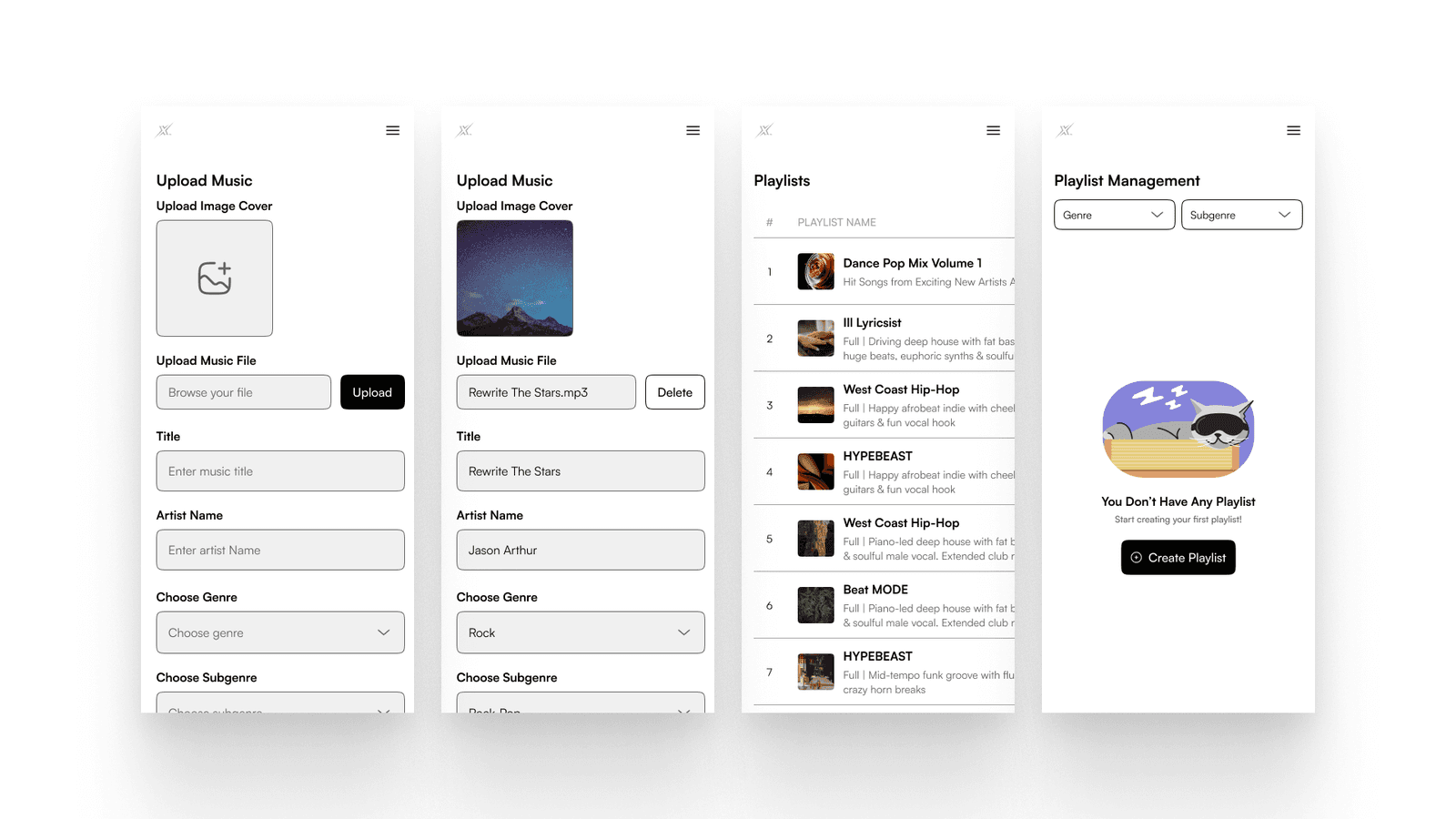
Modals
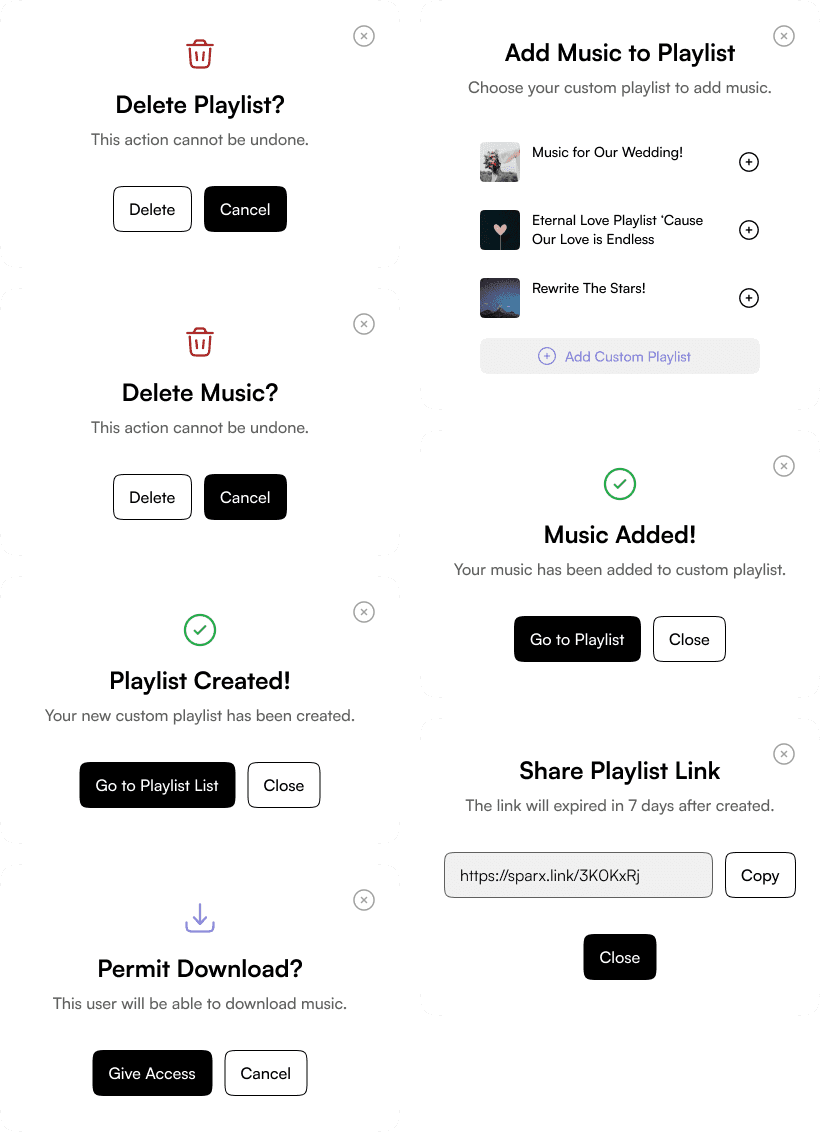
We created various components for interaction and prototyping but did not make many like a design system and style guide. Since the colour used is fairly simple, we didn’t create design guidelines for that and the client is fine with that. The most common component that we created aside from the interactive one is modals, here are all the modals that we’ve created for various pages.
Prototype
To better understand more about the flow, features, and website functionality, the prototype is available to view here.
Measurable Outcomes
This design scope is just to design the high-fidelity pages that are requested, hence, we didn’t conduct any measurable outcomes from usability testing and so on. The only method that we use to test our design is by showing it to the client. Most of the time, the client s satisfied with the design and just gives some minor revisions. We were able to complete this project without any hassle and drawback since the client also easy to communicate and set clear goals.
Limitations & Lesson Learned
Designing this project is another great experience for us, not just to understand the company’s unique business, but also to be part of their journey to create the best product for users. We’re so proud to be able to complete this project nicely and if we were given a longer time to explore, we want to test our design first whether it’s really usable for users and admins to use or whether there still need more improvement on it.